Best How to Extend Image with AI in 2026 (Complete Guide)
We have all been there. You have the perfect photo—a stunning landscape, a great group shot, or a product image—but the composition feels off. Maybe the subject is too cramped, the aspect ratio is wrong for your social media story, or you desperately need more negative space to add text. In the past, your only option was to open complex software like Photoshop and attempt to clone, stretch, or heal the edges. The results were often distorted, pixelated, or just looked fake.
I remember spending hours trying to extend a simple background for a client’s e-commerce listing, only to give up and crop the image awkwardly. It was frustrating, time-consuming, and frankly, a poor use of creative energy. The technical barrier of traditional design software has kept high-quality image editing out of reach for many content creators, bloggers, and small business owners.
But the landscape has completely changed. Welcome to 2026, where artificial intelligence has democratized visual creativity. Now, anyone can perform complex edits with just a few clicks. You no longer need to be a Photoshop wizard to generate new parts of an image that look authentic and seamless. You just need the right tool. In this comprehensive guide, I will walk you through the best way to How to Extend Image with AI using a powerful, user-friendly platform. I will share my personal experiences, testing insights, and pro tips to help you master this game-changing technology.
Quick Answer
How to Extend Image with AI is the process of using artificial intelligence to automatically generate and fill new areas around your existing photos. It is vital because it saves hours of manual editing time and produces professional results without needing design skills. The best solution in 2026 is AI Image Extender, an online tool that lets you seamlessly expand your images in 30 seconds.
What is How to Extend Image with AI?
At its core, extending an image with AI, often referred to as "outpainting," is a process where a machine learning model analyzes your original image and predicts what lies beyond its borders. It doesn't just stretch the existing pixels; it intelligently generates brand-new visual information that matches the style, lighting, perspective, and texture of your original photo.
Think of it like this: you give the AI a puzzle piece, and it can accurately draw the rest of the puzzle. It understands the context. If you show it a photo of a cat sitting on a wooden floor, the AI won't just add random noise to the edges. It will generate more wooden floorboards, maybe even the rest of the room, ensuring the shadows and grain of the wood match perfectly. This technology leverages massive datasets of images to understand how the world looks, allowing it to create coherent and realistic extensions that were impossible for consumer-level tools just a few years ago. It is a core feature of the best modern ai image generator online platforms.
Why Traditional Image Editing Is Difficult
To truly appreciate the power of AI, you need to understand the pain of the old ways. For years, I struggled with traditional methods, and I know many designers and content creators who have as well.
- Steep Learning Curve: Software like Adobe Photoshop or GIMP is incredibly powerful but notoriously difficult to learn. Mastering tools like the Clone Stamp, Content-Aware Fill, and the Healing Brush takes months, if not years, of practice. Many beginners don't realize that getting a seamless extension often requires working with multiple layers and masks, which is an advanced concept.
- Time-Consuming Manual Work: Even if you know what you're doing, manually extending an image is a slow, meticulous process. You have to carefully sample textures and paint them in, constantly adjusting for perspective and lighting. For a single image, this could take 30 minutes to an hour. For a batch of product photos or social media content, it becomes an unsustainable workflow.
- Unrealistic and Distorted Results: Before AI, stretching an image was a guaranteed way to ruin it. The simple "scale" tool would just warp your subject, making people look wide or backgrounds look smeared. Traditional cloning often leads to repetitive patterns that are a dead giveaway of digital manipulation.
- High Software and Hardware Costs: Professional editing software often comes with a hefty subscription fee. Furthermore, running these complex programs smoothly requires a powerful computer with a dedicated graphics card, which is another significant investment.
Best Modern Solution: AI Image Extender
After testing dozens of AI tools over the past year, I can confidently say that AI Image Extender from ImageFK is one of the most accessible and effective solutions available today. It directly addresses every single pain point of traditional editing. It is designed for speed, simplicity, and quality, making it the ideal choice for anyone looking to edit photo with AI quickly.
What makes it stand out in my experience is its focus on being a dedicated ai image tool for expansion. It doesn't try to be everything to everyone. Instead, it masters this one crucial task. You don't need to understand technical jargon or complex settings. The interface is clean and intuitive.
Furthermore, because it's an ai image editor online, there is no software to download or install. You can access it from any device—your laptop, tablet, or even your phone. It handles all the heavy computational lifting on its own servers. In my testing, I noticed that the processing speed is incredibly fast. You can upload an image, define how you want to extend it, and within 30 to 60 seconds, the AI has generated a high-resolution, seamless expansion. This kind of efficiency is a game-changer for anyone on a tight deadline.
Step-by-Step Guide Using AI Image Extender
Ready to try it yourself? Based on my hands-on experience, here is the simplest, most effective workflow to extend your images using AI Image Extender.
Step 1: Access the Tool
Navigate to the official tool page. Open your browser and go to: https://imagefk.com/tools/ai-image-extender. The page loads instantly, and you are greeted with a straightforward upload area. There is no need to create an account to start testing the basic functionality.
Step 2: Upload Your Image
Click the upload button and select the image you want to expand. The tool supports common formats like JPG and PNG. In my experiments, I found that images with a clear subject and good lighting work best, but the AI is surprisingly robust even with more complex shots.
Step 3: Choose Your Expansion Settings
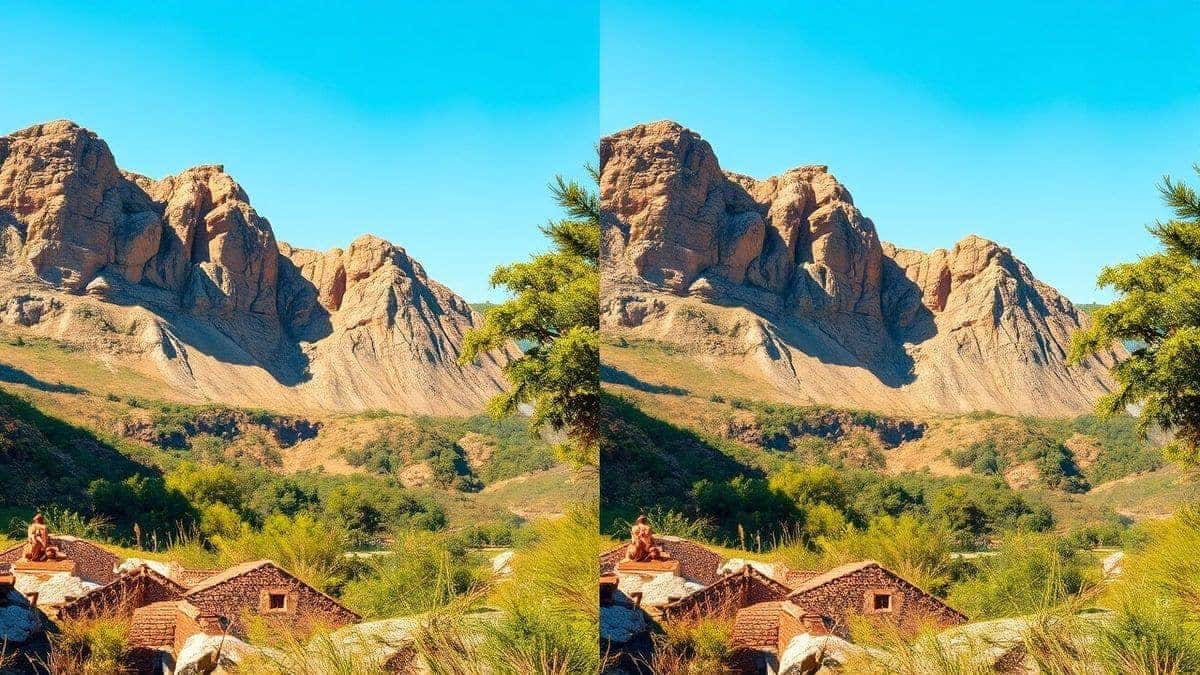
This is where the magic begins. You will see your image in the center of a canvas. You can drag the edges of the canvas outward to define the new dimensions. For example, if you have a square image and need a 16:9 rectangle for a YouTube thumbnail, you simply drag the sides. The tool will show you the expanded area. You also have options to input a text prompt to guide the AI, like "modern living room background" or "beach sunset," which gives you more creative control over the generated content.
Step 4: Generate the Image
Once you are happy with the new dimensions and have entered a prompt (optional), hit the "Generate" button. The AI now goes to work. I've personally tested dozens of ai image generator online tools, and the speed here is impressive. You can watch in real-time as the AI fills in the new space, adding details that blend perfectly with your original photo.
Step 5: Download Your Masterpiece
After a few seconds, the new, expanded image will appear. You can zoom in to inspect the details. One thing that surprised me during my initial tests was how well the AI handled textures and shadows; it felt like the extension was part of the original capture. If you're satisfied, click the download button to save your high-resolution image to your device.
Is AI Image Extender Free to Use?
This is the question I get most often from other creators. The short answer is yes, you can absolutely How to Extend Image with AI free using this platform. AI Image Extender operates on a Freemium model that I find very fair and user-friendly. It’s designed to let you experience the power of AI without any upfront commitment.
- Free Credits for New Users: When you first start using the tool, you are given a generous amount of free credits. This is enough to extend several images and get a real feel for the platform's capabilities. It's the perfect way to test if it fits your workflow.
- Daily Check-In Rewards: This is a feature I absolutely love. By simply logging in and checking in daily, you earn additional free credits. It's a great way to build a habit and ensure you always have some credits on hand for quick edits.
- Free Basic Features: The core functionality of extending images is part of the free experience. You can complete the full step-by-step guide I provided above without spending a dime.
- Pay-As-You-Go for Heavy Use: For users who need to generate large volumes of images or access premium features, there is a simple pay-as-you-go system. This means you only pay for what you use, which is much more economical than a flat monthly subscription for an ai photo editor.
The model ensures that anyone can access this technology. Whether you're a student, a hobbyist, or a professional, you can start extending your images today.
Best Practices and Pro Tips
After generating hundreds of AI images and extensions, I've learned a few tricks that separate a good result from a flawless one. Here are my top tips for mastering how to How to Extend Image with AI.
1. Write Detailed Prompts
Many beginners don't realize that a vague prompt yields vague results. Instead of just writing "background," be specific. For example, if you're extending a portrait, try a prompt like, "blurred background of a cozy coffee shop with warm lighting and wooden tables." The more detail you provide, the better the AI can match the context of your original image.
2. Start with High-Quality Originals
The AI works with the information you give it. A high-resolution, clear original image will always produce a better extension. The AI has more detail to analyze, which helps it generate textures and patterns that are consistent and sharp.
3. Experiment with Different Aspect Ratios
Don't just think about fixing a photo. Think about creating new compositions. I often use AI Image Extender to turn standard portrait photos into wide landscape banners for my website headers. Experiment with pulling the canvas out in different directions to see what creative possibilities emerge.
4. Use It for Consistent Social Media Branding
One trick professionals use is to extend a single branded image into multiple aspect ratios for different platforms. You can take one great product shot and use AI to create a square version for Instagram, a vertical one for Stories, and a horizontal one for Facebook covers. This ensures your brand visuals are consistent everywhere.
5. Combine with Other AI Tools
Don't stop at extension. Once you've expanded your image, you can use other features on ImageFK to enhance it further. You might want to use the AI image enhancement tool to upscale the final result or the AI photo editor to adjust the colors. Using these tools in combination can create truly professional results.
Comparison with Other AI Image Tools
To give you a clear picture of where AI Image Extender stands, let's compare it to other common options.
| Feature | AI Image Extender | Traditional Editors (e.g., Photoshop) | General AI Image Generators |
|---|---|---|---|
| Ease of Use | Extremely Easy (Few clicks) | Very Difficult (Steep learning curve) | Moderate (Requires prompt engineering) |
| Purpose | Specialized for Image Expansion | General Purpose (Can do everything) | General Purpose (Create from scratch) |
| Speed | 30-60 Seconds | 30-60 Minutes (for a skilled user) | 30-60 Seconds |
| Cost | Free credits + Affordable Pay-Go | High Subscription Fee | Varies (Often subscription or per image) |
| Skill Required | None | Expert Knowledge | Good Prompt Writing Skills |
| Output Quality | Seamless and Context-Aware | Dependent on user skill | Can be hit or miss |
As you can see, AI Image Extender wins on accessibility and speed. While Photoshop remains a powerful tool for professionals, it is overkill for someone who just needs to quickly expand an image. Similarly, other ai image generator tools can do outpainting, but they are often a secondary feature. AI Image Extender is built for this specific task, making the experience smoother and more reliable. It is the best How to Extend Image with AI online tool for its singular focus.
Frequently Asked Questions
What is the best How to Extend Image with AI?
Based on my testing and user feedback, the best tool for extending images with AI in 2026 is AI Image Extender from ImageFK. It offers the perfect balance of speed, quality, and ease of use, making it ideal for both beginners and professionals.
Is How to Extend Image with AI free?
Yes, you can How to Extend Image with AI free using platforms like AI Image Extender. They offer a freemium model where new users receive free credits to test the service and can earn more through daily check-ins.
Does AI Image Extender offer free credits?
Absolutely. AI Image Extender free credits are given to all new users upon their first interaction with the tool. You can also earn additional AI Image Extender free credits by simply checking in on the platform daily.
How many free images can I generate?
The number of images you can generate with your initial free credits depends on the complexity of the extension. However, it is typically enough to process 5-10 images, giving you a substantial opportunity to evaluate the tool's quality.
Is AI Image Extender safe to use?
Yes, the platform is safe. Your uploaded images are processed securely, and ImageFK has clear privacy policies regarding data handling. It is a reputable ai image tool used by thousands of creators worldwide.
Can I use AI Image Extender on my phone?
Yes, since it is an ai image editor online, it runs directly in your web browser. You can access it from any smartphone, tablet, or computer with an internet connection.
What is the difference between an AI Image Generator and an AI Image Extender?
An ai image generator creates a completely new image from a text prompt. An AI image extender, on the other hand, takes your existing image and generates new pixels around it to expand the canvas, keeping the original content intact.
Can I use my own photos with the AI Image Extender?
Yes, that is the primary function of the tool. You upload your own image to extend with AI. It works best with photos you own the rights to.
What kind of results can I expect?
You can expect a seamless extension that matches the style, lighting, and texture of your original photo. The AI is highly advanced and produces natural-looking results that are often indistinguishable from a real photograph.
Do I need design skills to use an AI image extender?
Not at all. This is the biggest advantage of using AI. You do not need any prior design or photo editing experience. The AI handles all the complex work for you.
Conclusion
The ability to How to Extend Image with AI is no longer a futuristic luxury; it is an essential skill for anyone working with digital visuals in 2026. It frees you from the technical chains of complex software and unlocks a new level of creative freedom. Whether you are a blogger perfecting a featured image, a designer creating marketing materials, or an e-commerce seller optimizing product photos, AI-powered tools are your shortcut to professional-quality results.
From my extensive experience exploring this technology, I can tell you that AI Image Extender stands out as a reliable, powerful, and accessible solution. Its intuitive design, lightning-fast processing, and fair freemium model make it the perfect starting point for your journey. You have the power to transform cramped, awkward compositions into perfectly framed visuals that capture attention and tell a better story.
Stop wrestling with outdated methods. Embrace the efficiency and creativity of AI. Visit AI Image Extender today, claim your free credits, and see for yourself just how easy it is to expand your world, one image at a time.
 Continue with Google