AI Image Extender
Preview the requested appearance change with AI Image Extender using a clear portrait. Compare facial features, hair or clothing edges, lighting, and proportions before keeping the edited result.
Modified AI Image Extender: Expand Images Seamlessly Online AI Image Extender is a browser-based tool that leverages artificial intelligence to expand the boundaries of your photos. It intelligently generates new, realistic imagery to fill the extended canvas, allowing you to change aspect ratios, fix tight compositions, or add creative space without any design skills. ### What is an AI Image Extender and Why You Need It Have you ever captured the perfect moment, only to find the composition feels too cramped? Or perhaps you need a square image for Instagram, but your best shot is a wide landscape. Traditionally, fixing this meant cropping, which loses valuable parts of the image, or spending hours in complex software like Photoshop, trying to clone and heal backgrounds. This is where an AI Image Extender changes the game. An AI Image Extender is a specialized tool that uses advanced machine learning models, often through a technique called "outpainting," to seamlessly add pixels beyond an image's original frame. Unlike simple scaling, which stretches and distorts your photo, AI image extension analyzes the existing content—the colors, textures, lighting, and subjects—and predicts what should logically exist outside the borders. It then generates brand-new imagery that blends naturally and coherently with the original, making it look like the photo was always meant to be wider or taller. For anyone creating visual content—whether for social media, e-commerce, or personal projects—this capability is incredibly powerful. It transforms a limited image into a flexible asset, saving time and unlocking creative possibilities that were once difficult and time-consuming to achieve. ### How AI Image Extender Works: The Technology Behind the Magic Understanding the basic process helps you appreciate the sophistication of the tool and use it more effectively. While the interface is simple, the underlying technology is remarkably complex, performing after processing what would take an expert editor hours. 1. Image Analysis: The process begins the moment you upload your image. The AI, typically a type of generative adversarial network (GAN) or diffusion model, performs a deep analysis of your picture. It identifies key elements: the main subject, the depth of field, the texture of the background (like grass, sky, or fabric), the direction of light and shadows, and the overall color palette. This step is crucial for ensuring the newly generated content matches the original. 2. Contextual Prediction: Once the AI understands the "style" and "content" of your image, it predicts what should fill the new space. If you extend the sky upwards, it generates clouds and gradients that match the existing sky. If you expand a landscape to the side, it creates more of the field, forest, or ocean, ensuring the perspective and patterns remain consistent. This isn't a random guess; it's a prediction based on the analysis of millions of images the model was trained on. 3. Seamless Generation and Blending: The AI then generates the new pixels for the expanded area. The most critical part is the blending. The tool doesn't just paste the old image onto a new canvas; it diffuses the new content at the borders, ensuring a smooth, artifact-available transition. It adjusts lighting and texture to make the boundary between the real and the AI-generated completely invisible. The result is a cohesive, detailed image that looks whole and natural. ### Key Features of a detailed AI Image Extender Not all tools are created equal. When using an AI Image Extender, you should look for features that maximize quality, flexibility, and ease of use. The best tools offer a balance of control and automation. #### Flexible Aspect Ratio Adjustment
The core function is the ability to change an image's shape. A good tool provides common social media presets (like 9:16 for TikTok/Reels, 1:1 for Instagram posts, and 16:9 for YouTube thumbnails) as well as custom options. This lets you online reformat a single image for every platform without losing the subject or important details. #### High-Resolution Output Expanding an image is pointless if the result is blurry or pixelated. Premium tools, even available ones, should offer high-resolution outputs, often up to 4K, ensuring your visuals remain sharp and professional for both digital use and print. This is especially important for e-commerce product images or marketing materials. #### Optional Prompt Guidance Some advanced AI extenders allow you to guide the generation with a text prompt. For example, if you're extending a beach photo, you could type "add more palm trees and a sunset" to influence what the AI creates in the new space. This feature offers an extra layer of creative control, turning a simple extension into a tool for artistic direction. #### Privacy and Security A trustworthy online tool processes your images securely. The best practice is to look for tools that state they do not store your images permanently and use secure connections for uploads. Some even process images directly in your browser, meaning your photos never leave your computer, offering maximum privacy. ### When to Use an AI Image Extender: Real-World Applications The versatility of AI image extension makes it valuable across numerous fields. Here are some of the most impactful use cases. #### Social Media Content Creation This is arguably the most common use. A photographer might have a stunning horizontal landscape, but Instagram Reels demand a vertical 9:16 format. Instead of brutally cropping the top and bottom, they can use an AI Image Extender to add more sky and foreground, creating a vertical video thumbnail or post that includes the entire original scene. Marketers can also create consistent branding by extending images to fit the exact dimensions of Facebook covers, LinkedIn banners, or Pinterest pins. #### E-Commerce and Product Photography Online sellers need clean, consistent product images. Often, a product shot is too tight, leaving no room for text overlays, logos, or just a clean, minimalist feel. An AI extender can add white space around a product, making it stand out and look more professional on the listing page. It can also ensure all product photos in a catalog have a uniform aspect ratio, which looks much more polished. #### Photography and Creative Art Photographers can use outpainting to "uncrop" shots where they couldn't get the perfect framing in the moment, adding context to a portrait or expanding a panoramic idea. Digital artists can use it to extend their canvases, giving them more room to add elements or create wider, more immersive scenes from a central idea. It's also a fantastic tool for restoring old photos by reconstructing missing or damaged corners. #### Marketing and Advertising When creating ad campaigns, visuals often need to be adapted to multiple formats—from a small square banner to a large billboard-sized graphic. An AI image extender allows designers to take a single, approved visual and adapt it to any required size without a complete redesign, saving time and ensuring brand consistency across all channels. ### Step-by-Step Guide: How to Use an AI Image Extender Using a tool like the one on ImageFK is designed to be intuitive. Here is a general workflow you can expect: 1. Upload Your Image: Start by uploading the image you want to expand. Most tools support common formats like JPEG, PNG, and WEBP. You can usually upload one image at a time for repeatable single-image edits. 2. Select Your Target Aspect Ratio: Choose the new shape for your image. Do you want to turn a portrait into a square? A square into a wide landscape? Simply click on one of the preset ratios (e.g., 16:9, 4:3, 3:4) or enter custom dimensions. 3. Add a Prompt (Optional): If the tool supports it, you can type a short description of what you'd like to see in the newly generated areas. For example: "A calm blue lake with mountains in the background". 4. Generate and Review: Hit the generate button. The AI will process your image, which usually takes anywhere from 20 to 60 seconds. Once done, you'll see a preview of your expanded image. 5. Download: If you're happy with the result, download the high-resolution image. If not, many tools allow you to tweak the prompt or ratio and try again. The entire process is often available and requires no signup. ### Why Choose a Browser-Based AI Editor Like ImageFK? Desktop software like Photoshop has offered content-aware fill and generative expand for a while, but online, browser-based tools offer distinct advantages. They eliminate the need for expensive software subscriptions, powerful hardware, and long learning curves. You can access a tool like AI Image Extender from any computer with an internet connection. Platforms like ImageFK specialize in making complex AI technology accessible. They are optimized for speed and ease of use, allowing you to focus on your creative goal—fixing an image—rather than figuring out how to use the tool itself. With no design skills required and results delivered after processing, it empowers everyone, from professional designers to casual social media users, to produce detailed visuals. ### Frequently Asked Questions #### What is the difference between an AI Image Extender and simply resizing an image? Resizing or scaling an image stretches the existing pixels, which results in distortion and loss of quality. An AI Image Extender increases the canvas size and uses artificial intelligence to generate new pixels that match the original content, preserving the quality of your original image while adding realistic details. #### Do I need to create an account or sign up to use a AI Image Extender? Many online tools, including the one offered on ImageFK, pride themselves on being accessible. You can typically use the core features without any signup or registration, making it a quick and hassle-available experience. #### Can an AI Image Extender change my image from portrait to landscape? Absolutely. This is one of the primary functions of an AI Image Extender. By adding space to the sides, the AI intelligently fills in new background content, effectively transforming a vertical portrait into a horizontal landscape shot without cropping any of the original subject. #### What happens to my images after I upload them? Are they private? Reputable platforms prioritize user privacy. Images are usually processed temporarily and then deleted from their servers. For maximum security, some tools offer browser-based processing, where the image data never leaves your device. It's always good practice to check the privacy policy of the tool you are using. #### How long does it take to extend an image with AI? The process is very fast. Depending on the resolution of the image and the complexity of the request, an AI-powered tool can typically generate the expanded image after processing, often in just 20 to 30 seconds. #### What are the potential limitations of AI image extension? While incredibly powerful, AI is not perfect. In images with very complex or unusual textures, the AI might occasionally generate repetitive patterns or slight artifacts. The quality of the result can also depend on the clarity and context of the original image. However, the technology is constantly improving, delivering increasingly seamless and realistic results. ### Conclusion The ability to seamlessly expand images, once a complex task reserved for skilled graphic designers, is now at everyone's fingertips thanks to AI. An AI Image Extender is more than just a handy online tool; it's a creative partner that frees your visuals from their original confines. Whether you're optimizing a product photo for your online store, reformatting a stunning landscape for your Instagram story, or simply experimenting with creative ideas, this technology provides a fast, efficient, and detailed solution. By automating the difficult work of content generation, it allows you to focus on the bigger picture—bringing your creative vision to life. ## Features
- Create or refine results for AI Image Extender in the browser.
- Use an uploaded image or a text prompt when the tool interface supports that input.
- Review the generated result and refine the prompt or available settings when needed. ## Parameters
- Source image: use a clear, well-cropped image when image input is available.
- Prompt: describe the subject, desired change, visual style, composition, and important constraints.
- Model, aspect ratio, and credit requirements: use only the options shown by the page for this tool. ## Prompt writing guide
- Extend the image beyond its original borders using outpainting. Generate new content around the edges that perfectly matches the style, colors, lighting, and perspective of the original scene.
- ai image extender, clean composition, consistent subject details, balanced lighting, detailed result. ## How to use it
- Upload a suitable source image or start with a prompt when supported.
- Describe the target result and choose the available settings.
- Generate, inspect the output, then refine one prompt detail at a time.
- Download the result only after checking the crop, details, and intended use. ## Use cases
- Testing ai image extender ideas for social posts and creative drafts.
- Preparing a visual concept for a personal or commercial project.
- Comparing prompt variations before choosing a final direction. ## Quality checklist
- Check that the main subject, identity, pose, and requested transformation are preserved.
- Inspect hands, faces, edges, text, repeated patterns, and background seams for artifacts.
- Confirm the aspect ratio and resolution fit the destination before publishing.
- Use only images and likenesses you have the right to process and publish. ## Frequently asked questions
What should I include in a AI Image Extender prompt?
State the subject first, then add the requested change, style, composition, lighting, and any details that must remain unchanged.
Why does the result need another attempt?
Image generation is sensitive to the source image, wording, model, and available settings. Change one variable at a time so the result is easier to evaluate.
Can I use the generated result commercially?
Check the rights for your source material, likenesses, brands, and the selected model or service before commercial publication. ## Related tools
Start AI Image Extender with AI Today
Transform your images instantly using powerful AI Image Editor AI tools.
Try AI Image Extender NowMore AI Image Editor AI Tools
Discover more AI-powered tools to enhance and transform your images.

AI Edit Text In Image
Edit or remove visible text with AI Edit Text in Image while preserving the surrounding layout. Check lettering, alignment, background texture, and the final crop before publishing.
Try Now
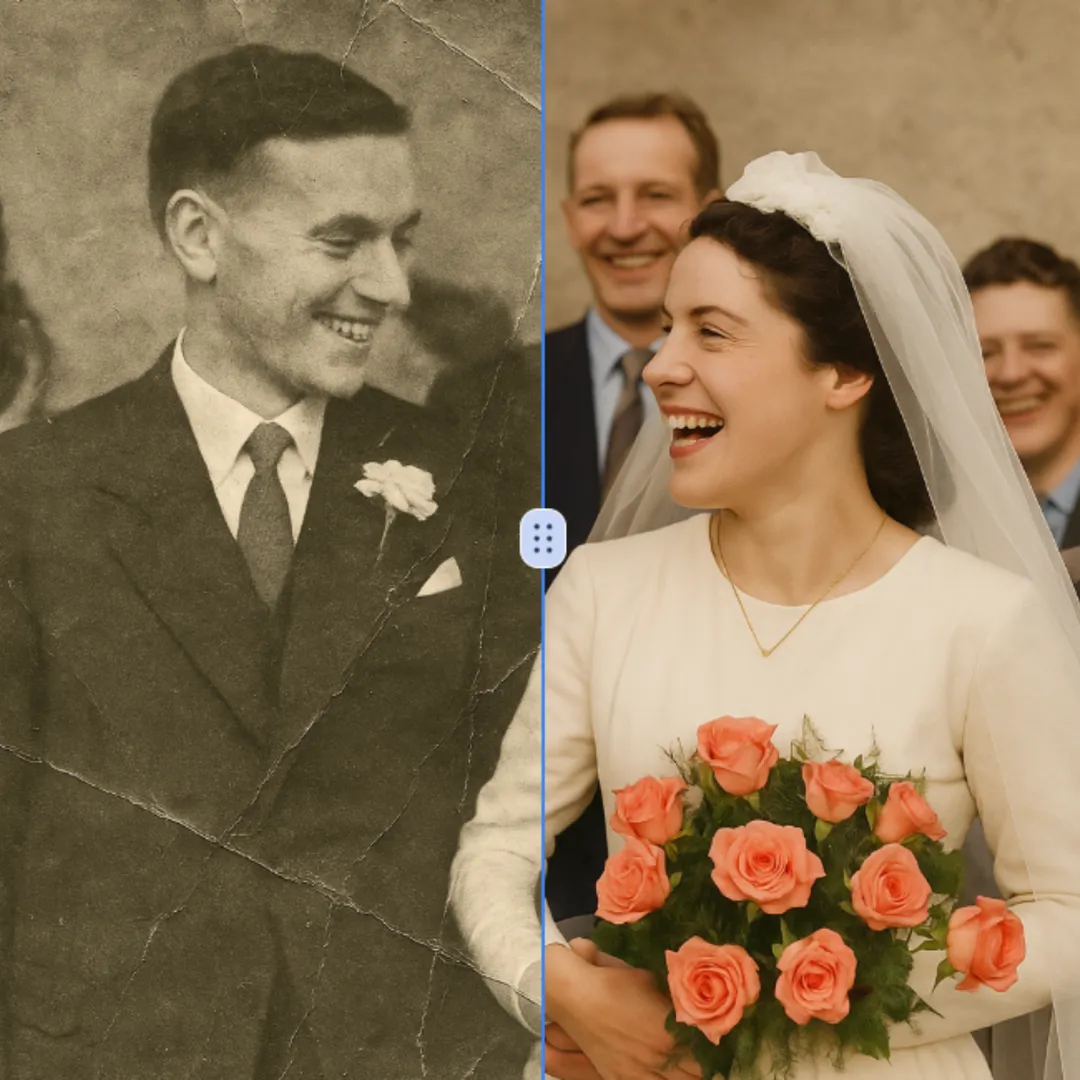
AI Photo Restoration
Improve visible image detail with AI Photo Restoration while keeping the original subject in view. Compare edges, faces, textures, and small text at the intended output size.
Try Now
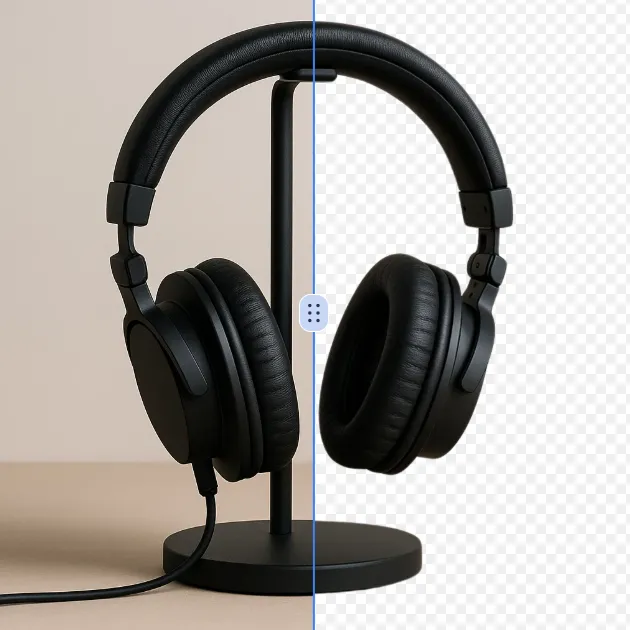
AI Background Remover
Remove a background from a photo or logo with AI Background Remover, then check subject edges, fine details, and transparency before using the cutout in a new design.
Try Now
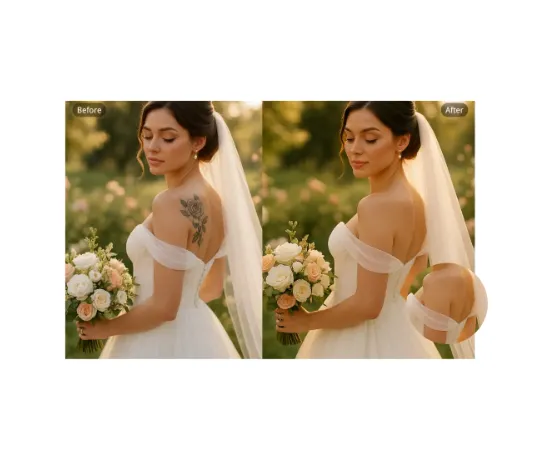
AI Remove Tattoo
Use AI Remove Tattoo to target an unwanted overlay or localized detail in an image. Compare the edited area with the surrounding texture and correct visible seams before export.
Try Now
AI Emoji Remover
Use AI Emoji Remover to target an unwanted overlay or localized detail in an image. Compare the edited area with the surrounding texture and correct visible seams before export.
Try Now
AI Cut Out Image
Create a clean cutout with AI Cut Out Image for transparent-image workflows. Review hair, fingers, product edges, and the exported canvas before placing the subject elsewhere.
Try Now