AI Emoji Remover

Emoji Remover is a free AI tool that quickly removes face emojis, stickers, and unwanted objects from photos. It restores your images instantly and securely, making it easy to clean up pictures without any hassle. Get professional results with this powerful, user-friendly tool.

AI Emoji Remover result image Modified
💡 Please enter your description in English for better results Translate to English

What Is Emoji Remover?

Emoji Remover is a tool that uses the power of artificial intelligence to identify and delete emojis, stickers, and any other visual elements from your photographs, all done automatically. This smart solution employs cutting-edge AI techniques for having the capability to even single out the most "wanted" emojis present in the image and make them disappear flawlessly while keeping the original photo untouched. So whether you want to get rid of fun additions in personal pictures, remove the unwanted stickers on social media photos, or just wanted to clean any picture that the graphics might be affecting, this amazing tool will be the easiest way out.

When using the service, you don't have to worry about privacy issues or slow processing since they will occur directly on your web browser, effectively bypassing the uploading of images to any external servers. Besides, it supports the most widely used image formats such as JPEG, PNG, and WEBP files. Some of the things that could be done with the images processed through this tool are restoring them to their original state, making them fit for professional use, and even creating good—cleaned up and unstickered—pictures from the ones that have been over-adorned with emojis and stickers.

How To Use Emoji Remover

Using the Emoji Remover tool is a piece of cake and does not require any technological know-how. To begin with, simply follow the following easy steps:

  1. Upload Your Image: Head over to the tool's interface and, if you like, drag-and-drop your image file or click to choose it from your device. The system accepts well-known image formats such as JPG, PNG, and WEBP.

  2. Remove Emojis from Photos Automatically: After you upload your image, our AI face emoji remover gets to work straight away by analyzing the photo and locating the emojis, stickers, and graphical elements. After marking these elements, the intelligent system goes on and removes them to the last pixel with no impact on the underlying image content.

  3. Download Your Edited Photo: Immediacy is of utmost importance, starting with the quickness of the process, your cleaned image gets previewed after the whole procedure is done. Download the ultimate upshot in the highest resolution possible, now that the emojis have been eliminated and it is ready for various usages like sharing, printing, and publishing.

The whole procedure generally takes a few seconds, thus making it a very efficient solution for multiple image processing.

FAQs (Frequently Asked Questions)

How does the remove emoji from photo tool work?

Theremove emoji from photo tool employs state-of-the-art artificial intelligence algorithms that have been especially trained to recognize and get rid of emojis, stickers, and graphical elements from images. Once you upload a photograph, our AI system inspects the image quite literally point by point to eventually differentiate between the real photo content and the added emojis or stickers. Having done that, it will apply the cutting-edge inpainting method to seamlessly cover the spots where the emojis were extracted from, employing the data from the nearby image areas to produce lifelike results. This technology proves to be more accurate than the classical methods consisting of manual cloning or patching since it has the capability of understanding the image context and was smart enough to reconstruct the underlying photo content. The whole processing takes place right in your browser, hence the speed and privacy factor is guaranteed without having to upload your images to external servers.

What types of emojis can be removed with this tool?

The face emoji remover works quite efficiently with different varieties of emojis and stickers and they do also include the ones that are usually present in digital photos. Among them are the normal emojis such as happy faces, hearts, stars, and of course the very popular seahorse emoji which is often removed from photos posted on social media. The system is capable of detecting and processing even the most intricate and minute emojis, which might also be characterized by their transparency or multiple colorings. Moreover, it is capable of dealing with stickers, decorative elements, and text overlays which are mainly the application images that people usually process through mobile apps. However, the results may differ according to the size, complexity, and location of the emojis. For instance, larger emojis that cover a big part of an image might be tougher to remove completely, while the removal of smaller decorative emojis is usually done with high precision.

Which image formats are supported for the emoji removal process?

All major image formats are supported by the remove emoji tool, including JPEG, PNG, and WEBP files. These are the most popular formats for digital photos through different systems and devices. Regardless of whether the images are from mobile camera, social media downloads, or designing software creations, you are allowed to upload these images directly to our tool. The maximum file size may vary depending on the browser capabilities, but typical usage is done with high-resolution images suitable for both web sharing and printing. The tool keeps the original quality and size of your images intact throughout the emoji removal process, thus making your final result ready for professional use.

Is my privacy secured while using this emoji remover?

Definitely. The full protection of your privacy is guaranteed when you use our remove emojis tool. The whole process is carried out within your web browser using client-side technology, which means that your images never leave the device or are uploaded to any external servers. We do not keep, monitor, or gather any data regarding the images processed with our tool. Once you close the browser tab or move away from the page, there is no longer any trace of your images in our system. This method makes our service a lot more private compared to many desktop applications that require account registration or to cloud-based tools that upload your files for processing. You can safely delete the emojis from personal or sensitive photos without being afraid of privacy violations.

How long does it take to remove emojis from a photo?

The emoji removal procedure is really quick and generally only takes a few seconds for most pictures. However, the exact time it takes depends on the image size, the number of emojis through which one is going to pass to remove them, the complexity of the emojis, and the power of the device one is using. The AI algorithms that we

trained have been optimized for performance even with high-resolution photos containing multiple emojis. Since all the processing happens locally on your web browser, you will be able to see the results instantly without waiting for server responses which take a long time sometimes. This is much faster compared to conventional photo editing software which may need long installations or cloud-based services that depend on internet speed and server availability. Moreover, in case users are processing multiple images, each photo is individually handled thereby ensuring there is no drop in performance.

What if the emoji removal doesn't work perfectly?

In case the initial emoji removal does not yield pleasing results, there are many ways to increase the quality of the outcome. The tool offers a space where you can input the text along with the specific instructions for how you want the image to be processed. For instance, you can point out particular emojis that should be dealt with and ask for the removal process to be made more thorough or for practitioners to be more cautious. The AI picks up on these signals and then modifies accordingly the emoji removal process. Moreover, there are cases where the results are not so good particularly if the image has complex emojis or if the emojis are heavily merged with the background. Since our system does not retain your images, one can play around and try out different techniques by uploading the same image again with altered instructions. But it is advisable to use the images in which the emojis are quite distinct and separated from the background content for best and clearest results.

Start AI Emoji Remover with AI Image Editor Today

Transform your photos in seconds with our powerful AI Image Editor and online image editor tools

Edit Your First Image with ImageFk

More AI Image Editor Tools

Discover our collection of AI-powered Image tools to enhance your creativity

Remove Text From Image

Remove Text From Image

Our AI-powered Remove Text From Image tool lets you seamlessly delete unwanted text, watermarks, and logos from photos. Experience fast, high-quality image editing with no registration needed. Perfect for quick fixes and professional use, it delivers smooth results every time.

Try Now
AI Photo Restoration

AI Photo Restoration

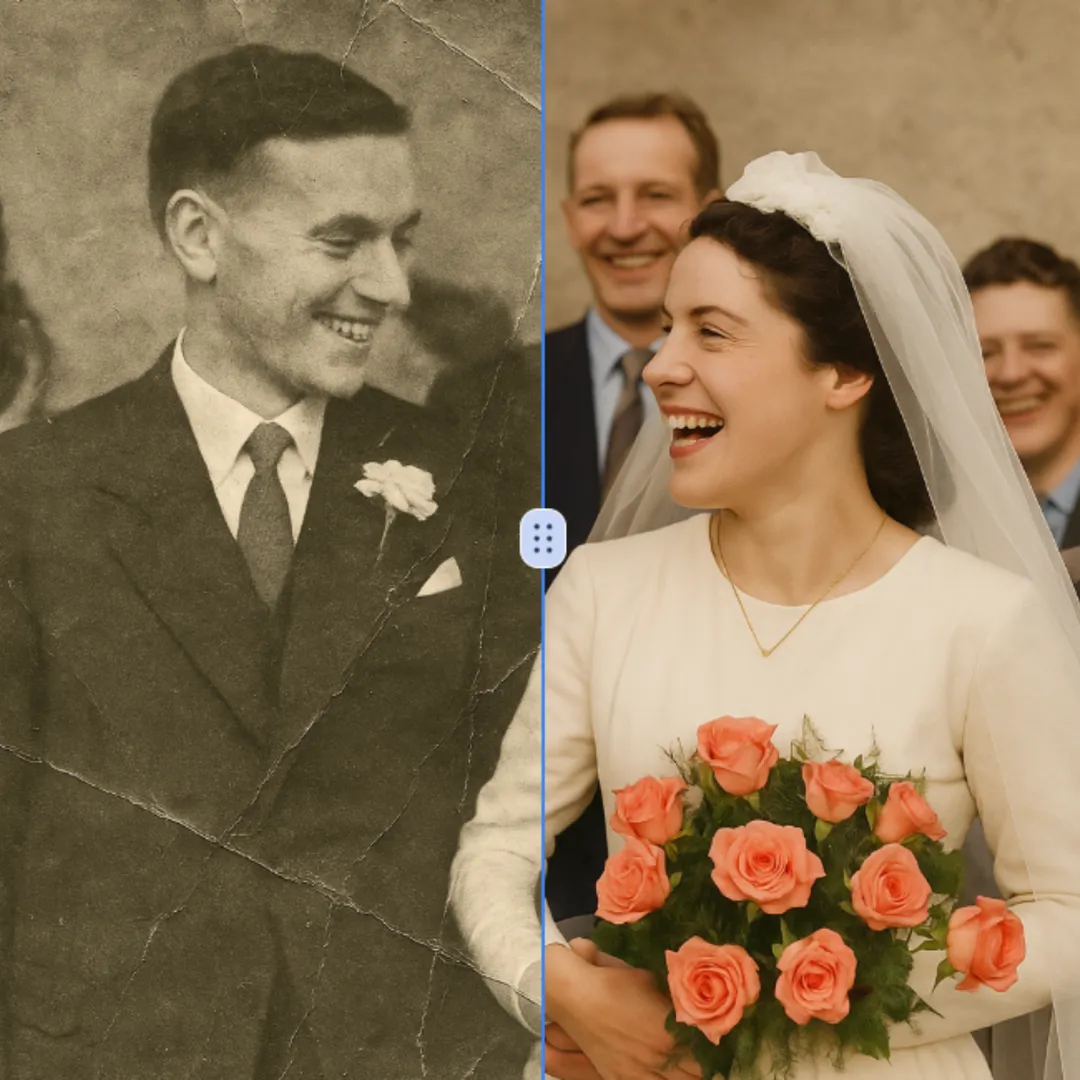
AI Photo Restoration is a free online service that uses advanced AI to restore old, damaged, and black-and-white photos. It delivers high-quality, accurate results quickly and securely. Easily revive your cherished memories without any cost or hassle, ensuring your photos look new again.

Try Now
AI Image Extender

AI Image Extender

AI Image Extender is a free online tool that uses AI to expand images seamlessly, ideal for social media posts, e-commerce listings, and creative designs. It offers quick, no-signup processing, delivering high-quality results to boost your visuals and save time. Experience effortless image enhancement with this user-friendly AI solution.

Try Now
Remove White Background From Image

Remove White Background From Image

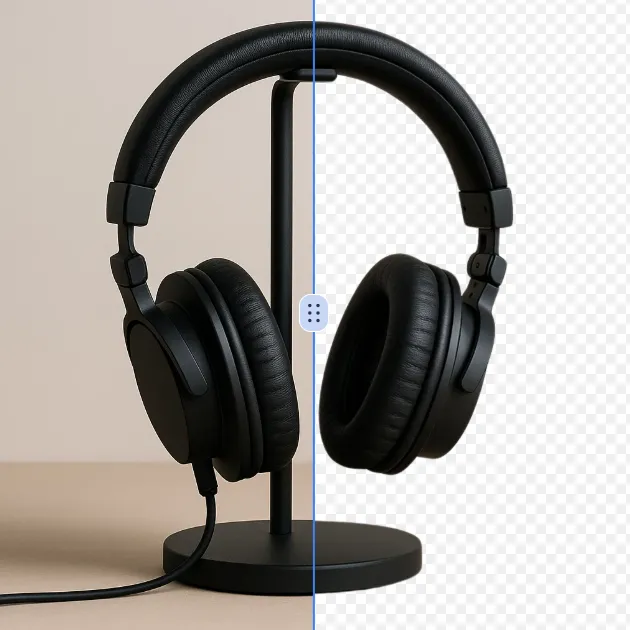
Effortlessly remove white backgrounds with AI precision. This free online tool delivers fast, accurate edits with secure processing. Enjoy seamless background removal on any device for professional images instantly—no downloads required.

Try Now
AI Watermark Remover

AI Watermark Remover

AI Watermark Remover is a free online tool that uses advanced AI to instantly remove watermarks from photos and videos. It's fast, secure, and requires no downloads, making it easy to achieve clean, professional-looking images without any hassle. Simply upload your file and get watermark-free results in seconds.

Try Now
Remove People from Photos

Remove People from Photos

Our AI Person Remover automatically identifies and deletes people from your images while seamlessly reconstructing the background. Using advanced artificial intelligence, this free online tool preserves photo quality and maintains natural-looking results. Perfect for cleaning up tourist photos, removing photobombers, or creating cleaner compositions without complex editing software.

Try Now
AI Remove Tattoo

AI Remove Tattoo

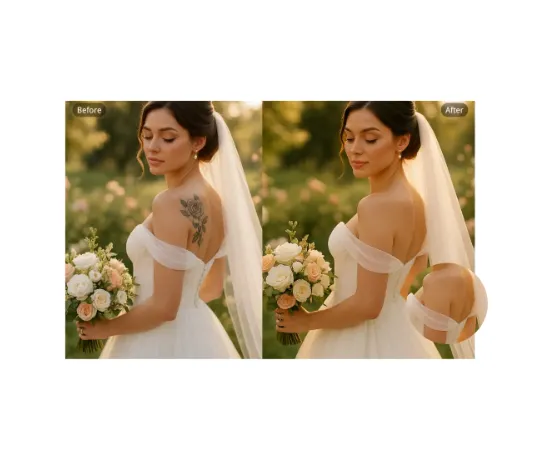
Our AI Tattoo Remover lets you effortlessly erase unwanted tattoos from any photo. Using advanced technology, it precisely removes ink while restoring natural skin tones. Ideal for professional headshots, wedding albums, or social media posts. Enjoy realistic, distraction-free results in seconds—completely free and no login required.

Try Now
AI Unpixelate Image

AI Unpixelate Image

Unpixelate Image is an AI-powered online tool that transforms blurry, pixelated images into sharp, clear visuals instantly. Upload any photo—from nostalgic family pictures to text screenshots or product images—and watch our advanced technology restore details automatically. Enjoy free, high-quality depixelation without registration, delivering professional-grade enhancements for personal or business use effortlessly.

Try Now
×

Unlock Premium AI Image Editing Features

Sign in with Google to access advanced editing tools, save your creations, and enjoy unlimited image enhancements.