AI Cut Out Image
AI Cut Out Image is an intuitive online tool that automatically removes backgrounds from any image using advanced AI technology. It delivers high-quality transparent PNGs quickly, ideal for enhancing product photos, creating social media content, and design work. Experience effortless editing with no downloads or expertise needed—just upload and get perfect results in seconds.
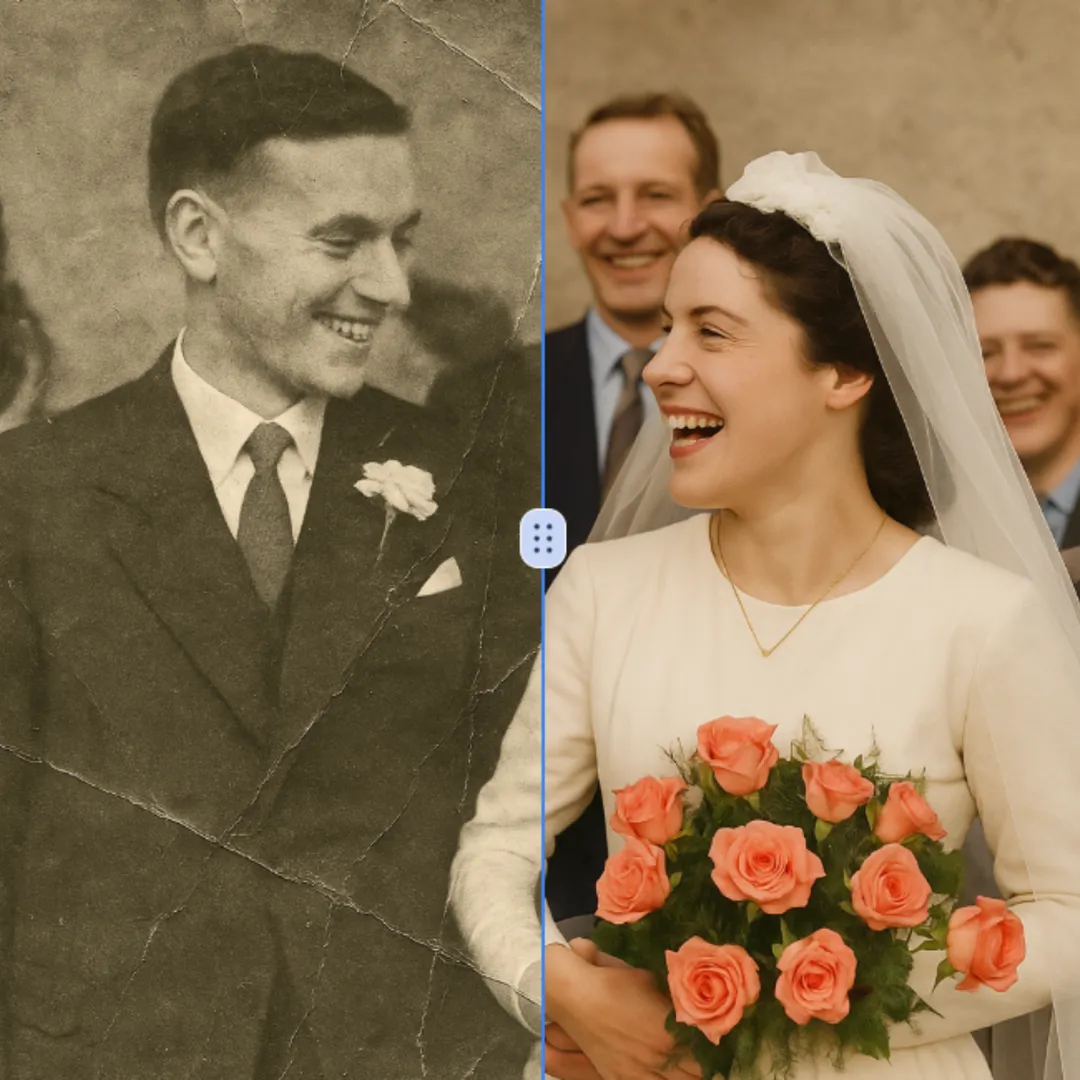
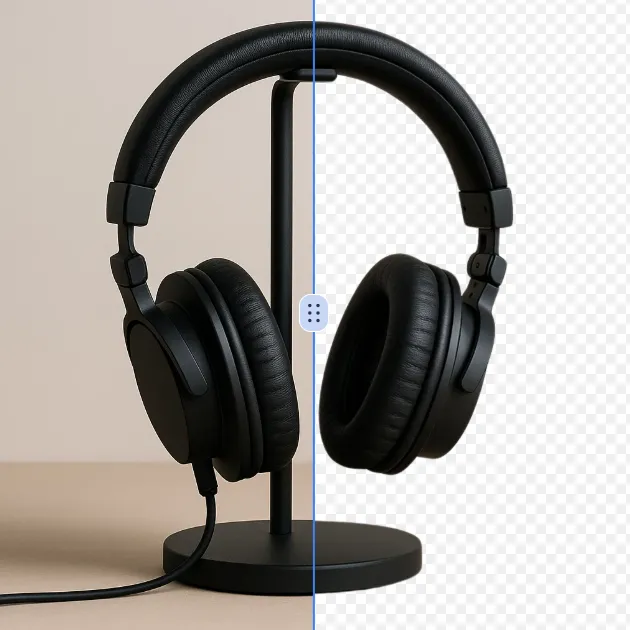
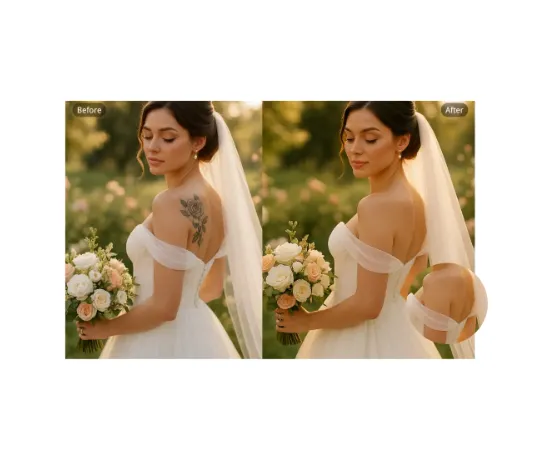
Original
Modified What Is Cut Out Image?
The Cut Out Image is a cutting-edge AI-driven online solution that efficiently hides and unearths the main characters in pictures and graphics using top-notch AI technology. This state-of-the-art platform for image editing allows users to upload their images and, in turn, separate the main characters from the background silkily, without the use of expensive software or the need for complicated photo editing skills.
The tool effectively manages the prevailing problem of requiring transparent or custom backgrounds, which are typically used for e-commerce product photography, social media content creation, graphic design projects, and personal image editing. No matter if you want to remove people, objects, or pets from a complex background, Cut Out Image offers a user-friendly solution that consistently produces high-quality results in a matter of seconds.
How To Use Cut Out Image
The Cut Out Image tool is simple and friendly to users:
-
Upload Your Picture: Selection and uploading of the picture from which the subject is to be cut out is the first step. JPEG, PNG, and WEBP are among the common formats accepted by the system.
-
Automatic Processing: The AI system, upon uploading your image, automatically analyzes the image and starts the subject extraction process without the need for any manual input or complicated selections.
-
Select Aspect Ratio: Area of predefined aspect ratios like landscape, portrait, or square, is to be chosen that best fit your intention for showing or using the subject.
-
Choose Processing Model: Pick one of the different AI processing ways - Fast mode for quick generation with reliable consistency or Max mode for premium 4K output with enhanced detail and quality recommended.
-
Review Results: The processed image is to be checked to ensure that subject extraction is done according to one's liking. The AI is very precise when dealing with complex elements such as hair, fur, and transparent objects.
-
Download Final Image: Your image with the subject cut out can be downloaded after you are happy with the results and it can be utilized in your projects, social media postings, or creative illustrations.
FAQs (Frequently Asked Questions)
How does cut an image out technology work to achieve precise subject isolation?
Cut an image out technology relies on the use of state-of-the-art deep learning algorithms which are specifically trained on massive amounts of images (millions) to know the differences between the foreground subjects and the background elements. The system harnesses the power of neural networks that are able to recognize even the most complex boundaries and to capture fine details like hair, fur, and almost invisibly opaque items that traditional approaches usually fail to address. The AI examines the image based on color differences, specific patterns of edge detection, and depth perception cues to make smart choices on what is considered the main subject and what is the background. This training helps the technology to cope with tough situations such as when the foreground and background are of similar colors, the textures are complicated, or semi-transparent elements are in the way. The processing involves several AI models operating together to secure the highest level of accuracy and provide clean edge detection that qualifies for professional-quality results.
What makes how to cut out an image different from traditional photo editing methods?
In contrast to traditional methods of photo editing that require the use of manual selection tools, layer management, and specialized skills along with complex software such as Photoshop, how to cut out an image automates the entire process with the help of AI. Traditional methods would require a lot of time, in case of difficult images with fine details the artist would have to be very skilled and also be familiar with the software interface to provide satisfactory results. The AI-powered solution shatters these barriers by automatically finding out where the subject is and applies the appropriate technique for extraction without any intervention from the user. Users get instant results without having to go through any learning curve, while the system ensures quality and precision that would be hard to replicate manually, thus making professional-quality image cutting available to all regardless of their design experience.
Can I use cut out image free tools for commercial projects and e-commerce?
Cut out image free tools can indeed be used for commercial projects and e-commerce applications of various sorts, nevertheless, it is advised to check the specific terms of service provided by the platform. The technology can be regarded as extremely helpful for example in situations when product photographs need to be prepared quickly for online stores, marketing materials are being created, or content is being generated for social media websites without having to resort to expensive professional photography or editing services. A lot of companies use these tools for quick updates of their product catalogs, long-lasting promotions, and localized marketing materials. However, for critical brand communications or high-end commercial applications, consider verifying usage rights and possibly upgrading to premium options that may offer enhanced quality, additional features, or commercial licensing benefits.
What image formats and subject types are the best for the cut out image from picture capabilities?
The cut out image from picture capabilities can perform at their best when using standard image formats like JPEG, PNG, and WEBP files with clear, high-resolution subject matter. Usually, the best extraction is done on images where the subject has good contrast with the background, sufficient lighting, and moderate file size. The AI can deal with common subjects such as people, animals, and products with clear boundaries, and it can also cope with objects. However, complex situations where the foreground and background have similar colors, patterns are intricate, or textures like fur or hair are very detailed may need the premium processing mode's advanced algorithms. For the best results, use images with subjects that are easily seen against the background and cover a large part of the frame.
How accurate is the AI when cutting out subjects with complex hair or fur details?
The AI cutting technology is pretty accurate, and that is one of the factors that made it so popular. Its accuracy is mostly attributed to the use of specialized algorithms which, during their training, were fed with enormous sources of data containing the most challenging elements. Advanced edge detection and fine detail preservation techniques, such as the ones used in the exposé, are worked on by the system to identify and keep individual hair strands, fur textures, and other intricacies that the traditional methods could, at the very least, only pretend to be dealing with. Subtle color and transparency variations are analyzed by the AI in order to create natural-looking edges around the complex textures. However, extremely fine details or difficult lighting might benefit from the enhanced processing capabilities available in the premium modes. All in all, the technology offers results of professional quality for most scenarios involving hair and fur extraction all while saving significantly on time and skill that would otherwise have been needed for such detailed tasks.
Is there a quality difference between cut out image free basic and premium options?
Most cut out image free platforms facilitate users with basic features through free tier access and allow them to explore core functionalities and perform simple extractions free of charge. The basic versions, however, are bound to provide reduced cutting capabilities that include standard resolution outputs, which are good enough for casual use and small projects. The limitations for free users may include and not be limited to: longer processing time, daily usage quotas, watermark attached to outputs, or inferior quality of output compared to premium options. Those who opt for the premium version usually get such features as higher resolution outputs (including 4K quality), advanced edge refinement tools, batch processing capabilities, priority processing speeds, and specialized modes for specific use cases like product photography or portrait editing, hence making them more appropriate for professional or high-volume usage requirements.
How does the tool manage the extraction of several subjects or a group in photos?
The tool offers to manage the extraction of several subjects or a group in photos through the advanced multi-subject detection and processing capabilities. The AI system recognizes and treats each individual separately, utilizing suitable extraction methods for each element, thus applying very similar techniques to all subjects. Overlapping subjects, different distances from the camera, or similar characteristics may require resolution with the help of premium processing modes for optimal results since these complex situations are not easily handled by the standard algorithms. The system's ability to ascertain the spatial relationships among the various subjects ensures that the image as a whole is still visually consistent. Users can select which subjects to extract or permit AI to handle all the subjects detected according to the directions given, thus it is adaptable to different group photo and multi-subject usage areas.
What devices and browsers are able to use the online cut out image function?
The online image cutting function works with no problems on all the main desktop and mobile operating systems: Windows, macOS, Linux, iOS, and Android. The browser compatibility included in this feature covers the modern versions of Chrome, Firefox, Safari, and Edge, thus making it easy for users to access the service no matter what their computing environment is. Mobile users get the advantage of the responsive design that changes according to the various screen sizes and touch interactions, therefore it becomes easy to cut images even on smartphones and tablets. The cloud-based architecture does not require installations specific to devices but it still provides performance that is consistent across various hardware configurations. The requirements for internet connectivity are not high; thus the service can be efficiently operated on standard broadband connections without requiring an excessive amount of bandwidth resources.
Start AI Cut Out Image with AI Image Editor Today
Transform your photos in seconds with our powerful AI Image Editor and online image editor tools
Edit Your First Image with ImageFkMore AI Image Editor Tools
Discover our collection of AI-powered Image tools to enhance your creativity
AI Background Remover
AI Background Remover is a free online tool that uses advanced AI to remove image backgrounds automatically. It delivers high-quality transparent backgrounds instantly, requires no editing skills, and is ideal for professionals and beginners alike. Save time and enhance your images effortlessly with this powerful, user-friendly solution.
Try Now
Remove Text From Image
Our AI-powered Remove Text From Image tool lets you seamlessly delete unwanted text, watermarks, and logos from photos. Experience fast, high-quality image editing with no registration needed. Perfect for quick fixes and professional use, it delivers smooth results every time.
Try Now
AI Blur Image
AI Blur Image is your go-to solution for effortlessly blurring image backgrounds online. Powered by advanced AI, it delivers professional-grade results with just one click – ideal for enhancing product shots, portraits, and creative designs. Fast, free, and user-friendly, it saves time while ensuring high-quality visuals for any project.
Try Now
AI Image Extender
AI Image Extender is a free online tool that uses AI to expand images seamlessly, ideal for social media posts, e-commerce listings, and creative designs. It offers quick, no-signup processing, delivering high-quality results to boost your visuals and save time. Experience effortless image enhancement with this user-friendly AI solution.
Try Now
Remove People from Photos
Our AI Person Remover automatically identifies and deletes people from your images while seamlessly reconstructing the background. Using advanced artificial intelligence, this free online tool preserves photo quality and maintains natural-looking results. Perfect for cleaning up tourist photos, removing photobombers, or creating cleaner compositions without complex editing software.
Try Now
AI Photo Color Correction
Color Correction is a free AI tool that instantly enhances your photos by fixing dull colors, improving lighting, and restoring old images. With just one click, achieve professional-quality, vibrant results effortlessly. Perfect for quick photo edits with no expertise required!
Try Now
AI PNG Maker
PNG Maker is your free online tool for effortless image transformation. Convert JPG or WebP files to PNG with transparent backgrounds instantly using AI technology. Create custom transparent images like arrows, Instagram logos, and hearts for social media, branding, or graphics projects. Enjoy fast, high-quality results with no design experience required—boost your visuals in seconds!
Try Now
Nose Piercing Filter
The Nose Piercing Filter lets you experiment with virtual nose piercings effortlessly. Upload a selfie, choose from realistic nose rings, studs, or septum styles, and instantly preview your look. Enjoy a risk-free, no-app-required experience to explore new styles without commitment.
Try Now
Continue with Google