AI Change Skin Color
Change Skin Color is a free AI-powered tool that lets you modify skin tones in any photo effortlessly. Upload your image, describe your desired look, and download the professionally edited result in seconds. Ideal for enhancing portraits, adjusting group shots, or exploring creative ideas without any advanced editing skills. Experience seamless, high-quality transformations that look authentic every time.
 Original
  Modified
 Key Features & Capabilities
Discover what makes this AI tool powerful and unique
Lightning Fast Processing
Generate high-quality results in seconds with our optimized AI models. No more waiting - create stunning images instantly.
Professional Quality Output
Achieve professional-grade results with advanced AI algorithms. Perfect for commercial use, marketing materials, and creative projects.
Customizable Parameters
Fine-tune every aspect of your generation with detailed controls. Adjust style, quality, resolution, and more to match your vision.
High Resolution Support
Generate images up to 4K resolution with exceptional detail and clarity. Perfect for print and digital media.
Multi-Platform Compatible
Works seamlessly on Windows, Mac, Linux, iOS, and Android. Access your creations from any device, anywhere.
Secure & Private
Your images are processed securely and automatically deleted after 2 hours. We prioritize your privacy and data protection.
How to Use This Tool
Simple steps to get started with AI-powered image generation
Configure Your Settings
Select your preferred model, adjust parameters like style, resolution, and quality according to your project requirements. Explore preset options for quick setup.
Upload or Describe
Either upload a source image or enter a detailed text prompt. Be specific about colors, lighting, composition, and desired artistic style for best results.
Generate & Preview
Click the generate button and watch the AI work its magic. Preview results in real-time and make adjustments if needed.
Download & Use
Once satisfied, download your high-resolution image instantly. Use it for personal projects, commercial work, social media, or any creative purpose.
Pro Tips for Best Results
- Be Specific: Detailed prompts produce better results. Include information about subject, environment, lighting, mood, and artistic style.
- Experiment: Try different parameter combinations to discover unique styles and effects. Save your favorite settings for future use.
- Use References: Reference specific art movements, photographers, or artistic styles (e.g., "impressionist style", "Annie Leibovitz lighting").
- Iterate: Generate multiple variations and select the best one. Small prompt changes can create dramatically different outputs.
- Quality Matters: For image uploads, start with high-quality source images for optimal transformation results.
Free AI Skin Color Changer: Natural Skin Tone Editing Online
AI Change Skin Color is a browser-based tool that uses artificial intelligence to modify the skin tone of subjects in your photos. By simply uploading an image and describing your desired result, the AI automatically detects skin areas and applies a realistic, high-quality transformation in about a minute.
What is AI Change Skin Color?
In the past, adjusting the skin tone in a portrait meant hours in front of Photoshop, wrestling with complex layer masks and color curves to correct uneven lighting or a color cast . Today, that process has been revolutionized by artificial intelligence. An AI Change Skin Color tool is an online editor that automates this complex retouching process .
Unlike traditional filters that simply wash out an image, these AI-powered tools are trained on millions of images to understand human skin, its textures, and how light interacts with different complexions . When you use a tool like the one at ImageFK, you aren't just applying a color overlay; you are instructing an intelligent system to identify every pixel related to skin and adjust its hue, saturation, and luminance to match a new target tone while preserving underlying details like pores and facial hair.
This technology solves common photography problems such as fixing skin that looks too red or washed out due to poor lighting, color mismatches in group shots, or simply experimenting with a different aesthetic . It brings professional-grade retouching capabilities to anyone with a web browser, removing the need for expensive software or years of design experience.
AI Change Skin Color: How Does It Work?
The magic behind this tool lies in its sophisticated AI image processing. When you upload a photo, the AI doesn't just see a single image; it deconstructs it into layers of data. Here’s a step-by-step look at the process:
-
Intelligent Image Analysis: The AI first scans the uploaded image (JPEG, PNG, or WEBP) to detect and segment different elements. It distinguishes skin from the background, clothing, hair, and eyes. This is a critical step, as it ensures that when you change the color, you aren't also tinting a white shirt or the wall behind the subject.
-
Semantic Understanding of the Prompt: This is where the power of text-to-image prompts comes into play. You don't need to use complex sliders. Instead, you type a simple description, such as "natural tan skin tone," "cool fair complexion," or "warm olive skin." The AI understands the semantics of your request, interpreting what these descriptive terms mean in terms of color science.
-
AI-Powered Rendering: The tool then processes the image using one of several available AI models, each balancing speed and quality. For example, you might choose the "Pro" model for the best quality on a 4K image, which takes a bit longer, or the "Fast" model for a quick preview. The AI renders the new skin tone directly onto the detected skin areas, ensuring the new color interacts realistically with the existing lighting and shadows in the photo . The result is a seamless image transformation that looks authentic, not like a sticker was pasted on.
Core Features of the Skin Tone Editor
The ImageFK platform offers a robust set of features designed to give you full control over your photo enhancement project.
-
AI Model Selection: Different tasks require different tools. You can choose from various models:
- Fast: Prioritizes speed for quick edits and previews.
- Max: A balanced model offering good quality at a moderate speed.
- Nano Banana2: The latest model, ideal for generating high-resolution results from 1K to 4K.
- Pro: The premium model designed for the absolute best quality, perfect for final exports.
-
Aspect Ratio Control: The tool allows you to specify the output aspect ratio (1:1, 3:4, 4:3, 9:16, 16:9), ensuring your final image fits perfectly for its intended use, whether it's a social media post, a profile picture, or a print.
-
High-Resolution You aren't limited to small, web-friendly images. The tool supports output sizes up to 4K, ensuring your edited photos retain their sharpness and detail, which is crucial for professional work or large displays.
-
Credit-Based System: The platform uses a simple credit system based on the model's complexity. This allows you to choose the level of processing power you need, making the tool efficient and cost-effective for everything from casual selfies to high-end portrait work.
When to Use an AI Skin Tone Editor
The applications for an AI skin tone editor are vast and extend beyond simple vanity. It's a practical tool for anyone who works with or enjoys photography.
Enhancing Portraits and Selfies
This is the most common use case. Maybe you took a great selfie, but the indoor lighting gave your skin an unnatural yellow tinge. Or perhaps you want to subtly even out your complexion for a profile picture. An AI editor can correct these issues in seconds, enhancing your natural beauty without making the photo look heavily processed or fake .
Correcting Group Photos
Have you ever taken a group photo where one person's face is perfectly lit, but another is in a shadow, making them look darker, or the camera's white balance made everyone look a different shade? This tool can harmonize skin tones across an entire group, ensuring everyone looks their best and the photo feels cohesive . It's an excellent tool for photographers shooting events, weddings, or team portraits .
Creative Experimentation
Beyond correction, this is a tool for creativity. Want to see what you would look like with a sun-kissed vacation glow? Or perhaps you're an artist or writer creating character concepts and need to quickly visualize someone with a different complexion. This allows for rapid prototyping of ideas without the need for makeup or costly photoshop retouching .
Anonymizing Images for Privacy
In a unique application, changing skin color can be part of a broader process of anonymization. For journalists, activists, or privacy-conscious individuals, altering specific facial features, including skin tone, can help create a look-alike image that protects a person's true identity in sensitive situations .
AI vs. Manual: The New Standard in Photo Editing
For decades, manual retouching was the only path to a professional-looking image. It required a deep understanding of color theory, layer masking, and frequency separation—a skillset that takes years to master . While this manual approach offers absolute control, it is incredibly time-consuming. Fixing skin tones in a single wedding photo could take an hour.
AI-powered editing doesn't seek to eliminate the artist; it seeks to eliminate the drudgery . Here’s why automated tools are becoming the new standard:
- Speed and Efficiency: An edit that takes an AI tool 60 seconds could take a human editor hours. This speed is invaluable for amateurs who just want a great photo and professionals who need to process hundreds of images for a client .
- Democratization of Expertise: You no longer need to be a Photoshop guru to get high-quality results. The AI encapsulates that expertise, allowing anyone to achieve professional-grade photo enhancement.
- Consistency: AI doesn't get tired. It can apply the same perfect color correction to 1,000 images in a batch, ensuring a consistent look across an entire photoshoot or campaign .
- Natural Results: A common fear of AI is that it creates a "plastic" look. However, advanced tools are specifically trained to preserve natural skin texture. They change the color without blurring the detail, a far superior result to the heavy-handed filters of the past .
The goal of AI is not to replace the photographer but to act as an incredibly powerful and efficient assistant, handling the technical heavy lifting so the human can focus on the creative vision .
How to Use the AI Skin Color Changer on ImageFK
Ready to experience the power of AI image editing? Follow this simple guide:
- Upload Your Image: Start by clicking the upload area and selecting a photo from your device. The tool accepts common formats like JPEG, PNG, and WEBP.
- Craft Your Prompt: In the text box labeled "Desired Skin Tone/Color," type a description of the result you want. Be specific for best results. For example, instead of just "darker skin," you could write, "Light brown skin with warm undertones, like a natural tan." While optional, using the "Other Ideas" field can help refine the result.
- Select Your Settings:
- Choose an AI Model that fits your need for speed vs. quality.
- Select the Aspect Ratio for your final image.
- Pick your desired Image Size (1K, 2K, or 4K).
- Generate and Download: Click the "Generate Images with ImageFk" button. The AI image processing will begin, and you'll see a progress indicator. In about 60 seconds, your new, professionally edited image will be ready for preview and download. It's that fast and secure.
Frequently Asked Questions
Is it safe to upload my photos to an online AI Change Skin Color tool?
Yes, privacy and trustworthiness are paramount. Reputable browser-based editors, including ImageFK, process your images securely. It is always best practice to review the platform's privacy policy, but these tools are designed for temporary processing, not for storing your personal data indefinitely. Your image is used only to generate the result and is not shared with third parties.
Do I need any design skills to use an AI Change Skin Color tool?
None at all. This is the primary advantage of AI-powered tools. The entire process is automated based on your text prompts. You don't need to understand layers, masks, or color curves. The online tool handles the complex transformations so you can focus on the creative vision .
Can AI Change Skin Color tools fix uneven skin tones caused by lighting?
Absolutely. This is one of the most powerful applications of this technology. The AI analyzes the image and can correct localized color casts from shadows or mixed lighting, creating an even and natural skin tone across the entire face and body .
Will the edited photo look fake or like a filter was applied?
Not when using a high-quality tool. Advanced AI models, like the "Pro" option on ImageFK, are trained to preserve the original skin texture—pores, freckles, and fine lines. They adjust the color while keeping the natural detail, resulting in an accurate and authentic look, unlike the blurry, uniform effect of a simple filter .
How long does it take to process an image?
Processing time is remarkably fast, typically taking around 60 seconds. The exact time may vary slightly depending on the server load and the complexity of the AI model you selected (e.g., "Fast" mode will be quicker than "Pro" mode for a 4K image).
Conclusion
The ability to change and enhance skin tone in photography has transitioned from a highly specialized skill to an accessible tool for everyone, thanks to AI. AI Change Skin Color tools like the one on ImageFK represent a leap forward in AI photo editing, offering speed, precision, and quality that were unimaginable just a few years ago. Whether you're a professional photographer looking to streamline your workflow, a social media enthusiast perfecting your next post, or someone simply curious to see a different version of a photo, this technology puts professional-grade retouching at your fingertips. It's a fast, secure, and remarkably simple way to bring your creative vision to life.
Frequently Asked Questions
Common questions about this AI tool answered
Start AI Change Skin Color with AI Today
Transform your images instantly using powerful AI Effects Filters AI tools.
Try AI Change Skin Color NowMore AI Effects Filters AI Tools
Discover more AI-powered tools to enhance and transform your images.
AI Action Figure Generator
The AI Action Figure Generator lets you create custom action figures in minutes. Upload any photo to design detailed collectibles with customizable outfits, accessories, it delivers professional results for free. Ideal for gifts, hobbies, or memorabilia - bring your imagination to life effortlessly!
Try Now
AI Photo To Painting
Photo to Painting is a free AI-powered tool that converts your images into beautiful paintings in seconds. It offers multiple styles like oil painting, sketch, and cartoon, with no sign-up required. Enjoy easy use, instant results, and professional-quality art to share or display.
Try Now
AI Caricature Maker
Caricature Maker transforms your photos or text descriptions into hilarious, personalized caricatures using advanced AI. Free, easy to use, and ideal for capturing memories at weddings, with families, or for standout social media posts. Generate unique art in moments without any design skills!
Try Now
AI Barbie Filter
AI Barbie Filter lets you instantly transform photos into beautiful Barbie-style portraits. This free tool requires no signup and offers quick, high-quality results ideal for enhancing social media posts, capturing event memories, or building unique collections. Enjoy effortless creativity and standout visuals with ease.
Try Now
AI Vignette Effect
Vignette Effect is a user-friendly online tool that lets you apply stunning vignette effects to photos in seconds. Highlight key areas, add depth, and improve visual appeal effortlessly. Perfect for social media, portfolios, or personal projects—no download required. Start enhancing your images today!
Try Now
AI Teeth Whitening
Our free online AI teeth whitening tool instantly brightens teeth in photos for a natural look. Easily remove stains, correct discoloration, and perfect selfies or headshots. Enjoy professional-grade enhancements quickly and securely, with no sign-up needed. Ideal for achieving a radiant smile effortlessly.
Try Now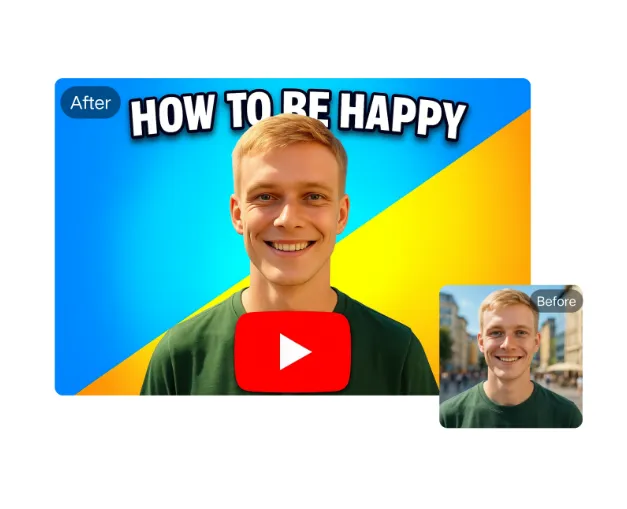
AI YouTube Thumbnail Maker
AI YouTube Thumbnail Maker helps creators design professional thumbnails instantly. Our AI analyzes trends to suggest optimal designs. Key features: free templates, text overlay, one-click download. Stand out in search results and attract more viewers effortlessly. Perfect for beginners and experts alike.
Try Now
AI Coloring Page Generator
AI Coloring Page Generator instantly converts your text descriptions or uploaded photos into custom, printable coloring pages. Enjoy free generation without registration, download in high-quality PNG or PDF formats. Ideal for parents, teachers, and artists seeking personalized, creative activities effortlessly.
Try Now Continue with Google