AI Barbie Filter
AI Barbie Filter lets you instantly transform photos into beautiful Barbie-style portraits. This free tool requires no signup and offers quick, high-quality results ideal for enhancing social media posts, capturing event memories, or building unique collections. Enjoy effortless creativity and standout visuals with ease.
 Original
  Modified
 Key Features & Capabilities
Discover what makes this AI tool powerful and unique
Lightning Fast Processing
Generate high-quality results in seconds with our optimized AI models. No more waiting - create stunning images instantly.
Professional Quality Output
Achieve professional-grade results with advanced AI algorithms. Perfect for commercial use, marketing materials, and creative projects.
Customizable Parameters
Fine-tune every aspect of your generation with detailed controls. Adjust style, quality, resolution, and more to match your vision.
High Resolution Support
Generate images up to 4K resolution with exceptional detail and clarity. Perfect for print and digital media.
Multi-Platform Compatible
Works seamlessly on Windows, Mac, Linux, iOS, and Android. Access your creations from any device, anywhere.
Secure & Private
Your images are processed securely and automatically deleted after 2 hours. We prioritize your privacy and data protection.
How to Use This Tool
Simple steps to get started with AI-powered image generation
Configure Your Settings
Select your preferred model, adjust parameters like style, resolution, and quality according to your project requirements. Explore preset options for quick setup.
Upload or Describe
Either upload a source image or enter a detailed text prompt. Be specific about colors, lighting, composition, and desired artistic style for best results.
Generate & Preview
Click the generate button and watch the AI work its magic. Preview results in real-time and make adjustments if needed.
Download & Use
Once satisfied, download your high-resolution image instantly. Use it for personal projects, commercial work, social media, or any creative purpose.
Pro Tips for Best Results
- Be Specific: Detailed prompts produce better results. Include information about subject, environment, lighting, mood, and artistic style.
- Experiment: Try different parameter combinations to discover unique styles and effects. Save your favorite settings for future use.
- Use References: Reference specific art movements, photographers, or artistic styles (e.g., "impressionist style", "Annie Leibovitz lighting").
- Iterate: Generate multiple variations and select the best one. Small prompt changes can create dramatically different outputs.
- Quality Matters: For image uploads, start with high-quality source images for optimal transformation results.
AI Barbie Filter: Turn Everyday Photos into Instant Plastic-Fantastic Portraits
Have you ever scrolled through social media and seen those hyper-stylized, flawlessly glossy portraits that look like they just stepped out of a Dreamhouse? That aesthetic is now incredibly easy to achieve. The AI Barbie Filter is a free, browser-based tool that instantly transforms your standard photos into vibrant, fashion-forward portraits inspired by the iconic Barbie style. With no sign-up required and lightning-fast processing, it brings a touch of glamour to your digital memories in seconds.
What is an AI Barbie Filter and How Does it Work?
At its core, an AI Barbie Filter is a specialized application of artificial intelligence in image processing. Unlike basic photo filters that simply overlay a color grade, this technology uses advanced machine learning models to analyze and reconstruct your image. It identifies faces, hair, clothing, and backgrounds, then intelligently applies stylistic elements associated with the classic "Barbie" look: perfected skin, vibrant makeup, glossy finishes, and a characteristic aesthetic that blends high-fashion photography with playful nostalgia.
This process, often referred to as AI image-to-image translation, goes far beyond simple photo enhancement. It's a comprehensive image transformation that reimagines your original photo through a specific artistic lens. The tool handles all the heavy lifting on secure servers, delivering high-quality results in about a minute, making professional-grade AI photo editing accessible to everyone, regardless of their design skills.
Key Features of the Free AI Barbie Filter
The AI Barbie Filter tool on ImageFk is designed to be both powerful and incredibly user-friendly. Its features are built around delivering maximum impact with minimal effort.
- Instant Image Transformation: Upload a photo, and the AI gets to work. The core function is speed and efficiency, providing a complete image transformation in roughly 60 seconds. This fast image processing is perfect for users who want quick, impressive results.
- No Signup, No Cost: The tool is completely free and requires no account creation. You can use it immediately, making it an ideal online tool for spontaneous creativity.
- Flexible Input Options: You can simply upload an image (JPEG, PNG, or WEBP) or combine it with a text prompt for more controlled results. For instance, you could upload a photo and add a prompt like "with a futuristic metallic dress" to blend the Barbie aesthetic with your own creative vision.
- Multiple AI Models for Diverse Results: Unlike simple one-click filters, this tool offers a choice of AI models. You can select a faster model for quick social media content or a more advanced "Pro" model for balanced speed and superior quality, capable of outputting up to 4K resolution. This allows for efficient AI image processing tailored to your needs.
- Aspect Ratio and Size Control: Whether you need a 9:16 portrait for your Instagram Stories or a 4:3 image for a blog post, the tool lets you select the perfect aspect ratio. You can also choose your output size, from a standard 1K up to a highly detailed 4K.
- Creative Prompting: For users wanting to move beyond a standard transformation, the integrated prompt box allows you to guide the AI. By adding descriptive text in English, you can influence the scene, outfit, or mood, making each generated image unique.
When and Why to Use an AI Barbie Filter
The versatility of an AI Barbie Filter makes it suitable for a wide array of personal and creative projects. Its ability to deliver accurate, high-quality results quickly opens up numerous real-world use cases.
Enhancing Your Social Media Presence
In the fast-paced world of social media, standout visuals are key. Use the filter to create a cohesive and stylish profile picture, transform candid shots into polished content for your feed, or generate eye-catching stories. The "Barbie" aesthetic is inherently engaging and can help your personal brand feel more curated and vibrant.
Capturing and Reimagining Event Memories
Did you just attend a themed party, a wedding, or a fun day out with friends? Run your group photos through the AI Barbie Filter to create a cohesive set of stylized memories. It adds a layer of fun and fantasy to your photo collection, turning ordinary snapshots into conversation starters. This is a secure and creative way to enhance your personal archives.
Building Unique Digital Collections
For digital artists, content creators, or anyone building a visual portfolio, this tool is a fantastic resource for generating base images or exploring a specific style. You can create a series of character portraits, design inspiration for a project, or simply build a collection of AI-generated art. The combination of image upload and text-to-image prompts offers a powerful way to iterate on visual ideas quickly.
A Step-by-Step Guide to Using the AI Barbie Filter
Ready to transform your photos? The process is designed to be as simple as possible.
- Upload Your Image: Start by clicking the upload area and selecting a JPEG, PNG, or WEBP file from your device. For best results, choose a clear, well-lit photo with a centered subject.
- (Optional) Craft Your Prompt: If you want to add a specific creative direction, type your idea into the "Other Ideas" box. Remember, writing your prompt in English yields the best results. For example, instead of just using the filter, you could type "in a sparkling evening gown at a glamorous party."
- Select Your Settings:
- Model: Choose from the available AI models. "Fast" is great for quick tests, while "Pro" is ideal for final, high-resolution images.
- Aspect Ratio: Select the shape that fits your needs (e.g., 3:4 for portraits, 16:9 for landscapes).
- Image Size: Pick your desired output resolution, up to 4K for maximum detail.
- Generate and Download: Hit the "Generate Images with ImageFk" button. The AI will begin processing, and you'll see a progress indicator. In under a minute, your transformed image will appear, ready for you to download and share.
Why Choose AI-Powered Editing Over Manual Methods?
For decades, achieving a complex, stylized look like the Barbie aesthetic required significant expertise in software like Photoshop. It involved hours of manual retouching, color grading, and compositing. AI image editing completely revolutionizes this workflow.
Tools like the AI Barbie Filter democratize creativity. They handle the technical complexity of AI image processing, allowing anyone to achieve high-quality, professional results without any prior experience. The speed is unparalleled—what used to take hours now takes seconds. This shift from manual labor to creative direction is the power of modern, browser-based editors. You focus on the what (the idea, the subject), and the AI handles the how (the complex image transformation).
Frequently Asked Questions
What kind of photos work best with the AI Barbie Filter?
For optimal results, upload a clear photo where the main subject is well-lit and in focus. Photos with a single person tend to work best for classic portraits, but the AI can also handle groups. The tool is quite robust, but starting with a high-quality base image will always lead to the best photo enhancement.
Is the AI Barbie Filter really free? Are there any hidden costs?
Yes, the tool is completely free to use. There are no subscription fees, no credit card requirements, and no hidden costs. You can transform as many images as you like without ever having to sign up. This commitment to a free, accessible online tool is central to the ImageFk platform.
How does the "Other Ideas" text prompt work with the image?
This combines two powerful AI techniques: image-to-image and text-to-image prompting. The AI analyzes your uploaded photo to understand its structure (the pose, the setting, the people). Then, it uses your text prompt to add specific details, change the style, or introduce new elements. For example, you could upload a photo of a friend and add the prompt "as a cyberpunk detective" to seamlessly blend the Barbie filter's core aesthetic with a completely different theme.
Is my uploaded image secure and private?
Your privacy is taken seriously. Image processing is handled on secure servers, and uploaded images are not stored longer than necessary to complete the transformation. The tool is designed to be a secure image processing solution, ensuring your personal photos are not misused. You can use it with confidence, knowing that your data is handled responsibly.
Can I use the generated images for commercial purposes?
Generally, images you create can be used for personal projects, social media, and even commercial endeavors like marketing materials or product design, provided you own the rights to the original photo you uploaded. However, it's always a good practice to review the specific terms of service for the most up-to-date information on usage rights.
What is the difference between the "Fast" and "Pro" AI models?
The "Fast" model prioritizes speed, making it perfect for quick experiments or when you need an image in a few seconds. The "Pro" model is engineered for higher quality. It takes a bit more processing time but delivers superior detail, more accurate stylization, and supports higher resolutions up to 4K. For a final, polished portrait, the "Pro" model is the recommended choice.
What if I don't have a specific "Barbie" prompt in mind?
That's perfectly fine! You don't need to use a text prompt at all. Simply uploading an image and clicking "Generate" will apply the core AI Barbie Filter style to your photo. The prompt box is an optional feature for those who want to add an extra layer of creative control.
Conclusion
The AI Barbie Filter is more than just a photo effect; it's a gateway to effortless creativity. By combining the power of advanced AI image editing with an intuitive, free, and secure platform, it puts professional-grade image transformation at everyone's fingertips. Whether you're looking to refresh your social media, create lasting memories, or simply have fun with a new aesthetic, this tool delivers fast, high-quality, and standout visuals with just a few clicks. Experience the future of photo editing and add a touch of instant glamour to your world today.
Frequently Asked Questions
Common questions about this AI tool answered
Start AI Barbie Filter with AI Today
Transform your images instantly using powerful AI Effects Filters AI tools.
Try AI Barbie Filter NowMore AI Effects Filters AI Tools
Discover more AI-powered tools to enhance and transform your images.

AI Photo To Cartoon
AI Photo to Cartoon is a free AI-powered tool that converts your photos or text descriptions into high-quality cartoon images effortlessly. It eliminates the need for design expertise, making it ideal for creating unique social media posts, personalized gifts, and engaging marketing materials. Enjoy fast, professional results that enhance your creativity and save time.
Try Now
AI Photo To Anime
AI Photo to Anime is a free online tool that instantly converts your photos into anime-style artwork using advanced AI technology. Simply upload any image, and our converter generates professional anime art in seconds. Enjoy seamless operation on mobile or desktop without registration. Perfect for creating unique avatars, social media content, or artistic projects with zero cost and maximum convenience.
Try Now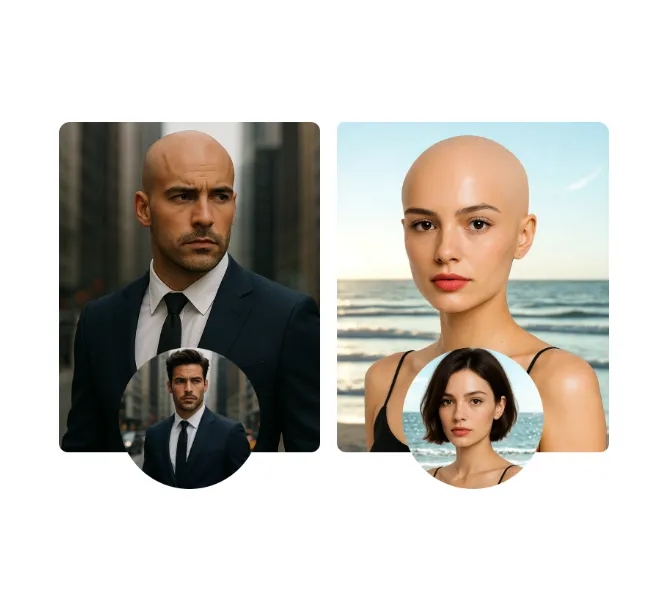
AI Bald Filter
Bald Filter uses advanced AI to instantly transform your photos into a realistic bald look. Simply upload a picture, and within seconds, get a fun, convincing bald image. It's free, easy to use, and perfect for sharing laughs on social media. Experience this unique transformation today!
Try Now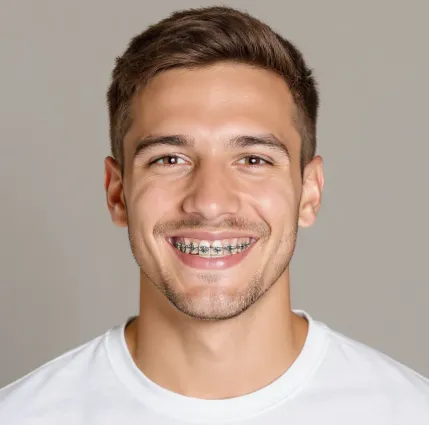
AI Braces Filter
Experience the AI Braces Filter: a free online tool that lets you visualize how braces would look on your teeth. Using advanced AI, it provides realistic virtual try-ons without any downloads or apps. Perfect for exploring options before committing, it helps you make confident decisions about orthodontic treatment easily.
Try Now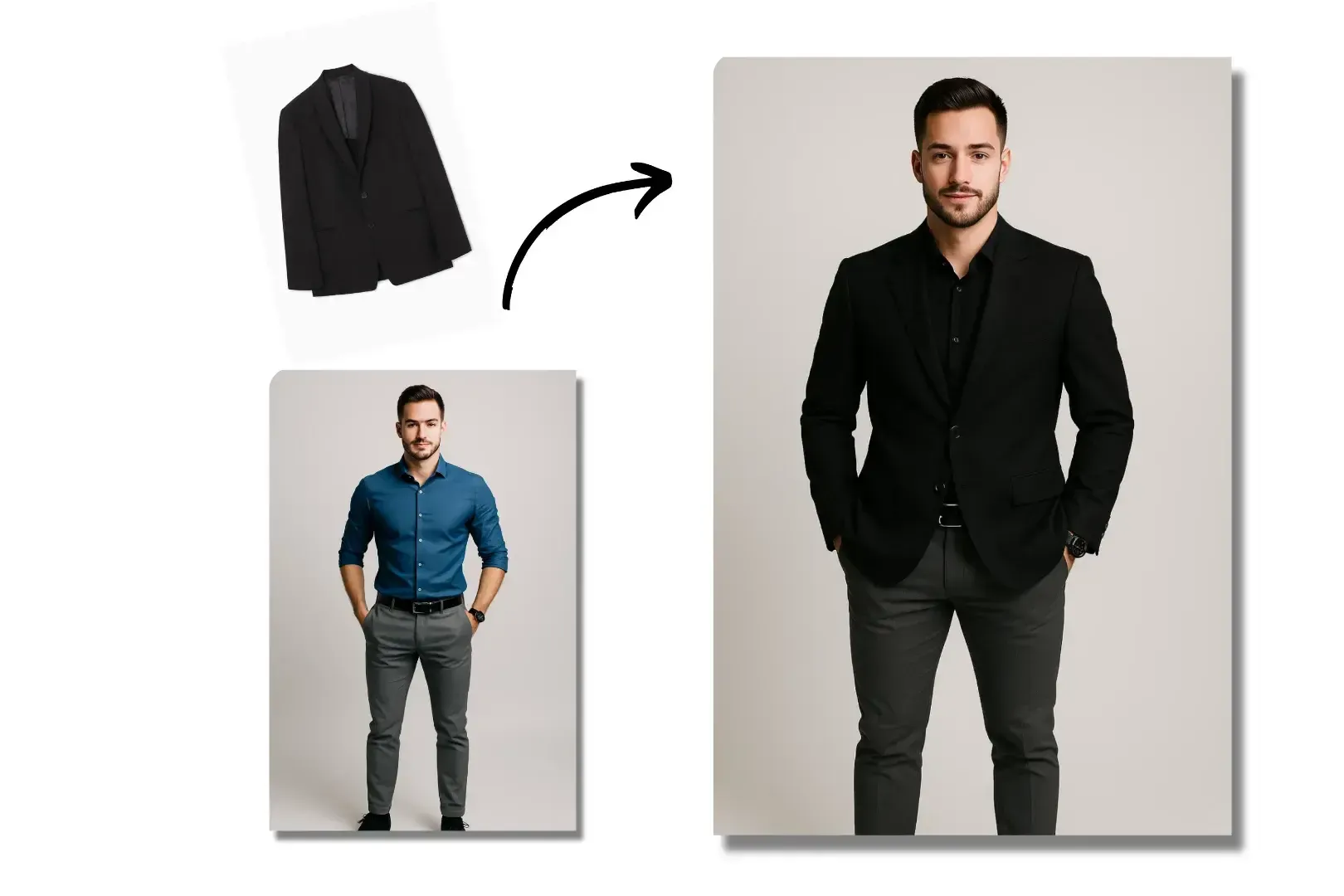
AI Clothes Changer
AI Clothes Changer is a revolutionary online tool that lets you digitally change outfits in seconds using advanced AI. Upload any photo, select new clothing styles, and see realistic transformations instantly. Ideal for experimenting with fashion looks, planning retail collections, or styling clients without physical changes. No downloads or sign-ups required—free, fast, and user-friendly for everyone.
Try Now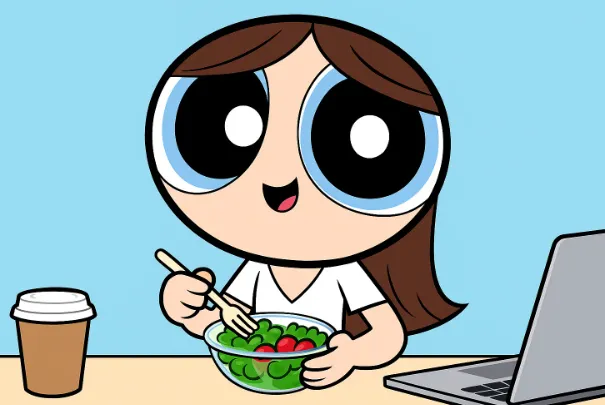
AI Powerpuff Girls
Our AI Powerpuff Girls Generator uses advanced technology to effortlessly convert your photos or text prompts into iconic Powerpuff Girls images. Apply filters to design custom characters like Blossom, Bubbles, or Buttercup—ideal for enhancing social media profiles, creating memes, or unleashing your inner superhero. It's fast, free, and requires no expertise, delivering unique, personalized results in seconds.
Try Now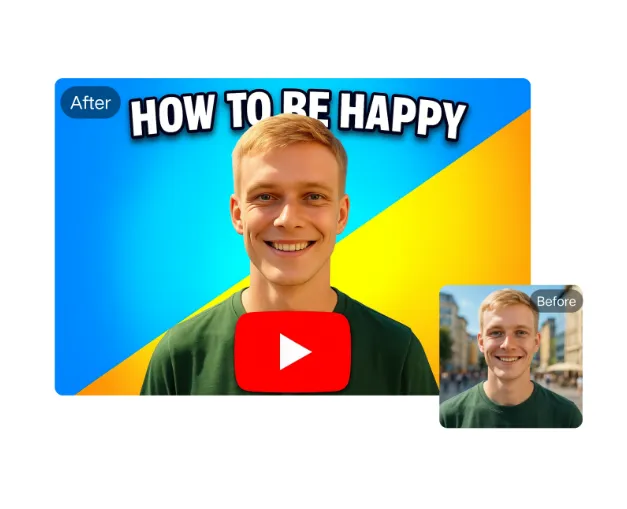
AI YouTube Thumbnail Maker
AI YouTube Thumbnail Maker helps creators design professional thumbnails instantly. Our AI analyzes trends to suggest optimal designs. Key features: free templates, text overlay, one-click download. Stand out in search results and attract more viewers effortlessly. Perfect for beginners and experts alike.
Try Now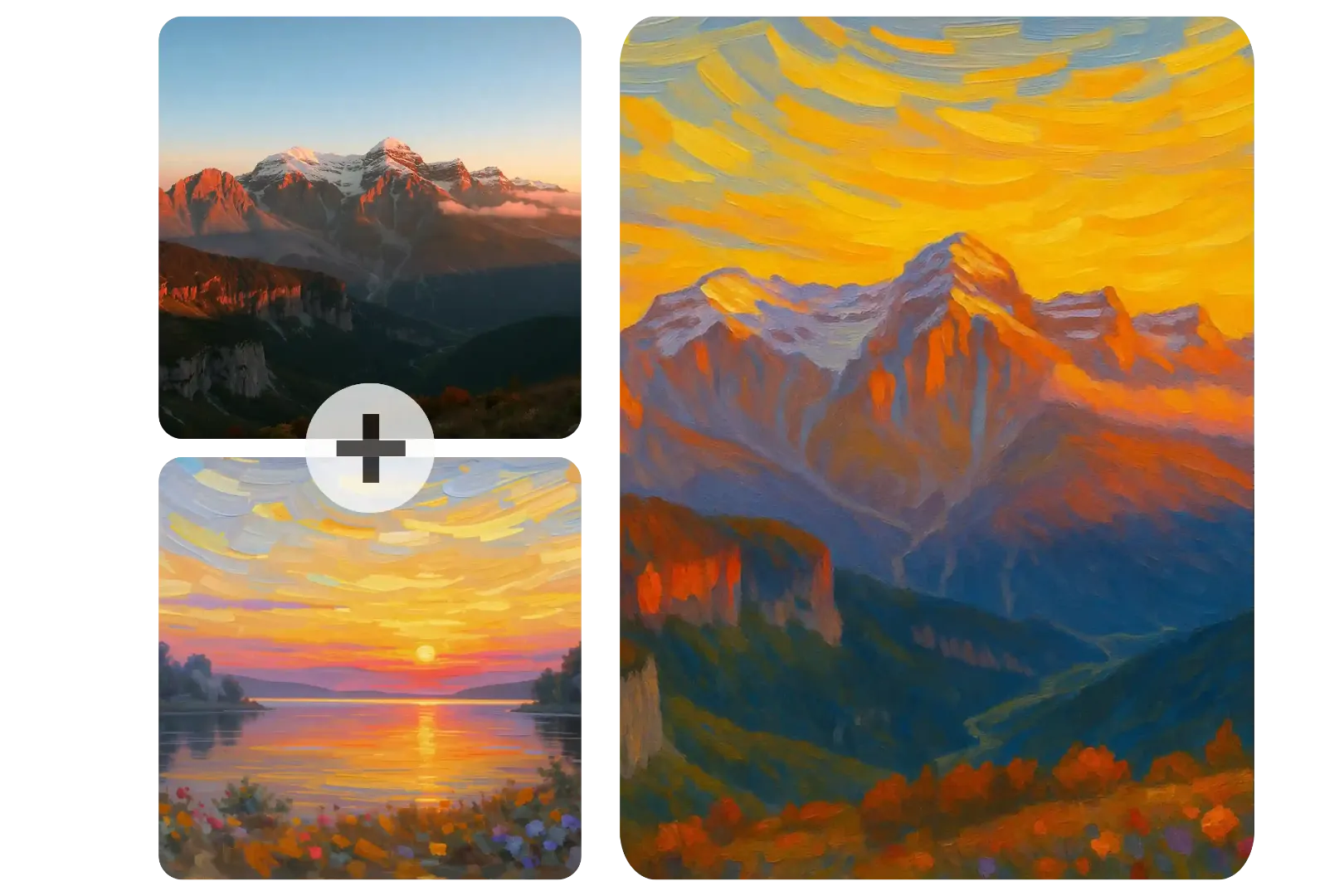
AI Image Combiner
AI Image Combiner is a powerful free tool that lets you merge two photos, blend different artistic styles, and create stunning image fusions. Whether for creative projects, product visuals, or realistic compositions, it delivers professional results instantly. Experience seamless photo merging with AI technology - no registration needed, just upload and combine!
Try Now Continue with Google