AI Powerpuff Girls
Our AI Powerpuff Girls Generator uses advanced technology to effortlessly convert your photos or text prompts into iconic Powerpuff Girls images. Apply filters to design custom characters like Blossom, Bubbles, or Buttercup—ideal for enhancing social media profiles, creating memes, or unleashing your inner superhero. It's fast, free, and requires no expertise, delivering unique, personalized results in seconds.
 Original
  Modified
 Free AI Powerpuff Girls Generator - Create Custom Characters Instantly
The AI Powerpuff Girls Generator is a browser-based tool that uses advanced image processing to transform your photos or text descriptions into custom characters in the iconic cartoon style of Blossom, Bubbles, and Buttercup. It delivers high-quality, unique results in seconds without requiring any design skills or software installation.
What is the AI Powerpuff Girls Generator?
If you grew up watching Blossom, Bubbles, and Buttercup save Townsville—or you've recently discovered the show's distinct charm on social media—you've probably wondered what you'd look like as part of their world. That's exactly what the AI Powerpuff Girls tool on ImageFK delivers. It's an online tool that applies the classic Powerpuff aesthetic—those oversized expressive eyes, simple bold lines, and playful proportions—to your own images or creative ideas.
Unlike the old avatar creators that forced you to pick from preset hairstyles and outfits, this AI-powered editing tool offers real creative freedom. You can either upload a photo of yourself to be "Powerpuffed," or you can type a text-to-image prompt to generate something entirely new, like a custom sidekick or a villain inspired by Mojo Jojo. The entire process happens directly in your browser, making it a fast and accessible way to tap into the nostalgia of the show while creating something uniquely yours.
How the AI Transforms Your Photos and Ideas
The magic behind this image transformation tool lies in its underlying AI image processing technology. It's designed to understand the key visual components of the Powerpuff Girls style and accurately recreate them.
From Selfie to Superhero
When you upload a photo, the AI doesn't just slap a cartoon filter on it. It performs a detailed analysis of your facial features, expression, and even your hairstyle. It then rebuilds your likeness using the signature elements of the show:
- Oversized Eyes: The AI identifies your eye shape and recreates them with that characteristic wide, sparkling look.
- Simplified Features: It distills your facial structure down to the simple, bold lines that define the cartoon's aesthetic.
- Proportional Play: It subtly adjusts the head-to-body ratio to achieve that classic, childlike superhero silhouette.
This results in a photo enhancement that feels both like you and unmistakably like a denizen of Townsville. The entire image processing is fast, efficient, and requires nothing more than a clear photo.
Creating Characters from Imagination
Maybe you don't want to use your own face. Perhaps you have an idea for an original character—a new ally for the girls, or a dastardly new foe. This is where the tool's text prompt feature shines. You can describe exactly what you want, and the AI image editing capabilities will bring it to life. For example, you could type:
- "A Powerpuff-style girl with long, flowing purple hair and a starry night-themed dress."
- "A tiny, mad scientist villain in a lab coat, riding a giant robot, in the classic cartoon style."
- "Bubbles holding a ray gun and looking tough, with an explosive background."
The tool interprets your description and generates a high-quality image that matches your vision, making it a powerful AI image generator for fans and creators alike.
Why Use an AI Generator for Custom Characters?
Creating art in a specific style traditionally takes years of practice. This tool democratizes that process, making professional-looking results accessible to everyone. Here’s why using an AI-powered approach is superior to manual methods or older generators:
- Unlimited Creativity: You're not limited to a set of templates. Whether you want to see yourself as a member of the Powerpuff Girls or create an entirely new character, the possibilities are endless.
- Speed and Efficiency: What would take a digital artist hours to complete is done in about 60 seconds. This fast image processing is perfect for quick projects or when inspiration strikes.
- Zero Learning Curve: There are no complex software tutorials to watch. If you can upload a file or type a sentence, you can use this tool. It truly requires no design skills.
- High-Quality Results: The accurate and efficient AI models are trained to produce crisp, vibrant images that capture the spirit and detail of the original cartoon, suitable for sharing or printing.
Key Features of the AI Powerpuff Girls Tool
This tool is packed with features designed to give you maximum control over your creations. It's more than just a simple filter; it's a comprehensive AI photo editing suite tailored to this specific style.
Dual Input Modes: Upload and Text Prompt
You have complete flexibility in how you create. Use the Upload Image function to transform a selfie, or use the text box to generate characters from scratch. You can even combine them—upload a photo and use a text prompt to modify specific elements, like changing the outfit or background.
Customizable Aspect Ratios
Your new avatar needs to fit wherever you want to share it. The tool offers a variety of preset aspect ratios, including square (1:1) for profile pictures, portrait (9:16) for phone wallpapers, and landscape (16:9) for banners or video thumbnails.
Adjustable Output Quality
Depending on your needs, you can select the resolution of your final image. Options typically include 1K, 2K, and 4K, ensuring you get a high-quality results whether you're posting on social media or creating artwork for print.
Privacy-Focused Processing
Your uploaded images are handled with care. The processing is designed to be secure, and like most modern browser-based editor tools, images are often not stored longer than necessary to complete your task, which is an important aspect of privacy protection and trustworthiness.
Practical Uses for Your Custom Characters
Once you start creating with the AI Powerpuff Girls generator, you'll find countless ways to use your new images. It's a versatile tool for personal expression, creative projects, and even professional content.
1. Social Media Avatars and Profiles
Stand out on platforms like X, Instagram, TikTok, and Discord with a unique profile picture. A custom Powerpuff Girls PFP is a great conversation starter and shows off your personality in a fun, creative way. It's far more memorable than a standard photo.
2. Create Custom Memes and Stickers
Imagine the hilarious possibilities. You can create a meme featuring a Powerpuffed version of your friend pulling a funny face, or design a set of custom stickers for a messaging app. The clean lines and expressive faces of the style are perfect for this.
3. Personal Branding and Content Creation
If you're a streamer, blogger, or influencer, a consistent visual identity is key. A custom Powerpuff Girls character can become your mascot or on-screen avatar. You could even create a whole cast of characters to represent your community or team.
4. Unique Gifts and Fan Art
Surprise a friend who loves the show by turning their photo into a superhero. Or, simply explore your own creativity by designing new characters and scenarios within the Powerpuff universe. It's a fantastic way to engage with the fandom and produce original fan art with ease.
5. Educational and Classroom Projects
Teachers can use this tool for creative writing prompts. Students could design their own superhero character and then write a story about them. It's an engaging way to combine art and storytelling using AI-powered editing tools that kids find intuitive and exciting.
Step-by-Step: How to Create Your Character in Seconds
Ready to make your own? The process is incredibly simple. Follow these steps to go from idea or photo to a finished character.
- Navigate to the Tool: Go to ImageFK.com and find the AI Powerpuff Girls generator in the "AI Face Character" section.
- Choose Your Input Method:
- To use a photo: Click the upload area and select a clear image of yourself or someone else. The tool accepts standard formats like JPEG and PNG.
- To use text: In the prompt box, describe the character you want to imagine. Be as detailed or as simple as you like. For best results, write your prompt in English.
- Select Your Options (Optional): You can customize the aspect ratio of your output image to suit your needs—choose from options like 1:1 for avatars or 9:16 for mobile stories.
- Generate: Click the "Generate Images with ImageFK" button. The AI image processing will begin, and in about 60 seconds, your custom character will be ready.
- Download and Share: Review your generated image. If you're happy with it, download it directly to your device. It's now ready to be shared as your new profile picture, used in a creative project, or sent to a friend.
Frequently Asked Questions
What exactly is an AI Powerpuff Girls Generator?
It's an online tool that uses artificial intelligence to transform your photos or text descriptions into images that replicate the unique, iconic art style of the Powerpuff Girls cartoon. It automatically applies features like big eyes, bold outlines, and simplified proportions to create a custom character that looks like it belongs in Townsville .
Do I need any design or editing skills to use it?
None at all. The tool is built for everyone. The AI-powered editing does all the complex work for you. If you can upload a photo or type a sentence, you can create a professional-looking Powerpuff Girls character in under a minute.
Is this tool really free to use?
Yes, the core functionality of the AI Powerpuff Girls generator on ImageFK is free, allowing you to experiment and create characters without any upfront cost. This makes it a great alternative to subscription-based services like ChatGPT Plus, which have daily limits for image generation .
Can I create characters other than Blossom, Bubbles, and Buttercup?
Absolutely. While the tool applies the show's classic style, you are not limited to the three main characters. You can use text prompts to create your own original characters, such as new villains, sidekicks, or even Powerpuff versions of your friends and family .
What are the best images to upload for a good result?
For the best image transformation, upload a clear, well-lit photo where your face is visible and facing forward. Avoid images with sunglasses, hats, or anything that obscures your key facial features. This helps the AI accurately capture your likeness .
How is my privacy protected when I upload a photo?
We understand that privacy is important. Your images are processed in a secure environment. The tool is designed to handle your files for the sole purpose of image processing and does not store them permanently or share them with third parties. It's a safe and trustworthy way to experiment with your photos.
Can I use the generated images for my social media?
Yes, that's one of the most popular uses! The images are perfect for profile pictures, story highlights, and posts. The tool even offers various aspect ratios so you can download your creation in the perfect size for any platform, helping you boost your online presence with a unique avatar .
What's the difference between this and the old "Powerpuff Yourself" flash games?
The original "Powerpuff Yourself" tools were simple avatar builders where you pieced together a character from a limited set of preset options . This AI Powerpuff Girls generator is far more advanced. It uses AI to actually understand and redraw your specific photo or text idea, resulting in a truly unique image that looks like you, not just a generic template. It's an evolution from simple customization to true AI image generation.
In conclusion, the AI Powerpuff Girls generator on ImageFK offers a fun, fast, and free way to engage with a beloved cartoon aesthetic. By combining the power of AI image editing with an intuitive interface, it puts the ability to create custom, high-quality superhero art into everyone's hands. Whether you're updating your social presence, creating a unique gift, or just exploring your creativity, this tool delivers a seamless and enjoyable experience. Go ahead and discover your inner superhero today.
Start AI Powerpuff Girls with AI Today
Transform your images instantly using powerful AI Effects Filters AI tools.
Try AI Powerpuff Girls NowMore AI Effects Filters AI Tools
Discover more AI-powered tools to enhance and transform your images.
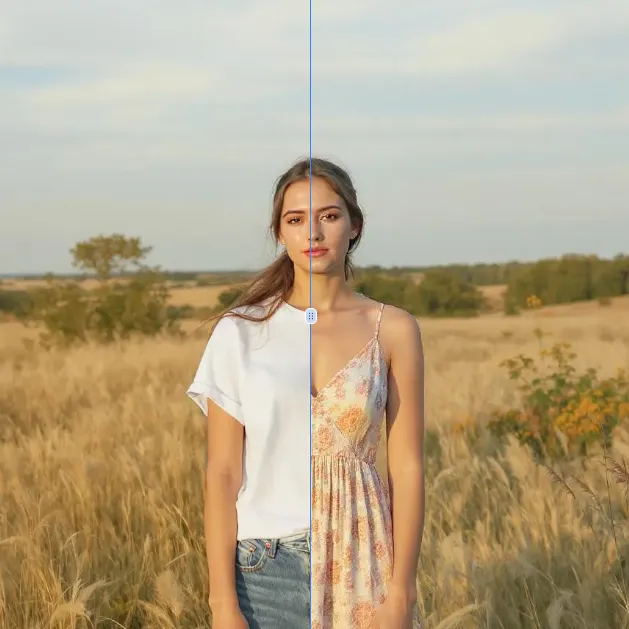
AI Clothes Remover
AI Clothes Remover is a free online tool that lets you instantly remove and replace clothing in photos. Experiment with styles, change outfits effortlessly, and get high-quality results without any fees or registration. Perfect for creative projects, it's the top AI clothing remover for quick, professional edits.
Try Now
AI Photo To Cartoon
AI Photo to Cartoon is a free AI-powered tool that converts your photos or text descriptions into high-quality cartoon images effortlessly. It eliminates the need for design expertise, making it ideal for creating unique social media posts, personalized gifts, and engaging marketing materials. Enjoy fast, professional results that enhance your creativity and save time.
Try Now
AI Photo To Anime
AI Photo to Anime is a free online tool that instantly converts your photos into anime-style artwork using advanced AI technology. Simply upload any image, and our converter generates professional anime art in seconds. Enjoy seamless operation on mobile or desktop without registration. Perfect for creating unique avatars, social media content, or artistic projects with zero cost and maximum convenience.
Try Now
Photo To Oil Painting
Photo to Oil Painting is a free AI tool that converts your photos into beautiful oil painting art online. It uses advanced AI to instantly transform any image, offering a fast, secure, and user-friendly experience. Perfect for artists, NFT creators, and hobbyists, it helps you create unique artwork effortlessly with just a few clicks.
Try Now
AI Photo To Sketch
AI Photo to Sketch is a free online tool that converts photos into realistic pencil sketches using advanced AI. It requires no drawing skills – simply upload your image, and get instant results. Perfect for creating art, gifts, or social media posts. Enjoy high-quality sketches with zero effort!
Try Now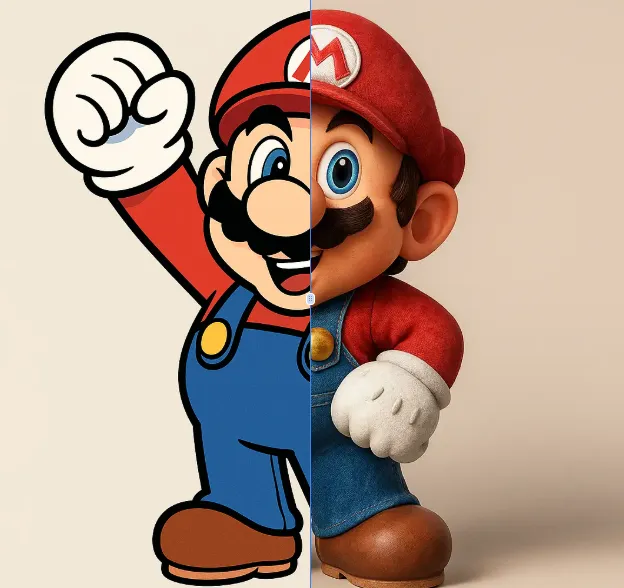
AI 2D To 3D Image Converter
AI 2D to 3D Image Converter is an innovative online tool that instantly converts your 2D images into detailed 3D models. Using advanced AI technology, it automatically generates realistic 3D models without any manual modeling. Perfect for designers, developers, and creators who need quick 3D assets. The tool is completely free, requires no downloads, and works directly in your browser - making 3D creation accessible to everyone regardless of experience level.
Try Now Continue with Google