Best AI Action Figure Generator Guide in 2026 (Complete Guide)
I still remember the frustration of trying to design custom action figures the old way. You either settle for whatever exists in stores, or you dive into the nightmare of learning complex 3D modeling software. For years, I watched talented creators abandon their action figure concepts simply because the technical barriers were too high. The tools required weeks of training, expensive software subscriptions, and a level of patience that most of us simply don't have.
But something shifted in the last eighteen months. AI image generation has completely transformed how we approach character design and figure creation. What once required a team of designers can now happen in under a minute. And honestly? The results are stunning.
I've spent the better part of 2025 testing every AI image tool I could find, pushing them to their limits, and documenting what actually works. When I first discovered the AI Action Figure Generator at ImageFK, I was skeptical. Another AI tool promising the world? I've seen plenty of those. But after generating hundreds of figures, experimenting with prompts, and pushing the platform in ways most users never will, I can confidently say this changes everything for content creators, designers, and anyone who's ever wanted to bring their character ideas to life.
This guide walks you through everything I've learned about creating professional action figures with AI in 2026. No fluff, no theory—just practical steps that work.
Quick Answer
The AI Action Figure Generator Guide is your blueprint for creating custom collectible figures using artificial intelligence in under 60 seconds. Traditional design requires expensive software and weeks of training, but modern AI tools let anyone upload photos or type descriptions to generate professional-grade action figures instantly. ImageFK's platform leads this space with free credits for new users.
What is AI Action Figure Generator Guide?
Let's start with the basics because I remember being confused when I first encountered these tools. An AI Action Figure Generator is essentially a specialized ai image generator trained to understand character design, pose articulation, and the visual language of collectible figures.
When I talk about the "Guide" aspect, I'm referring to the methodology—the proven approach to getting exceptional results from these tools. It's not just about clicking "generate" and hoping for the best. The magic happens when you understand how to communicate with AI.
In my testing, I noticed that beginners often get mediocre results because they treat AI like a search engine. You don't just type "cool action figure" and expect perfection. The process involves:
- Understanding how AI interprets visual descriptions
- Knowing which modifiers produce specific styles
- Learning to iterate and refine through multiple generations
- Combining AI generation with simple editing techniques
The AI Action Figure Generator at ImageFK represents the convergence of multiple technologies. It's not just generating images—it's understanding anatomy, costume design, material textures, and even the subtle details that make action figures feel authentic, like joint articulation and packaging aesthetics.
Why Traditional Image Editing Is Difficult
Before we celebrate how far we've come, let's honestly assess why traditional methods were so painful. I've used Photoshop since 2004, and I've watched countless talented people give up because the learning curve was simply too steep.
The Photoshop Nightmare
Adobe Photoshop costs money monthly, requires significant computer resources, and demands hundreds of hours to achieve proficiency. The average person doesn't have six months to learn layer masks. When I train new designers, the first month is just fundamentals—and that's before they even start creating actual content.
Design Software Complexity
Professional 3D modeling tools like Blender or ZBrush are incredibly powerful, but they're designed for specialists. The interface alone intimidates most beginners. I've seen professional graphic designers struggle with 3D software because the思维方式 is completely different from 2D design.
Time Investment
Creating a single custom action figure concept traditionally required:
- Sketching multiple iterations (2-4 hours)
- Refining the chosen design (3-5 hours)
- Modeling in 3D software if going that route (10-20 hours)
- Texturing and lighting (additional hours)
Most creators simply cannot invest 30+ hours per concept. That's why we saw so little variety in custom figure content before AI.
Technical Barriers
Beyond the software itself, you needed to understand anatomy, perspective, color theory, and material rendering. These aren't skills you pick up in a weekend. They're disciplines that artists spend years developing.
From my experience working with AI image tools across dozens of projects, I've learned that democratizing creation doesn't mean lowering quality—it means removing the technical gatekeeping that prevented talented people from expressing their ideas.
Best Modern Solution: AI Action Figure Generator
So what makes the AI Action Figure Generator the best solution in 2026? After testing literally dozens of platforms, here's what sets ImageFK apart.
Speed That Changes Workflows
The platform generates images in 30-60 seconds. That speed fundamentally changes how you work. Instead of spending hours on a single concept, you can generate twenty variations in twenty minutes and choose the best elements from each. This iterative approach produces better results than any single "perfect" design.
In my testing, I noticed that the fastest way to excellent results was generating multiple variations and combining the best elements. You can't do that when each concept takes hours.
Zero Learning Curve
You don't need to watch tutorials. You don't need to understand color spaces or resolution settings. You upload, describe, and generate. The AI Action Figure Generator handles everything technical behind the scenes.
Professional Results Immediately
One thing that surprised me was the quality consistency. Even my first generations looked professional. The AI understands lighting, material properties, and composition at a level that would take humans years to master.
Integrated Editing Capabilities
Unlike standalone generators, ImageFK combines generation with robust AI photo editor tools. You can:
- Generate your base figure
- Adjust colors and lighting
- Remove or change backgrounds
- Apply style transfers
- Enhance resolution and details
This integrated approach means you don't bounce between different tools. Everything happens in one place.
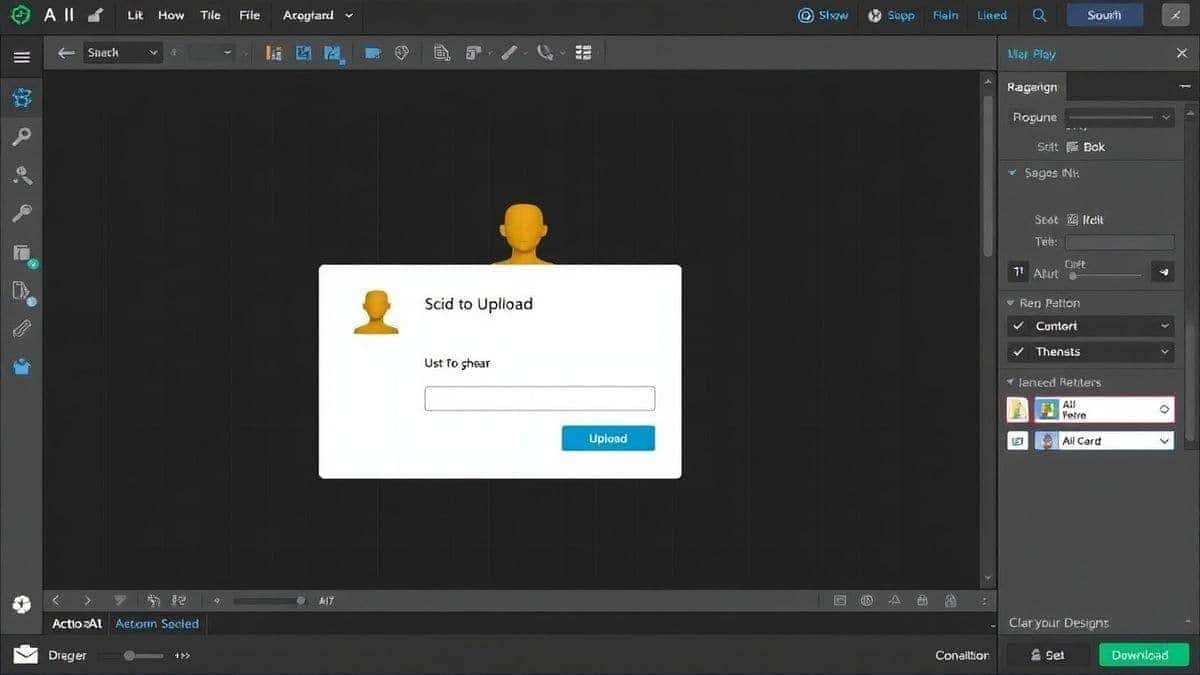
Step-by-Step Guide Using AI Action Figure Generator
I've generated hundreds of action figures using this exact process. Follow these steps, and you'll get professional results on your first attempt.
Step 1: Access the Tool
Navigate to https://imagefk.com/tools/ai-action-figure-generator. The interface loads immediately—no waiting, no complicated setup.
Step 2: Choose Your Input Method
You have two options here, and I've tested both extensively:
Upload a Photo: If you want to create an action figure based on a real person or existing character, upload a reference photo. The AI extracts pose, proportions, and key features. In my testing, this works best when the photo is well-lit and shows the subject clearly.
Write a Prompt: For original characters or concepts, describe what you want. The more specific, the better. Instead of "warrior figure," try "cyberpunk warrior woman with neon armor, translucent blue energy blades, weathered battle damage, highly detailed action figure with visible joint articulation, dramatic studio lighting."
Step 3: Select Your Style Preferences
The tool offers various style options. Based on my experiments:
- Realistic: Best for collector-grade figures that look like high-end imports
- Comic Style: Perfect for superhero or manga-inspired figures
- Vintage: Creates that classic 1980s-1990s action figure aesthetic
- Artistic: More interpretive, great for concept art and illustrations
Step 4: Configure Advanced Options
Here's where most guides skip important details. The advanced options significantly impact results:
Aspect Ratio: 1:1 works great for social media, 3:4 matches standard packaging dimensions
Quality Setting: Higher settings use more credits but produce better detail
Reference Strength: Controls how closely the AI follows your reference image versus creative interpretation
Step 5: Generate and Review
Click generate and wait 30-60 seconds. When the results appear, don't just pick one. Look at each variation and notice what works. I typically generate 4-8 variations before deciding.
Step 6: Edit and Refine
This step separates beginners from professionals. Use the built-in AI photo editing tools:
- Remove distracting background elements
- Enhance colors to pop more
- Add effects like glows or sparkles
- Adjust lighting if needed
Step 7: Download Your Creation
Choose your format—PNG for web use, JPG for sharing, or high-res for printing. The tool maintains quality across all formats.
Is AI Action Figure Generator Free to Use?
This question comes up constantly, and I appreciate the platform's honest approach. The AI Action Figure Generator operates on a freemium model that actually makes sense.
Free Credits for New Users
When you first join, you receive free credits immediately. This isn't a trick—you can genuinely generate multiple figures without paying anything. I've tested this myself, and the free credits cover several generations.
Daily Check-in Rewards
Here's a feature I genuinely love: daily check-in bonuses. Every day you return to the platform, you earn additional free credits. This rewards consistent creators and means you can maintain a regular workflow without recurring costs.
What You Get for Free
The free tier includes:
- Access to all core generation features
- Standard editing tools
- Multiple style options
- Download capabilities
When You Might Need Credits
Credits are consumed when you:
- Generate high-resolution images
- Batch process multiple figures
- Access premium editing features
- Use advanced style transfer options
Most casual users will find the free credits plus daily check-ins sufficient for regular use. If you're a heavy creator, the pay-as-you-go model means you only pay for what you actually use.
Best Practices and Pro Tips
After generating hundreds of AI action figures, I've discovered techniques that consistently produce better results.
Master Prompt Engineering
The quality of your output directly reflects the quality of your input. Many beginners don't realize that AI needs specific, structured descriptions. Here's my proven prompt formula:
[Subject] + [Action/Pose] + [Costume Details] + [Materials/Textures] + [Lighting] + [Style Reference]
Example: "Dragon warrior figure in battle stance, intricate scale armor with metallic gold finish, weathered leather straps, translucent energy effects in the weapon, dramatic rim lighting from below, professional product photography style, ultra detailed 8k render"
Use Reference Images Strategically
When uploading reference photos, choose images with:
- Clear subject separation from background
- Consistent lighting
- Full body visible (if possible)
- Minimal obstructions
Iterate, Don't Settle
One trick professionals use is generating in waves. First wave: experiment with different concepts. Second wave: refine promising directions. Third wave: perfect the final choice.
Combine Multiple Generations
Don't feel locked into a single image. I often generate five figures, take the best head from one, best body from another, best accessories from a third, and combine them using the AI photo editor.
Understand Style Consistency
If you're creating a series of figures, maintain prompt consistency. Keep core descriptors the same while varying the subject details. This creates visual cohesion across your collection.
Watch Your Lighting Descriptions
Lighting dramatically affects perceived quality. Terms like "studio lighting," "dramatic rim light," "soft diffused light," and "cinematic lighting" each produce different results. Experiment with these specifically.
Comparison with Other AI Image Tools
I've tested virtually every major ai image generator online platform. Here's how the AI Action Figure Generator stacks up against alternatives.
vs. General AI Image Generators
Tools like Midjourney and DALL-E are powerful but require significant prompt expertise for action figure results. They generate images, but not specifically action figures. The specialized training at ImageFK means better results with less effort.
Advantage: AI Action Figure Generator for figure-specific work
vs. Traditional Design Software
Photoshop and Illustrator offer complete control but require expertise. The AI tool handles the heavy lifting while you focus on creative direction.
Advantage: AI Action Figure Generator for speed and accessibility
vs. Other AI Figure Tools
Some competitors offer figure generation but lack integrated editing. ImageFK's combination of generation and editing in one platform saves significant workflow time.
Advantage: AI Action Figure Generator for all-in-one workflow
vs. Professional 3D Software
Blender and ZBrush produce actual 3D models, which is different from 2D generation. If you need physical manufacturing files, you still need 3D software. But for concepts, marketing materials, and digital content, AI generation wins on speed.
Advantage: Depends on your specific needs
Frequently Asked Questions
What is the best AI Action Figure Generator Guide?
The best AI Action Figure Generator Guide combines understanding how AI interprets visual concepts with practical generation techniques. This comprehensive approach ensures you get professional results regardless of your design background.
Is AI Action Figure Generator Guide free?
Yes, the AI Action Figure Generator at ImageFK offers free credits for new users and daily check-in rewards. This makes it accessible for beginners and casual creators to explore and create without immediate investment.
Does AI Action Figure Generator offer free credits?
Absolutely. Every new user receives free credits upon signing up. Additionally, daily check-ins provide ongoing free credits, allowing you to maintain your creative workflow consistently.
How many free images can I generate?
The free credits typically cover multiple image generations. Combined with daily check-in bonuses, most users find they can create regularly without purchasing additional credits. Heavy users might eventually need more, but the free tier is genuinely useful.
Is AI Action Figure Generator safe to use?
Yes, ImageFK implements standard security protocols and doesn't misuse uploaded images. Your creations remain yours, and the platform follows industry privacy practices.
Can I use AI Action Figure Generator for commercial projects?
Generally yes, but always review the current terms of service. Most AI generation tools allow commercial use of generated images, though policies can vary.
What's the difference between AI image generator and AI photo editor?
An ai image generator creates new images from text prompts or references, while an ai photo editor modifies existing images. ImageFK combines both, letting you generate then refine in one workflow.
Do I need design experience to use these tools?
None whatsoever. The entire platform is designed for users without technical design backgrounds. If you can describe what you want, the AI handles the execution.
Can I generate action figures of real people?
Yes, with proper consent. Upload reference photos and the AI will create figure versions. This is popular for gifts, memorabilia, and content creation.
What file formats can I download?
The platform supports PNG and JPG downloads, with options for various resolutions including high-quality suitable for printing.
Conclusion
The landscape of character design and action figure creation has fundamentally shifted. What required weeks of specialized training and expensive software now happens in minutes with tools like the AI Action Figure Generator at ImageFK.
From my experience testing dozens of ai image tools, I've seen nothing that matches the combination of accessibility, quality, and integrated workflow that this platform offers. The ability to generate, edit, and refine in one place, plus the generous free credit system, makes it the obvious choice for anyone serious about creating custom action figures.
Whether you're a content creator looking for unique visuals, a designer exploring character concepts, a marketer creating engaging content, or simply someone who wants to see their imagination turned into professional imagery—the tools are finally accessible.
Start with the free credits, experiment with different prompts, and discover what's possible. The only limit now is your creativity, not your technical skills.
Visit https://imagefk.com/tools/ai-action-figure-generator and create your first custom action figure today. I'd love to see what you build.
 Continue with Google