SpongeBob Meme Generator
The SpongeBob Meme Generator lets you create mocking memes easily using AI. Customize captions, pick from top templates, and download for free—ideal for viral posts. Boost your creativity with this user-friendly online tool.
 Original
  Modified
 Guide
The Ultimate Guide to the SpongeBob Meme Generator: Create Viral AI Memes in Seconds
The SpongeBob Meme Generator on ImageFK is a free, AI-powered online tool that lets you instantly create custom memes using iconic SpongeBob SquarePants templates. By simply typing your caption or describing the scene, you can generate high-quality, watermark-free mocking memes, sarcastic images, or short animated clips perfect for social media.
What Is a SpongeBob Meme Generator?
If you spend any time on social media platforms like TikTok, Instagram, or X (formerly Twitter), you have undoubtedly encountered the cultural phenomenon that is the SpongeBob meme. From the classic Mocking SpongeBob with his alternating caps text to the relatable "Imagination" rainbow, these images have become a universal language for humor online . But creating these memes traditionally required manual editing—finding the right image, adding text boxes, and hoping the joke landed.
A SpongeBob Meme Generator changes all of that. It is a specialized online tool, often powered by AI, designed to streamline the creative process. The ImageFK SpongeBob Meme Generator takes this a step further by integrating advanced AI image editing capabilities. Instead of just adding text to a static template, you can now use text-to-image prompts to generate entirely new SpongeBob-inspired visuals or modify existing ones. This tool puts the power of AI-powered editing into the hands of everyone, regardless of their design experience.
Why the SpongeBob Meme Generator Is Essential for Viral Content
The key to a great meme is timing and relatability. Whether you are crafting a sarcastic reply for a group chat or creating content for a larger audience, the ability to produce a high-quality, funny image fast is crucial. Here is why this specific tool stands out in the crowded world of meme creation:
- Instant AI Processing: You don't need to spend minutes fiddling with font sizes or image cropping. The tool’s fast image processing capabilities mean your meme is ready in seconds.
- Perfect for Sarcasm: The most famous SpongeBob format is the "Mocking SpongeBob," where text is written in a mocking case (e.g., "wHeRe'S yOuR rEpOrT?"). This generator is optimized to help you create that specific, high-impact sarcastic tone effortlessly .
- No Design Skills Required: You don't need to be a graphic designer to make something that looks good. The browser-based editor handles the heavy lifting, ensuring your final output is clean and professional.
- High-Quality Unlike some free tools that plaster watermarks all over your creation, this generator allows you to download your memes in HD, ensuring they look crisp whether posted on a story or a feed.
Key Features of the ImageFK SpongeBob Meme Generator
What makes this AI photo editing tool different from a standard meme maker is its depth of functionality. It’s not just about putting words on a picture; it's about image transformation.
AI-Powered Image Generation and Editing
At its core, this tool uses sophisticated AI to understand your intent. You can start with a classic template, but you can also upload your own images and use the text-to-image feature to inject some SpongeBob magic into them. For instance, you could upload a photo of a friend and use a prompt like, "Make this person look like SpongeBob doing the mocking chicken pose," and the AI will handle the rest. This goes beyond simple memes and into the realm of creative fan art .
Customization at Your Fingertips
The tool offers robust options to ensure your meme looks exactly the way you envision it:
- Text Controls: Easily add, edit, and style your text. You can change the font, size, color, and outline to match the classic meme aesthetic or create a new one.
- Aspect Ratios: Whether you need a square image for Instagram, a 16:9 landscape for YouTube thumbnails, or a 9:16 vertical video for TikTok Reels, the generator supports a wide range of aspect ratios (1:1, 16:9, 9:16, 4:3, and more).
- Creative Extras: Go beyond text by adding stickers, emojis, or even custom shapes to your meme, giving it a unique, personalized touch .
Privacy and Security
In an era where secure image processing is a major concern, ImageFK prioritizes user trust. The platform is designed with privacy in mind, ensuring that your uploaded images are handled safely and are not misused. This commitment to trustworthiness means you can experiment and create freely without worrying about your data.
How to Create a SpongeBob Meme: A Step-by-Step Guide
Creating your next viral post is simple. Follow this guide to use the SpongeBob Meme Generator effectively:
- Select Your Canvas: Start by choosing whether you want to create a static image or a short video/GIF. Then, select your preferred aspect ratio based on where you plan to share it.
- Choose Your Image: You have two main options:
- Pick a Template: Select from the library of iconic SpongeBob templates, including "Mocking SpongeBob," "Mr. Krabs Blur," "Imagination SpongeBob," and "Sad SpongeBob" .
- Upload Your Own: If you have a specific idea, upload your own photo (JPEG, PNG, or WEBP) to customize it with SpongeBob elements.
- Write Your Prompt or Caption: This is where the AI magic happens. In the text box, write your caption. For the classic mocking effect, simply type your sentence normally, and the AI can help format it into the signature alternating caps style. For more complex edits, describe what you want to change in the image (e.g., "Add SpongeBob's face looking confused in the corner").
- Generate and Customize: Click the generate button. In just a few seconds, your meme will be created. From there, you can fine-tune the text, adjust the colors, or add accessories.
- Download and Share: Once you are happy with the result, download your high-resolution, watermark-free meme. It’s now ready to be shared across your social networks, in group chats, or even used for creating custom merchandise like stickers or t-shirts .
Use Cases: When to Use the SpongeBob Meme Generator
The versatility of this tool makes it perfect for a wide range of scenarios:
- Social Media Managers: Quickly create engaging, trend-based content to boost interaction on your brand’s channels.
- Content Creators: Develop unique memes and short video clips for platforms like TikTok and Instagram Reels to grow your audience .
- Everyday Users: Add humor to your personal conversations in Discord servers, WhatsApp groups, or SMS. It's the perfect way to react to friends with a custom-made, sarcastic SpongeBob image .
- Educators and Presenters: Lighten the mood in a presentation or online class with a relevant, funny meme that helps illustrate a point.
Frequently Asked Questions
What is the Mocking SpongeBob meme text format?
The Mocking SpongeBob meme uses alternating uppercase and lowercase letters (e.g., "LiKe ThIs") to convey a sarcastic, mocking tone of voice. It visually represents someone repeating another person's words in a condescending way and is one of the most popular uses for a SpongeBob Meme Generator .
Can I use the SpongeBob Meme Generator on my phone?
Yes, the ImageFK SpongeBob Meme Generator is a browser-based online tool. It works seamlessly on any device with an internet connection, including smartphones, tablets, and laptops, without needing to download an app .
Is the SpongeBob Meme Generator really free?
Yes, the core functionality of the SpongeBob Meme Generator is completely free to use. You can create and download memes without any cost and without watermarks, making it accessible for everyone .
Can I create animated SpongeBob memes or GIFs with this tool?
Absolutely. The tool includes features to turn your static memes into short, animated videos or GIFs. This is perfect for creating more dynamic content that stands out on social media feeds and can be more engaging than a still image .
Do I need to create an account to use the generator?
No, you do not need to register or create an account. You can start creating memes instantly as soon as you land on the page, ensuring a fast and frictionless user experience.
How does the AI protect my privacy when I upload images?
ImageFK is built with a focus on user privacy. The platform employs secure image processing protocols to ensure that your uploaded files are handled confidentially and are not stored or used for any other purposes without your consent.
Conclusion
The internet moves fast, and humor is the currency of engagement. The SpongeBob Meme Generator from ImageFK provides you with the ultimate toolkit to keep up. By combining the beloved, timeless appeal of SpongeBob SquarePants with the cutting-edge power of AI, it transforms meme creation from a manual chore into an instant, creative outlet. Whether you are aiming for sarcastic wit, wholesome humor, or pure absurdity, this user-friendly online tool gives you everything you need to create, download, and share high-quality, viral-ready content. Try it today and bring your funniest ideas to life.
Start SpongeBob Meme Generator with AI Today
Transform your images instantly using powerful AI Effects Filters AI tools.
Try SpongeBob Meme Generator NowMore AI Effects Filters AI Tools
Discover more AI-powered tools to enhance and transform your images.
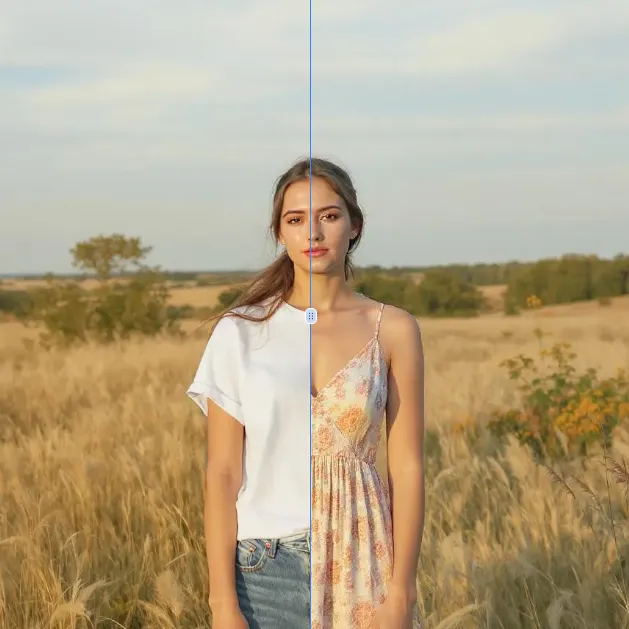
AI Clothes Remover
AI Clothes Remover is a free online tool that lets you instantly remove and replace clothing in photos. Experiment with styles, change outfits effortlessly, and get high-quality results without any fees or registration. Perfect for creative projects, it's the top AI clothing remover for quick, professional edits.
Try Now
AI Photo To Anime
AI Photo to Anime is a free online tool that instantly converts your photos into anime-style artwork using advanced AI technology. Simply upload any image, and our converter generates professional anime art in seconds. Enjoy seamless operation on mobile or desktop without registration. Perfect for creating unique avatars, social media content, or artistic projects with zero cost and maximum convenience.
Try Now
AI Photo To Cartoon
AI Photo to Cartoon is a free AI-powered tool that converts your photos or text descriptions into high-quality cartoon images effortlessly. It eliminates the need for design expertise, making it ideal for creating unique social media posts, personalized gifts, and engaging marketing materials. Enjoy fast, professional results that enhance your creativity and save time.
Try Now
Photo To Oil Painting
Photo to Oil Painting is a free AI tool that converts your photos into beautiful oil painting art online. It uses advanced AI to instantly transform any image, offering a fast, secure, and user-friendly experience. Perfect for artists, NFT creators, and hobbyists, it helps you create unique artwork effortlessly with just a few clicks.
Try Now
AI Photo To Sketch
AI Photo to Sketch is a free online tool that converts photos into realistic pencil sketches using advanced AI. It requires no drawing skills – simply upload your image, and get instant results. Perfect for creating art, gifts, or social media posts. Enjoy high-quality sketches with zero effort!
Try Now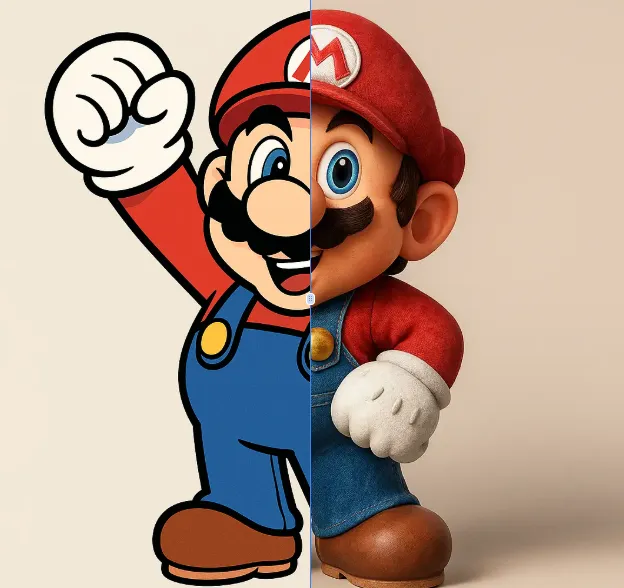
AI 2D To 3D Image Converter
AI 2D to 3D Image Converter is an innovative online tool that instantly converts your 2D images into detailed 3D models. Using advanced AI technology, it automatically generates realistic 3D models without any manual modeling. Perfect for designers, developers, and creators who need quick 3D assets. The tool is completely free, requires no downloads, and works directly in your browser - making 3D creation accessible to everyone regardless of experience level.
Try Now Continue with Google