South Park Character Creator
South Park Character Creator lets you easily generate custom South Park avatars from photos or descriptions. Key features include instant conversion, free access. Enjoy creating unique characters for fun, gaming, or sharing online with this user-friendly tool.
 Original
  Modified
 Guide
Free South Park Character Generator | Create Custom Avatar Instantly
A South Park Character Creator is an online tool that transforms your photos or text descriptions into a custom avatar that matches the iconic, paper-cutout art style of the long-running animated series. These tools use AI image processing to instantly capture your facial features or imaginative prompts, generating a unique, shareable character for fun, social media, or creative projects .
What is a South Park Character Creator?
For over two decades, the crude, construction-paper aesthetic of South Park has been a cultural touchstone . Its simple yet instantly recognizable style—featuring bold outlines, flat colors, and a distinct lack of realism—makes it perfect for personalized avatars. A South Park Character Creator leverages modern technology to let anyone become a resident of this fictional Colorado town. Whether you're a longtime fan of Cartman, Stan, Kyle, and Kenny, or just love the show's unique visual humor, these tools provide a direct way to insert yourself or your friends into that world .
How Does an AI-Powered South Park Character Creator Work?
Understanding the technology behind these generators enhances your appreciation for the results. While the official South Park Studios avatar creator relies on a manual "build-a-character" approach with preset options , modern AI-powered tools on platforms like ImageFK offer a more advanced and instantaneous experience. Here’s a breakdown of the process:
1. Input Method: Photo or Prompt You typically start with one of two options. You can upload a clear photo of a face (a selfie works best), which the AI uses as a reference for features like face shape, hair, and expression . Alternatively, you can use a text-to-image prompt, describing your desired character in detail—for example, "a South Park version of a wizard with a long beard and a pointy blue hat" .
2. AI Image Analysis and Generation This is where the core technology comes in. The AI model, often trained on thousands of images from the show, analyzes your input. If it's a photo, it identifies key facial landmarks. If it's a prompt, it uses natural language processing to understand your description. It then synthesizes this information, applying the specific constraints of the South Park art style—simplified forms, distinct outlines, and a 2D aesthetic—to generate a new image .
3. Image Processing and Refinement Advanced platforms use different AI models that balance speed and quality. A "Fast" model might give you a result in seconds, while a "Pro" or "Max" model will take a bit longer but produce higher-resolution images with better attention to detail and style accuracy . Some tools even offer options to upscale the final image to 4K resolution, ensuring it looks crisp whether you're using it as a profile picture or printing it on a mug .
4. Download and Share Once the AI has finished its magic, the final image is presented to you for download, usually as a high-quality PNG file, ready to be shared on social media like Instagram, TikTok, or Discord .
Why Use an AI Generator Over Traditional Methods?
For years, fans who wanted a South Park avatar had to use the official Flash-based creator on the Comedy Central website. While authentic, this method has limitations. It offers a finite set of pre-drawn parts, meaning your avatar can only be assembled from existing options . You're also often left with a low-resolution image that doesn't look good when enlarged .
AI-powered generators solve these problems. They offer unprecedented flexibility, allowing you to generate an avatar that truly resembles a specific person from a photo or matches a complex, original idea from a text prompt. The results are typically high-resolution and ready for any purpose . This shift from manual assembly to AI generation represents a leap forward in creative potential, making it the preferred method for modern fans .
Key Features of an Effective South Park Character Creator
When choosing a tool, whether it's on ImageFK or another platform, look for these features to ensure you get the best possible result.
Instant Photo-to-Cartoon Conversion
The hallmark of a great South Park Character Creator is its ability to take an uploaded selfie or portrait and, within seconds, output a version "South Park-ified" version of you. The best tools preserve your unique facial structure and expression, simply re-rendering them in the show's signature style rather than just slapping a generic filter on your face .
Prompt-Based Character Generation
This feature opens up a world of possibilities. Want to see your Dungeons & Dragons character as a South Park kid? Or maybe you want to create an original character (OC) for a fan comic. A text-to-image feature lets you type in your idea, and the AI brings it to life from scratch . This is perfect for creating characters based on descriptions, inside jokes, or fictional beings.
High-Resolution and Social-Ready Exports
Nobody wants a blurry profile picture. Look for a generator that offers high-resolution downloads, such as 4K PNGs. This ensures your avatar remains sharp and clear on any platform, from a tiny Discord icon to a large-format print. The best services automatically optimize images for different social media requirements .
Privacy and Security
Given that you're uploading personal photos, trust is paramount. Reputable platforms process your images securely and often have clear policies about data retention. Many, like the one described for ImageFK, state that uploaded images are handled with encryption and are not used for other purposes or sold to third parties, which aligns with best practices for online privacy .
Practical Use Cases for Your Custom Avatar
Creating a South Park character is more than just a fleeting novelty. Here are some popular and creative ways people use their generated avatars.
- Social Media Profile Pictures (PFPs): Stand out on platforms like X (Twitter), Instagram, Reddit, and Discord with a unique, personalized avatar that reflects your fandom .
- Gaming Avatars: Use your custom character as a profile picture on gaming platforms like Steam or PlayStation Network .
- Custom Merchandise: Because you can generate high-resolution images, you can easily create custom t-shirts, mugs, stickers, or phone cases featuring your South Park alter-ego for a truly one-of-a-kind gift or personal item .
- Creative Projects: Use the generated images for fan art, YouTube thumbnails, or as characters in fan-made comics and animations. Some tools even allow you to animate your static avatar into short, looping videos .
- Themed Parties and Invitations: Create eye-catching digital invitations or decorations for a South Park-themed party featuring avatars of you and your friends .
- Messaging Stickers and Emojis: Turn your avatar into custom stickers for iMessage, WhatsApp, or Telegram to add a personal touch to your conversations .
A Step-by-Step Guide to Using an AI South Park Character Creator
While interfaces can vary, the general workflow for using a modern AI generator like the one on ImageFK is intuitive and straightforward.
Step 1: Access the Tool and Choose Your Input Navigate to the South Park Character Creator on your chosen website. You'll typically be presented with two main options: a button to upload an image or a text box for entering a prompt.
Step 2: Upload a Photo or Write a Prompt For a photo-based avatar, select a clear, well-lit image where your face is visible. The AI works best with front-facing shots . For a prompt-based creation, be descriptive. Instead of just "a boy," try "a South Park character with messy blonde hair, a green vest, and a skateboard, looking mischievous." Some tools even allow you to combine both methods .
Step 3: Select Your Preferences (If Available) Many advanced generators let you fine-tune the creation process. You might be able to select an AI model that prioritizes speed or one that focuses on maximum quality and detail. You can also often choose the aspect ratio (e.g., square for a profile picture, landscape for a wallpaper) and the output resolution, such as 1K, 2K, or 4K .
Step 4: Generate and Review Hit the "Generate" button. The AI will process your input, which typically takes anywhere from a few seconds to under a minute . Review the generated image. If you're not completely satisfied, you can often tweak your prompt or try a different photo and generate again.
Step 5: Download Your Avatar Once you have a result you love, download the high-resolution file to your device. It's now ready to be uploaded, shared, and used wherever you like.
Frequently Asked Questions
What is a South Park Character Creator?
It's a digital tool, often powered by AI, that allows users to generate custom avatars in the unique, paper-cutout art style of the TV show South Park. You can typically create these characters by uploading a photo of yourself or by typing a text description of the character you want to see .
Are AI South Park Character Creators free to use?
Many online tools offer free versions or a set number of free credits for new users. For example, some platforms provide unlimited free downloads with watermarks, while others, like the one on ImageFK, may offer a credit-based system where you can start with a balance to try out different AI models and features . Always check the specific tool's pricing page for details.
How does an AI South Park Character Generator work?
It works by using a type of artificial intelligence called a generative model, which has been trained on a massive dataset of images from South Park. When you upload a photo, the AI analyzes your facial features and redraws them using the stylistic rules of the show. When you provide a text prompt, the AI interprets your words and generates a new character from scratch that matches your description .
Can I use my generated South Park avatar on social media?
Absolutely! In fact, this is one of the most common uses. Once you download your high-resolution avatar, you can upload it as a profile picture to any social media platform, including Instagram, TikTok, X (Twitter), Facebook, and Discord .
What's the difference between an AI generator and the official South Park Avatar Creator?
The official creator on the South Park Studios website is a manual, "build-a-character" tool. You select from a fixed library of eyes, mouths, hats, and clothes to assemble a character. It's authentic but limited. An AI generator, on the other hand, creates a completely new image based on a photo or prompt, allowing for infinite variety, personal resemblance, and higher-resolution outputs .
Is it safe to upload my photos to these online tools?
Reputable AI image generators prioritize user privacy. They typically use secure, encrypted connections for uploads and have policies stating they do not store your images longer than necessary or use them to train their AI models without permission. Always look for platforms that are transparent about their data handling and privacy practices, such as those that are GDPR-compliant .
Can I create a South Park character from a text description only?
Yes, many of the most advanced AI South Park Character Creator tools feature a text-to-image mode. This allows you to describe your desired character's appearance, clothing, expression, and even background in detail, and the AI will generate it for you without needing a reference photo .
What can I do if my generated image is low resolution?
Some AI generators offer built-in upscaling features, allowing you to enhance the resolution of your image with a single click, often boosting it to 2x or 4x its original size . When choosing a tool, opting for one that offers high-resolution downloads, such as 4K, from the start will save you this extra step .
Conclusion
The world of South Park fan art and personalization has been revolutionized by AI. Whether you want to see yourself as the newest kid in Mr. Garrison's class or bring an entirely original, absurd character to life, a modern South Park Character Creator puts that power directly in your hands. By combining the show's beloved, simplistic aesthetic with advanced AI image processing, these tools offer a fast, fun, and incredibly versatile way to generate high-quality, shareable content. Platforms like ImageFK are at the forefront of this trend, providing users with the technology to instantly transform their ideas and photos into a piece of the South Park universe, no design skills required.
Start South Park Character Creator with AI Today
Transform your images instantly using powerful AI Effects Filters AI tools.
Try South Park Character Creator NowMore AI Effects Filters AI Tools
Discover more AI-powered tools to enhance and transform your images.
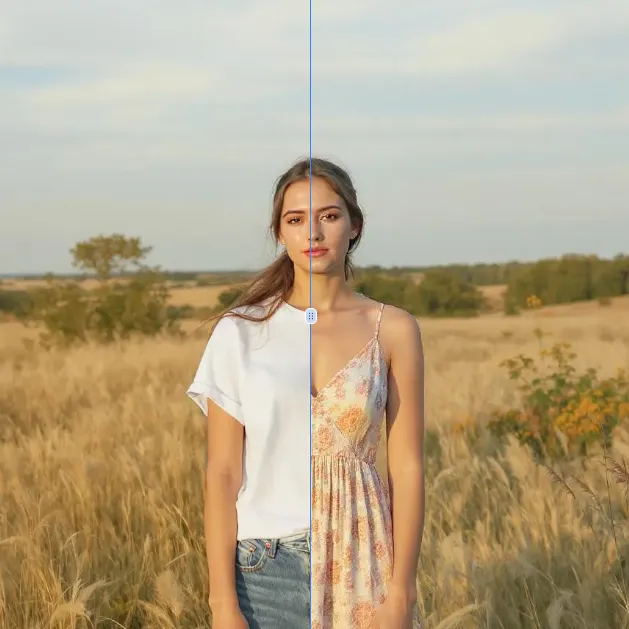
AI Clothes Remover
AI Clothes Remover is a free online tool that lets you instantly remove and replace clothing in photos. Experiment with styles, change outfits effortlessly, and get high-quality results without any fees or registration. Perfect for creative projects, it's the top AI clothing remover for quick, professional edits.
Try Now
AI Photo To Anime
AI Photo to Anime is a free online tool that instantly converts your photos into anime-style artwork using advanced AI technology. Simply upload any image, and our converter generates professional anime art in seconds. Enjoy seamless operation on mobile or desktop without registration. Perfect for creating unique avatars, social media content, or artistic projects with zero cost and maximum convenience.
Try Now
AI Photo To Cartoon
AI Photo to Cartoon is a free AI-powered tool that converts your photos or text descriptions into high-quality cartoon images effortlessly. It eliminates the need for design expertise, making it ideal for creating unique social media posts, personalized gifts, and engaging marketing materials. Enjoy fast, professional results that enhance your creativity and save time.
Try Now
Photo To Oil Painting
Photo to Oil Painting is a free AI tool that converts your photos into beautiful oil painting art online. It uses advanced AI to instantly transform any image, offering a fast, secure, and user-friendly experience. Perfect for artists, NFT creators, and hobbyists, it helps you create unique artwork effortlessly with just a few clicks.
Try Now
AI Photo To Sketch
AI Photo to Sketch is a free online tool that converts photos into realistic pencil sketches using advanced AI. It requires no drawing skills – simply upload your image, and get instant results. Perfect for creating art, gifts, or social media posts. Enjoy high-quality sketches with zero effort!
Try Now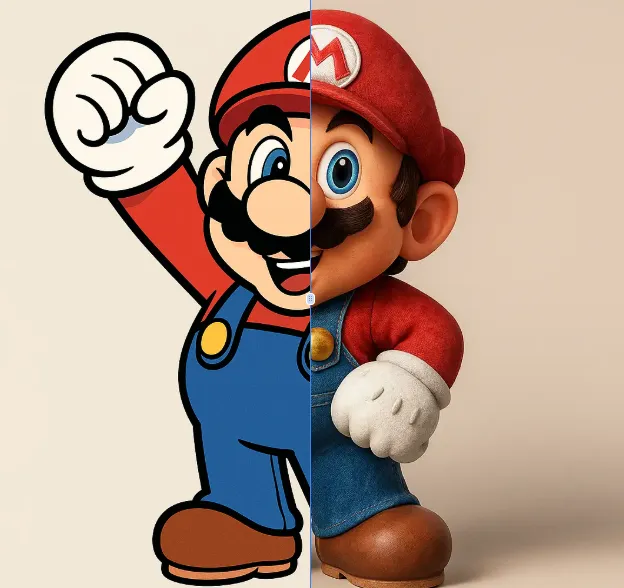
AI 2D To 3D Image Converter
AI 2D to 3D Image Converter is an innovative online tool that instantly converts your 2D images into detailed 3D models. Using advanced AI technology, it automatically generates realistic 3D models without any manual modeling. Perfect for designers, developers, and creators who need quick 3D assets. The tool is completely free, requires no downloads, and works directly in your browser - making 3D creation accessible to everyone regardless of experience level.
Try Now Continue with Google