AI Skinny Filter
The Skinny Filter is a free AI-powered tool that smartly slims bodies in photos for natural-looking edits. It enhances selfies, portraits, and professional images with ease, delivering high-quality output instantly on any device. Enjoy effortless photo refinement and boost your confidence with seamless, realistic results.
 Modified
 Guide
Free AI Skinny Filter: Natural Body Slim Tool for Photos
The AI Skinny Filter is a free, browser-based tool that uses artificial intelligence to subtly refine body shapes in photos, creating natural-looking slimming effects. It enhances selfies, portraits, and professional images by intelligently adjusting proportions while preserving background and clothing details, delivering high-quality results instantly without any design skills.
What Is an AI Skinny Filter?
An AI Skinny Filter is not a simple blur tool or a manual liquify effect. It leverages advanced AI image processing to understand the structure of a photo. Unlike traditional editing, which requires manually pushing pixels, this AI photo editing tool analyzes the subject and makes intelligent adjustments. It identifies the difference between a person and the background, ensuring that only the intended areas are refined. This results in a photo enhancement that looks authentic, not distorted. For anyone using an online tool for quick image transformation, this represents a significant leap in both speed and quality.
How AI Skinny Filter Technology Works
The magic behind a tool like the AI Skinny Filter lies in complex algorithms that have been trained on millions of images. When you use an AI-powered editing tool, the process involves several key steps that happen in the background.
Step 1: Image Analysis and Segmentation
First, the AI performs a deep analysis of your uploaded image. It uses a technique called semantic segmentation to distinguish the subject from the background. It identifies key body landmarks—like shoulders, waist, and hips—to understand the natural pose and proportions. This is crucial for an accurate edit, as the AI needs to know what to adjust and what to leave untouched. This initial phase is what separates a high-quality AI image processing tool from a simple filter that might blur the entire picture.
Step 2: Intelligent Slimming Application
Once the AI understands the image's structure, it applies the slimming effect. Instead of just compressing the image, the algorithm subtly shifts pixels in specific areas to create a more streamlined silhouette. The processing is designed to maintain the texture of clothing and the natural lines of the body. This is where the "natural-looking" result comes from. The goal is fast image processing that feels like a professional retoucher spent time on it, but it's done in seconds.
Step 3: Background Preservation and Final Rendering
A common problem with basic editing tools is that they warp the background, leading to unnatural-looking bent lines or distorted objects. The AI Skinny Filter excels at background preservation. Because it understands the separation between subject and environment, it can apply the transformation to the person while keeping the background geometry intact. The final step is rendering a high-resolution image that you can download and share, all completed directly in your browser.
Key Features of the AI Skinny Filter
Understanding the features helps you see why this tool is a standout option for AI image editing.
- Natural-Looking Results: The primary feature is its ability to avoid the "plastic" look. Adjustments are subtle and realistic.
- One-Click Simplicity: There are no complex sliders or manual brushes. The process is designed for users with no design skills required.
- Browser-Based Editor: It runs entirely in your browser. There is no software to download or install, making it a convenient online tool.
- Fast and Efficient: Processing typically takes under a minute, allowing for quick edits on the go.
- High-Quality The tool preserves the original image's resolution and clarity, ensuring the final photo is crisp and secure from quality loss.
- Multi-Device Support: Whether on a phone, tablet, or desktop, the interface adapts for a seamless experience.
When You Might Need an AI Skinny Filter
The use cases for this tool are varied, ranging from casual social media use to more professional applications. It's designed to enhance confidence and improve the visual appeal of images in a natural way.
Perfecting Personal Photos and Selfies
We've all taken a photo we almost love, except for one small detail. Maybe you're standing at an awkward angle, or the camera lens has added a few pounds. The AI Skinny Filter is perfect for personal use. You can refine a selfie before posting it on Instagram, or subtly enhance a group photo where you feel you don't look your best. It’s about making a small, realistic tweak that boosts your confidence in the image.
Enhancing Portraits for Social Media
For influencers and content creators, visual consistency is key. An AI-powered editing tool like this can be used to ensure every portrait looks polished. It allows for quick image transformation without spending hours in front of a computer. Whether it's for a profile picture, a blog post, or a YouTube thumbnail, getting that perfect look is now effortless.
Quick Edits for E-commerce and Professional Use
Small business owners, particularly in fashion or personal services, can benefit from this tool. Perhaps you have a great product photo, but the model's pose isn't perfect. A quick adjustment with the AI Skinny Filter can refine the image to better showcase the clothing. Real estate agents might use it subtly in lifestyle photos for marketing materials. It provides a professional touch without the need for expensive retouching services.
A Step-by-Step Guide to Using the ImageFK AI Skinny Filter
Using the AI Skinny Filter on ImageFK is a straightforward process designed for anyone. Here is the typical workflow:
- Navigate to the Tool: Go to the AI Skinny Filter page on the ImageFK platform.
- Upload Your Image: Click the upload area to select a photo from your device. The tool accepts standard formats like JPEG and PNG.
- Optional: Refine with a Prompt: While the core slimming effect is automatic, you have the option to enter a text-to-image prompts for additional adjustments. For example, you could type "slim waist naturally" to guide the AI further. For best results, using English for these prompts is recommended.
- Generate the Result: Click the button to start the AI image processing. The tool will analyze and edit your photo.
- Preview and Download: In about 60 seconds, your new image will appear. You can preview the result and download it directly to your device. All processing happens securely, ensuring your data remains private.
AI Skinny Filter vs. Traditional Manual Editing
The difference between using an AI tool and manual editing software is substantial. Here’s a quick comparison to highlight the advantages of AI.
Speed and Efficiency
Manual editing in software like Photoshop is a skill that takes years to master. Even for experts, a quality slimming edit can take 10-20 minutes. An AI Skinny Filter completes the same task in under a minute. This efficient use of time is a game-changer for individuals and professionals who need to process multiple images quickly.
Accessibility and Learning Curve
Traditional software has a steep learning curve. You need to understand layers, masks, and the liquify tool to get a natural result. An AI-powered editing tool requires no design skills. The intelligence is built into the software, making professional-quality edits accessible to everyone.
Consistency and Natural Output
While a skilled human editor can produce excellent work, results can vary. An AI model, trained on a vast dataset, applies a consistent logic to every image. It is less likely to make the common mistake of warping a background line or creating an unnatural curve. For a secure and reliable edit, AI provides a level of consistency that is hard to match manually.
Privacy and Security: How ImageFK Protects Your Data
Trust is paramount when you upload personal photos to any online service. ImageFK is designed with user privacy as a core principle. The platform processes images with a focus on trustworthiness.
- Browser-Based Processing: Most of the heavy lifting is done within your browser. This means your original photo isn't always sent to a remote server, significantly reducing privacy risks.
- Automatic Deletion: Images uploaded for processing are typically not stored permanently. Once your editing session is complete and you download the final image, the temporary files are deleted from the system. This ensures your data isn't lingering on a server somewhere.
- No Unauthorized Use: ImageFK does not use your uploaded photos for training its AI models or for any other purpose without your explicit consent. Your images remain your own.
This commitment to data protection makes using the AI Skinny Filter a safe and secure experience.
Frequently Asked Questions
What is an AI Skinny Filter and how is it different from a regular photo filter?
An AI Skinny Filter uses artificial intelligence to intelligently slim and refine body shapes in a photo. Unlike a regular filter that applies a color overlay or a simple blur, it understands the structure of the image. It separates the subject from the background and makes subtle, realistic adjustments to proportions, ensuring the background and clothing remain natural and unwarped.
Is the AI Skinny Filter free to use on ImageFK?
Yes, the AI Skinny Filter is a free tool available on the ImageFK platform. You can upload your photos and use the AI-powered editing features without any cost, directly in your browser. This makes high-quality photo enhancement accessible to everyone.
Do I need any photo editing skills to use the AI Skinny Filter?
No, you do not need any design skills whatsoever. The tool is designed for simplicity and ease of use. The entire process is automated: you upload your image, and the AI handles the rest. It's a perfect example of AI image editing making professional-level results available to the general public.
How does the tool keep my photos private and secure?
ImageFK prioritizes user privacy. The tool processes images with a focus on security, often handling the transformation within your browser. Furthermore, uploaded images are typically not stored permanently and are deleted after your session ends. Your photos are never used for any purpose without your permission, ensuring a trustworthy experience.
Will the edited photo look unnatural or distorted?
No, the primary goal of the AI Skinny Filter is to produce natural-looking results. The AI is trained to make subtle adjustments that enhance the photo without making it look fake. By preserving the background and intelligently adjusting only the subject, it avoids the warped and distorted look common with manual, unskilled editing.
What kind of images works best with this tool?
The tool works best with clear photos where the subject is well-lit and the body is visible. It's excellent for selfies, full-body portraits, and group photos. While it can handle various formats, standard image types like JPEG and PNG are recommended for the most accurate results.
How long does it take to process an image?
The processing is very fast. In most cases, the AI will complete the image transformation in under 60 seconds. This speed makes it a practical tool for quick edits, whether you need one photo perfected or multiple images processed in a short amount of time.
Can I use the AI Skinny Filter on my mobile phone?
Absolutely. The ImageFK platform and the AI Skinny Filter tool are built to be responsive and work seamlessly on any device. Whether you are using a smartphone, tablet, or desktop computer, you can access and use this browser-based editor without any issues.
Conclusion: Effortless Photo Refinement with AI
The AI Skinny Filter from ImageFK represents a significant step forward in accessible photo editing. It combines the power of advanced AI image processing with a user-friendly interface, allowing anyone to achieve natural, high-quality results in seconds. By prioritizing privacy, speed, and ease of use, it empowers you to enhance your photos and boost your confidence without the complexity of traditional software. Whether for personal memories or professional content, this tool puts expert-level image refinement directly into your hands.
Start AI Skinny Filter with AI Today
Transform your images instantly using powerful AI Effects Filters AI tools.
Try AI Skinny Filter NowMore AI Effects Filters AI Tools
Discover more AI-powered tools to enhance and transform your images.
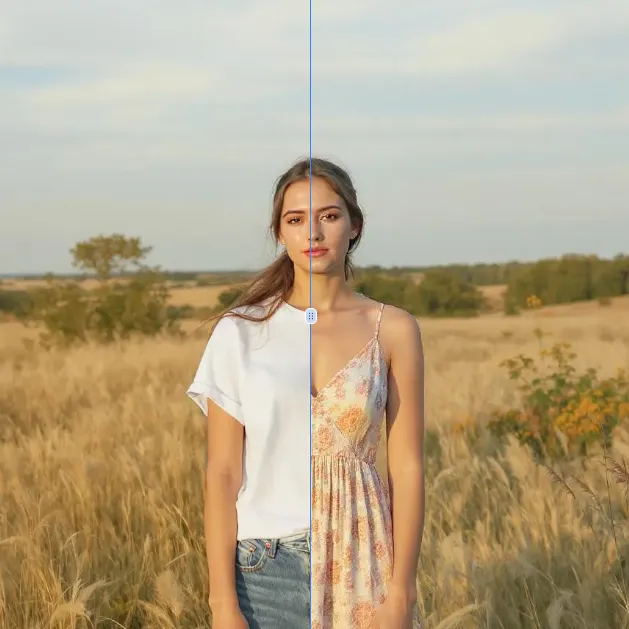
AI Clothes Remover
AI Clothes Remover is a free online tool that lets you instantly remove and replace clothing in photos. Experiment with styles, change outfits effortlessly, and get high-quality results without any fees or registration. Perfect for creative projects, it's the top AI clothing remover for quick, professional edits.
Try Now
AI Photo To Anime
AI Photo to Anime is a free online tool that instantly converts your photos into anime-style artwork using advanced AI technology. Simply upload any image, and our converter generates professional anime art in seconds. Enjoy seamless operation on mobile or desktop without registration. Perfect for creating unique avatars, social media content, or artistic projects with zero cost and maximum convenience.
Try Now
AI Photo To Cartoon
AI Photo to Cartoon is a free AI-powered tool that converts your photos or text descriptions into high-quality cartoon images effortlessly. It eliminates the need for design expertise, making it ideal for creating unique social media posts, personalized gifts, and engaging marketing materials. Enjoy fast, professional results that enhance your creativity and save time.
Try Now
Photo To Oil Painting
Photo to Oil Painting is a free AI tool that converts your photos into beautiful oil painting art online. It uses advanced AI to instantly transform any image, offering a fast, secure, and user-friendly experience. Perfect for artists, NFT creators, and hobbyists, it helps you create unique artwork effortlessly with just a few clicks.
Try Now
AI Photo To Sketch
AI Photo to Sketch is a free online tool that converts photos into realistic pencil sketches using advanced AI. It requires no drawing skills – simply upload your image, and get instant results. Perfect for creating art, gifts, or social media posts. Enjoy high-quality sketches with zero effort!
Try Now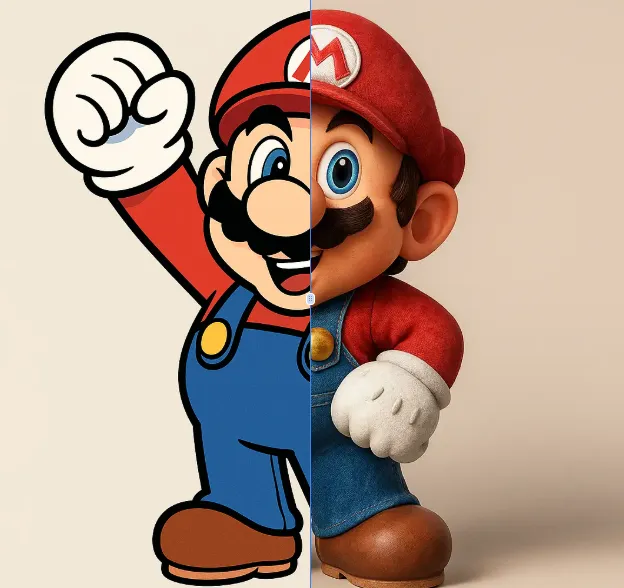
AI 2D To 3D Image Converter
AI 2D to 3D Image Converter is an innovative online tool that instantly converts your 2D images into detailed 3D models. Using advanced AI technology, it automatically generates realistic 3D models without any manual modeling. Perfect for designers, developers, and creators who need quick 3D assets. The tool is completely free, requires no downloads, and works directly in your browser - making 3D creation accessible to everyone regardless of experience level.
Try Now Continue with Google