AI PNG Maker
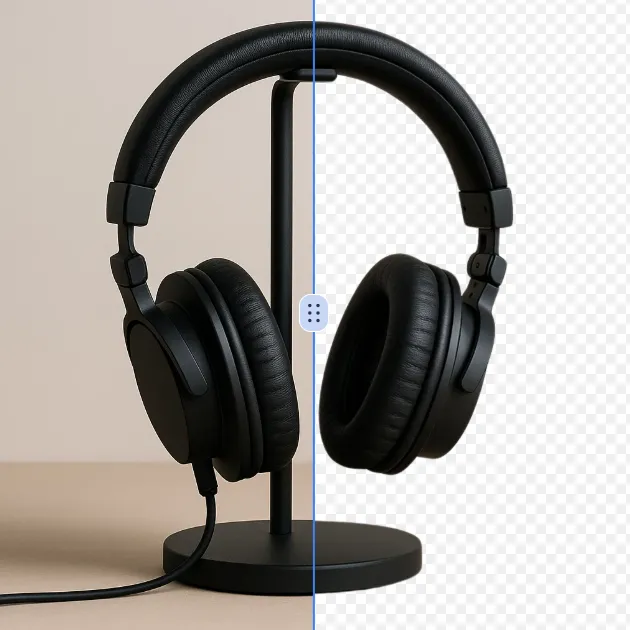
PNG Maker is your free online tool for effortless image transformation. Convert JPG or WebP files to PNG with transparent backgrounds instantly using AI technology. Create custom transparent images like arrows, Instagram logos, and hearts for social media, branding, or graphics projects. Enjoy fast, high-quality results with no design experience required—boost your visuals in seconds!
Modified What Is AI PNG Maker?
AI PNG Maker is a cutting-edge cloud-based tool that leverages AI technology to produce transparent PNG images. The intuitive platform provides users with two options: generation of new transparent PNG images from text prompts or converting existing images by background removal to create transparent PNG files. The tool is indispensable for the designer, the content creator, the marketer, and the user who simply demands first-class transparent images for web, social media, presentations, or other digital projects.
The entire procedure is driven by powerful AI which plays a major role in understanding the user's request, and the images get automatically processed. No matter if your need involves making images and graphics, converting JPG files to transparent PNG, or performing sophisticated background removal from photos, the AI PNG Maker is the one that always delivers results that are both accurate and aesthetically pleasing. The use of conventional graphics editing software or manual masking techniques is thereby completely avoided, and the creation of transparent PNG images becomes the domain of the less skilled users.
How To Use AI PNG Maker
The operation of the AI PNG Maker is an easy and direct task:
-
Transparent PNG Images Input or Upload: Provide a prompt for the generation of a transparent PNG image, for instance, an arrow PNG, or upload a picture for background removal. Our AI PNG maker ensures that your creative process gets off to a quick and smooth start. The tool can process different image formats, including JPG, PNG, and WEBP files.
-
AI Magic: Relax as our AI PNG maker carries out the processing of your input. In a matter of moments, it is turning prompts or images into transparent PNG, which is of high quality and hence, ready for use in logos, icons, or social media designs. The artificial intelligence examines your content and creates the transparent background effect automatically.
-
PNG Download and Sharing: You can download your transparent PNG image without delay. The sharing of your creation, like an Instagram logo PNG, on social media or using it in projects to your audience's delight is all done with the same high-quality and professional application of transparency of the final output.
FAQs (Frequently Asked Questions)
What is the method by which the transparent png maker achieves professional quality in transparency?
The transparent png maker is incorporating the latest artificial intelligence trained algorithms that are able to precisely identify and separate the foreground from the background. While processing the requests, the AI is analyzing the pixel-level data to delineate the main subject and its environment with outstanding accuracy. The system is particularly good at capturing the subtleties of the details, such as hair strands, transparent materials, and complex edges which often cause trouble for conventional methods. For text-based requests, the AI is making the graphics with transparency built-in, having no need for removing the background. The technology is penetrating across several different types of images including photos, illustrations, and graphic designs. The complex situations with the same colors in the foreground and background are resolved through context and spatial analysis. This sophisticated method guarantees that the final transparent PNG not only looks great with clean edges like a professional job but is also free from the usual halo effect or jagged borders that come with the use of simpler tools. The continual learning capability of the system means that it will always be getting better at the quality of the transparency over time as more different images are processed.
Do I have the option to create a transparent png using complex images with intricate backgrounds?
Yes, this tool can help you create a transparent png from complex images with detailed backgrounds. The AI technology has been designed especially to manage complex cases, such as with fine patterns, numerous colors, and intricate details. Your source image might be a natural setting with trees and plants, a group picture with many people, or a product photo with many reflections. The make png transparent functionality will then isolate the main subject very efficiently. The AI is now analyzing your image through complexity layers, and detecting different elements based on depth, color variation, and edge detection. For images with semi-transparent objects, for example, glass or hair, the system creates a clean transparency while keeping the very detailing. The technology handles both high-contrast and low-contrast images efficiently thus delivering the same results regardless of the original image complexity. During the make transparent png process, extremely fine details like jewelry, fabric textures, and the like will not only be preserved; you will also get professional-quality outputs that keep the original design intact while achieving perfect transparency.
What file formats are supported by the free png maker tool?
The free png maker tool has a very extensive list of supported image file formats, which are the most commonly used formats and help in diverse user needs and source materials. The main support goes to JPEG/JPG files, which are extensively used in digital photography and web graphics. PNG files, on the other hand, are completely supported, letting the users do editing on their transparent images or convert those non-transparent PNGs. WEBP format is also accepted, which is known for its efficient compression without the loss of quality, so in this way, it becomes a lot easier for the users to deal with modern web assets. The system works with varying image resolutions from a smartphone capture to a high-resolution professional photo. File size limitations are generally pretty generous to cover most standard image files, though extremely large files may have certain platform restrictions. To get the best results with the png image maker functionality, we suggest using high-quality source images with decent resolution and good subject separation. The tool offers a great advantage by preserving the original image quality during the process and provides high-resolution transparent PNGs that are suitable for both web and print. The processing system keeps important image data during the conversion process, thus ensuring that the final PNG output has retained fine details, color accuracy, and transparency information.
Custom Graphics - Is it possible to make them via online png maker?
Absolutely, the online png maker functionality can be used to create custom graphics, to say nothing of the fact that it is very easy to do so. The users can provide the AI with text descriptions of the graphics they want to create and the latter will produce custom blank PNG images upon those prompts. The range of custom graphics may include icons, illustrations, logos, or decorative elements, and the png maker online will correctly interpret your descriptions and make the corresponding graphics with transparency included. The system knows and can execute many different design concepts, even treating monochrome, pastel or vibrant color schemes, and heavy, light, or medium compositions, all based on what you want. So, it turns out to be a very proper solution for users who want one-of-a-kind graphics but are either not skilled enough in designing or have no access to graphic design software. Custom graphics can include anything from very basic shapes and symbols to more sophisticated illustrations and artistic elements. The AI thinks of proportion, balance, and visual appeal, making it possible that the final png image maker outputs are not only technically correct but also aesthetically pleasing. Users can ask for certain graphics like social media icons, website elements, presentation graphics or marketing materials and the system will create the suitable transparent PNG files which are ready to be used instantly.
What is the time frame for the make image png tool to process images?
The processing time for make image png operations is generally very quick, often taking only a few seconds for standard-sized images. However, factors such as image resolution, file size, complexity of the background removal or graphic creation, current server load, and internet connection speed will influence the exact duration. Most images that are less than 5MB in size will be processed almost immediately after being uploaded and your request has been submitted. On the other hand, images with higher resolution or those requiring complex background removal might take about 10-30 seconds for processing to complete. The AI system operates in a very efficient manner so as to analyze the content of the image and apply the transparency algorithm properly without user being aware of the delay. There may be a slight queue delay during peak usage hours but this is normally very small. The use of make transparent png technology speeds up the process while at the same time ensuring that the quality is not compromised, thus even complex transparency effects are applied fast. Your transparent PNG image is available for preview and download as soon as the processing is done, which makes the whole workflow from upload to download for an average image less than a minute. This quick processing time makes the tool perfect for content creators who need to make lots of transparent PNG files for social media, marketing materials, or any other projects that are time-sensitive.
Are there any limitations while making use of the making transparent png free service?
The make transparent png free service is a very capable tool that has no major limitations for the most common image processing tasks. Different users can do image processing separately regardless of the sizes and complexities of the images and there will be no restrictions on the basic features. Usually, the main differences between a free and a possibly premium service are related to the output resolution, the speed of processing when there is a high demand, or the access to advanced features in customization. Vertically and horizontally, all the main functions including very accurate background detection, refinement of edges, and output as transparent PNG can be used in the free version. Generally, file size limits are very high to allow for the bulk of professional image files, and indeed, the most common image formats are fully supported. The AI algorithms of the service are up to the same high quality for the users of the free tier as for all other tiers. Some platforms may have fair usage policies to maintain system performance for all users, but these usually do not affect transparent PNG creation tasks that are typically done. In case a user has an extremely high-volume need or is looking for something very specific, then they might have to pay for the account in order to access certain advanced features, but the basic make transparent png capability is still free of charge in which case you can still have it very accessible for individual, small business, and professional use who need quality transparent images without subscription fees.
Start AI PNG Maker with AI Image Editor Today
Transform your photos in seconds with our powerful AI Image Editor and online image editor tools
Edit Your First Image with ImageFkMore AI Image Editor Tools
Discover our collection of AI-powered Image tools to enhance your creativity
Remove White Background From Image
Effortlessly remove white backgrounds with AI precision. This free online tool delivers fast, accurate edits with secure processing. Enjoy seamless background removal on any device for professional images instantly—no downloads required.
Try Now
AI Watermark Remover
AI Watermark Remover is a free online tool that uses advanced AI to instantly remove watermarks from photos and videos. It's fast, secure, and requires no downloads, making it easy to achieve clean, professional-looking images without any hassle. Simply upload your file and get watermark-free results in seconds.
Try Now
AI Photo Color Correction
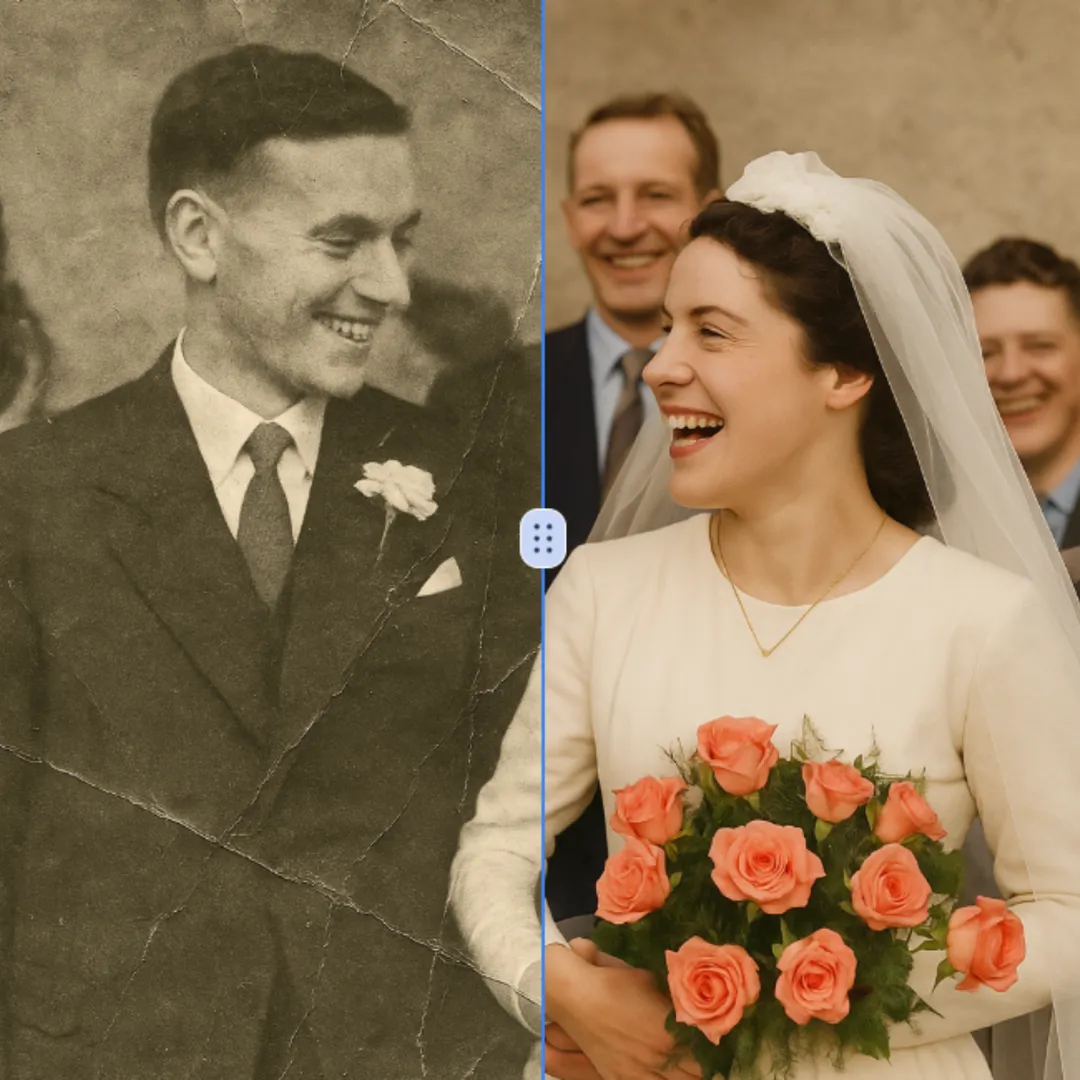
Color Correction is a free AI tool that instantly enhances your photos by fixing dull colors, improving lighting, and restoring old images. With just one click, achieve professional-quality, vibrant results effortlessly. Perfect for quick photo edits with no expertise required!
Try Now
Logo Background Remover
Logo Background Remover is an AI-powered online tool that instantly removes backgrounds from logos. Upload your logo image, and our AI automatically detects and removes the background within seconds. Download your logo as a transparent PNG file immediately - Ideal for creating professional logos with clean backgrounds for websites, presentations, and marketing materials.
Try Now
AI Motion Blur
Motion Blur is a free online tool that lets you apply professional motion blur effects to photos. With customizable filters, real-time previews, and high-resolution downloads, it enhances creativity for designers, marketers, and photographers. Achieve dynamic, artistic images effortlessly.
Try Now
AI Remove Tattoo
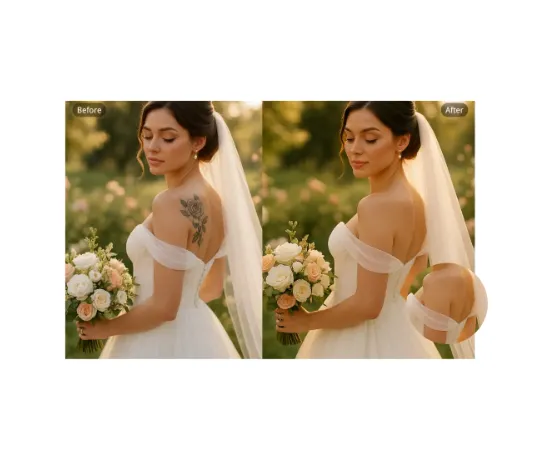
Our AI Tattoo Remover lets you effortlessly erase unwanted tattoos from any photo. Using advanced technology, it precisely removes ink while restoring natural skin tones. Ideal for professional headshots, wedding albums, or social media posts. Enjoy realistic, distraction-free results in seconds—completely free and no login required.
Try Now
AI Face Cut Out
Our AI Face Cut Out tool instantly transforms photos into high-quality big head cutouts. Ideal for creating custom materials like T-shirts, phone cases, and social media posts. Enjoy fast, free results with transparent PNGs—no skills needed!
Try Now
Nose Piercing Filter
The Nose Piercing Filter lets you experiment with virtual nose piercings effortlessly. Upload a selfie, choose from realistic nose rings, studs, or septum styles, and instantly preview your look. Enjoy a risk-free, no-app-required experience to explore new styles without commitment.
Try Now
Continue with Google