Pixar AI Generator
Pixar AI Generator is a free online tool that instantly converts your text or photos into high-quality Disney Pixar-style images. No login or experience needed—generate unique avatars, posters, and creative visuals effortlessly using advanced AI technology. Ideal for personal projects, social media, or fun, it delivers professional results in seconds.
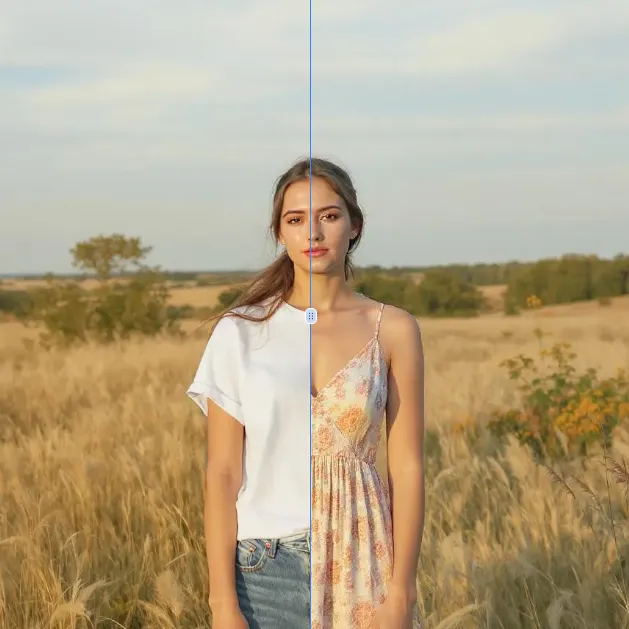
 Original
  Modified
 Guide
Pixar AI Generator: Free Disney-Style Image Creator
The Pixar AI Generator is a free, browser-based tool that uses advanced artificial intelligence to transform your text descriptions or uploaded photos into stunning, high-quality images in the iconic Disney Pixar animation style. It’s designed for anyone—from social media enthusiasts to content creators—who wants to create professional-looking Pixar-style avatars, posters, or fun visuals in seconds, without any design experience or login requirements.
What is the Pixar AI Generator?
At its core, the Pixar AI Generator is an accessible online utility that democratizes digital art creation. Instead of spending hours learning complex 3D modeling or illustration software, users can simply describe a scene or provide a reference photo. The AI then interprets this input, applying sophisticated image processing algorithms to replicate the distinct aesthetic of Pixar films: expressive characters, vibrant colors, and a warm, three-dimensional feel.
This tool isn't about manual editing; it's about intelligent automation. It handles the heavy lifting of image transformation, making the beloved Pixar art style available to everyone. Whether you want to see yourself as a character from "Toy Story," create a unique profile picture, or design a custom poster for a personal project, this AI-powered editor provides a direct and efficient path to that result.
How the Pixar AI Generator Works
Understanding the technology behind the tool can enhance how you use it. The Pixar AI Generator relies on a combination of computer vision and generative AI models.
The Technology at a Glance
When you upload a photo, the AI first analyzes its key components: facial features, expressions, lighting, and composition. It doesn't just apply a filter; it deconstructs the image and rebuilds it according to the rules of the Pixar style. For text-to-image prompts, the AI uses natural language processing to understand your description, then generates a completely new image that aligns with your words and the target aesthetic.
The entire process is designed for speed and efficiency. The heavy computational work happens on remote servers, but the interaction feels instantaneous. In about 60 seconds, the AI completes its image transformation, delivering a finished piece that captures the charm and quality of a studio production.
Key Principles of the AI Processing
- Style Transfer: The AI has been trained on thousands of images to understand what constitutes the "Pixar look"—from the characteristic大眼睛 and rounded forms to the specific texture of light and shadow.
- Fidelity Preservation: When using a photo, the AI strives to maintain your unique identity. The goal is to create a Pixar-fied version of you, not a generic character. This is achieved through precise AI image processing that maps your features onto the new artistic template.
- Prompt Adherence: For text-based creation, the AI's accuracy in interpreting your prompts is crucial. The more descriptive you are, the better it can generate a result that matches your vision. This is a prime example of effective text-to-image prompts in action.
Core Features of the Pixar AI Generator
The tool is built around simplicity and powerful results. Here are its main capabilities:
1. Photo-to-Pixar Transformation
Upload a clear photo of yourself, a friend, or a pet. The AI will analyze the facial structure and expressions, then generate a stylized portrait that looks like a character straight out of a Disney Pixar film. This is perfect for creating unique avatars for social media or messaging apps.
2. Text-to-Image Generation
Don't have a photo? Just type a description. Imagine "a brave raccoon exploring a giant, forgotten library" or "a robot chef baking a cake in a cozy kitchen." The AI will bring your text to life as a detailed Pixar-style scene. This feature opens up endless possibilities for storytelling and creative concept art.
3. Fast and Efficient Processing
The tool is optimized for speed. From the moment you click "Generate," the AI gets to work. The promise of receiving a high-quality result in roughly 60 seconds makes it ideal for quick projects or when inspiration strikes and you want to see your idea materialize immediately.
4. User-Friendly Interface
No sign-ups, no payments, no complex tutorials. The interface is clean and intuitive: upload an image or type a prompt, and click a button. This focus on accessibility ensures that anyone, regardless of their technical skill level, can enjoy AI-powered editing.
When Should You Use a Pixar AI Generator?
The application of this tool goes far beyond simple fun. It's a versatile asset for various personal and professional needs.
For Personal Projects and Social Media
- Unique Profile Pictures: Stand out on platforms like Instagram, Twitter, or Discord with a custom, stylized avatar that reflects your personality.
- Creative Gifts: Transform a photo of a loved one into a Pixar character and turn it into a memorable digital gift or a print for a personalized card.
- Event Invitations: Design a fun, thematic invitation for a birthday party or gathering, featuring the guest of honor in a custom scene.
For Content Creators and Marketers
- Visual Storytelling: Bloggers and social media managers can use generated images to create engaging thumbnails or illustrations for their stories, adding a unique visual hook.
- Concept Mockups: Quickly visualize a character or scene for a pitch or a personal project without needing to hire an illustrator.
- Brand Mascots: Small businesses could use the tool to conceptualize or even create a friendly, brand-aligned mascot for their marketing materials.
For Pure Entertainment and Exploration
- Imaginative Play: See what your pet would look like as a Pixar sidekick, or generate images of fantastical scenes just for the joy of it. It’s a modern form of creative exploration.
- Inspiration for Artists: Even for skilled artists, the tool can be a powerful brainstorming partner, generating visual ideas and compositions that can serve as a starting point for further development.
A Step-by-Step Guide to Using the Tool
Ready to create your own Pixar-style masterpiece? Here’s a simple breakdown of the process using a platform like ImageFK.
- Navigate to the Tool: Go to the Pixar AI Generator section on the website. You'll be presented with a clean interface, typically with two main options: "Upload Image" or a text box for your idea.
- Provide Your Input:
- Option A (Image): Click the upload area and select a photo from your device. The tool accepts common formats like JPEG, PNG, or WEBP. For best results, use a well-lit, front-facing photo.
- Option B (Text): In the text box, describe the scene or character you want. For the best results, write your prompt in English. Be descriptive! Instead of "a cat," try "a curious orange tabby cat wearing a tiny adventurer's hat."
- Initiate Generation: Once your input is ready, click the "Generate Images with ImageFk" button. This signals the AI to begin its work.
- Wait for Processing: A progress indicator will appear, showing that the AI is creating your image. This typically takes under a minute. The processing is fast, secure, and efficient, happening on the platform's servers.
- Review and Download: In a few moments, your new Pixar-style image will appear on the screen. You can then download it directly to your device, ready to be shared and used anywhere.
AI-Powered Editing vs. Traditional Manual Methods
Why choose an AI image editing tool like this over traditional graphic design software? The advantages are significant, particularly for non-professionals.
| Feature | Pixar AI Generator (AI-Powered) | Traditional Manual Editing (e.g., Photoshop) |
|---|---|---|
| Skill Level | No skills required. The AI does the work. | Requires years of training and practice. |
| Time Investment | Results in about 60 seconds. | Can take hours or days to achieve a similar look. |
| Cost | Typically free or very low cost. | Expensive software subscriptions and hardware. |
| Accessibility | Browser-based, works on any device. | Requires powerful computers and installations. |
| Creativity | Generates new visuals from text or photos. | Relies entirely on the user's manual skill. |
The AI tool doesn't replace the artist; it empowers the everyday user. It makes a complex artistic style accessible, offering accurate and high-quality results through fast image processing that would otherwise be unattainable.
Privacy and Security: What You Should Know
When using any online tool, especially one that involves uploading personal photos, it's natural to have concerns about privacy and data security. Reputable AI image generators, like the one on ImageFK, typically prioritize these aspects.
- Browser-Based Processing: While the heavy AI processing happens on secure servers, the interaction is managed through your browser. This allows for powerful computation without needing to install potentially unsafe software.
- Data Handling Policies: Trustworthy platforms have clear policies about image data. Generally, uploaded images are processed to generate your result and are then deleted from the servers. They are not used to train public AI models without explicit consent. Always look for a privacy policy that explains how your data is handled.
- Secure Transmission: The connection between your browser and the server is encrypted, ensuring that your images are transmitted safely. This focus on secure data handling builds trust and ensures your creative projects remain private.
Frequently Asked Questions
What exactly is a Pixar AI Generator?
A Pixar AI Generator is an online tool that uses artificial intelligence to transform your text prompts or uploaded photos into images that mimic the distinctive, beloved art style of Disney Pixar animation. It automates the complex process of digital art creation, making this specific style accessible to everyone.
Do I need design skills to use the Pixar AI Generator?
Not at all. The tool is built specifically for users with no design skills or experience. The AI handles all the complex image transformation and generation. You only need to provide a photo or a text description.
Is the Pixar AI Generator really free?
Yes, the tool described here is a free online tool. There are no hidden costs or subscription fees required to generate images. This makes it an excellent option for casual fun, personal projects, and experimentation.
Can I use my own photos with the Pixar AI Generator?
Absolutely. One of the primary features is the ability to upload your own photos. The AI will then analyze your photo and generate a new image in the Pixar style while preserving your unique facial features and expression.
How long does it take to generate an image?
The process is designed for speed. Typically, the AI takes about 60 seconds to generate your image. This fast turnaround makes it perfect for quick creative sessions.
What are the best prompts for a text-to-image generator?
The best prompts are clear, descriptive, and in English. Instead of a simple noun, describe a scene. For example: "A joyful little girl with curly hair flying a kite on a windy, grassy hill under a bright blue sky." The more detail you provide, the more accurate and impressive the result will be.
Where can I use the images I create?
You can use the images for a wide variety of personal and creative projects. They are ideal for social media profile pictures, custom avatars, digital art projects, fun gifts, blog post illustrations, and more. Always check the platform's terms of service for any specific usage guidelines.
Is my uploaded photo safe and private?
Reputable platforms prioritize user privacy. Images are typically processed securely and are not stored permanently. They are not used to train public AI models without your permission. It's always a good practice to review the platform's privacy policy for detailed information on data handling.
The Pixar AI Generator represents a fascinating shift in how we interact with art and technology. It takes a world-class aesthetic and places it directly into the hands of the public, empowering anyone with an idea or a photo to become a creator. Whether for a new profile picture, a fun gift, or just to see your imagination come to life, this tool offers a fast, free, and fascinating way to step into the world of Pixar.
Start Pixar AI Generator with AI Today
Transform your images instantly using powerful AI Effects Filters AI tools.
Try Pixar AI Generator NowMore AI Effects Filters AI Tools
Discover more AI-powered tools to enhance and transform your images.
AI Clothes Remover
AI Clothes Remover is a free online tool that lets you instantly remove and replace clothing in photos. Experiment with styles, change outfits effortlessly, and get high-quality results without any fees or registration. Perfect for creative projects, it's the top AI clothing remover for quick, professional edits.
Try Now
AI Photo To Anime
AI Photo to Anime is a free online tool that instantly converts your photos into anime-style artwork using advanced AI technology. Simply upload any image, and our converter generates professional anime art in seconds. Enjoy seamless operation on mobile or desktop without registration. Perfect for creating unique avatars, social media content, or artistic projects with zero cost and maximum convenience.
Try Now
AI Photo To Cartoon
AI Photo to Cartoon is a free AI-powered tool that converts your photos or text descriptions into high-quality cartoon images effortlessly. It eliminates the need for design expertise, making it ideal for creating unique social media posts, personalized gifts, and engaging marketing materials. Enjoy fast, professional results that enhance your creativity and save time.
Try Now
Photo To Oil Painting
Photo to Oil Painting is a free AI tool that converts your photos into beautiful oil painting art online. It uses advanced AI to instantly transform any image, offering a fast, secure, and user-friendly experience. Perfect for artists, NFT creators, and hobbyists, it helps you create unique artwork effortlessly with just a few clicks.
Try Now
AI Photo To Sketch
AI Photo to Sketch is a free online tool that converts photos into realistic pencil sketches using advanced AI. It requires no drawing skills – simply upload your image, and get instant results. Perfect for creating art, gifts, or social media posts. Enjoy high-quality sketches with zero effort!
Try Now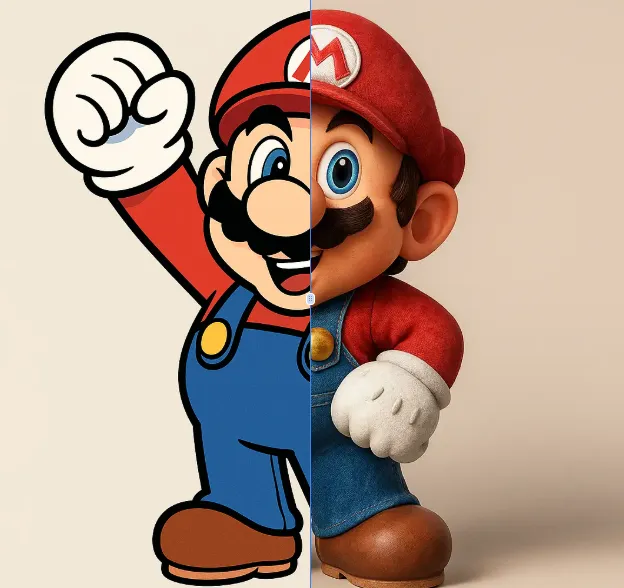
AI 2D To 3D Image Converter
AI 2D to 3D Image Converter is an innovative online tool that instantly converts your 2D images into detailed 3D models. Using advanced AI technology, it automatically generates realistic 3D models without any manual modeling. Perfect for designers, developers, and creators who need quick 3D assets. The tool is completely free, requires no downloads, and works directly in your browser - making 3D creation accessible to everyone regardless of experience level.
Try Now Continue with Google