AI Old Filter
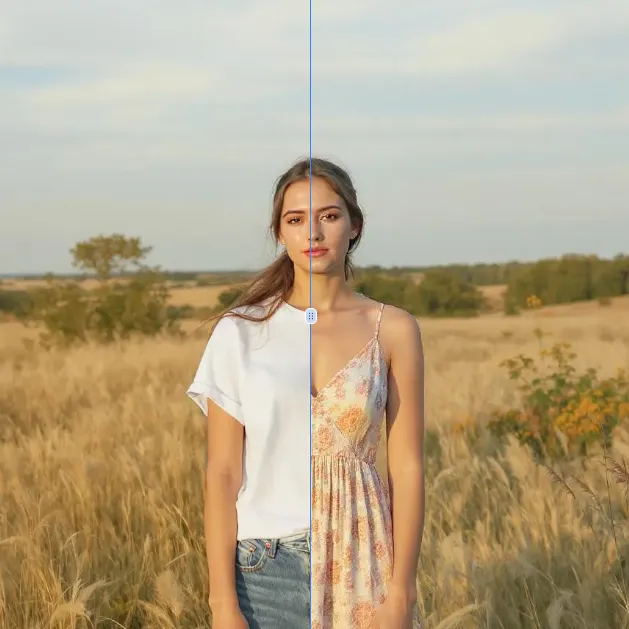
Old Filter is your go-to AI-powered tool for instantly aging photos. Upload any image and watch as our advanced technology creates authentic elderly transformations effortlessly. No downloads required—just pure fun and nostalgia at your fingertips. Ideal for social media, creative projects, or simply satisfying curiosity. Get realistic aging effects with Old Filter today!
 Original
  Modified
 Guide
Old Filter: Free AI Age Transformation Tool
Ever wondered what you’ll look like in 50 years? Or perhaps you have a hilarious photo of a friend you want to "age" for a birthday card? The AI Old Filter is a free, browser-based tool that uses advanced artificial intelligence to instantly add the effects of aging to any photo. Simply upload an image, and within seconds, you’ll see a realistic, transformed version of the subject, complete with wrinkles, gray hair, and the subtle signs of a life fully lived.
What Is AI Old Filter and How Does It Work?
At its core, the AI Old Filter is a specialized application of AI image processing. Unlike basic photo filters that simply add a sepia tone or a blur, this tool uses sophisticated machine learning models trained on thousands of images of people at various ages. When you upload a photo, the AI analyzes key facial features—like skin texture, hair color, and bone structure. It then intelligently applies predictive aging patterns, adding fine lines, age spots, and changing the complexion to create a natural-looking result.
This isn't just a gimmick; it’s a fascinating glimpse into the power of image transformation technology. The entire process happens automatically in your browser, meaning there’s no software to download and no complex sliders to adjust. It’s a pure, fun, and efficient example of what modern AI-powered editing can achieve.
Key Features of This AI-Powered Age Transformation Tool
The tool is designed for simplicity and high-quality results, making it accessible to everyone, regardless of their technical background.
- Instant Aging Effects: The primary function is fast and accurate. Upload an image and get a transformed result in about 60 seconds. The AI handles the heavy lifting, ensuring the aging effects look authentic, from crow's feet to a change in hair pigmentation.
- No Download Required: As an online tool, it runs entirely in your web browser. This makes it accessible from any device—desktop, laptop, tablet, or smartphone—without taking up storage space.
- Privacy-Focused Processing: A key aspect of its trustworthiness is its commitment to privacy. The image processing is handled securely, and the platform is designed to respect user data. You don't have to worry about your personal photos being stored or misused.
- Simple Upload and Go Interface: You don't need no design skills required to use this. The interface is clean: upload an image, and let the AI work its magic. For users who want to experiment further, there are options to combine this with other effects or even use text-to-image prompts for more creative control on the platform.
When and Why You Should Use an AI Old Filter
The applications for this technology go far beyond simple curiosity. While it’s incredibly fun, it also serves several practical and creative purposes.
- Social Media Content: In a world of endless filters, the AI Old Filter offers a unique and engaging way to stand out. Whether it's a "how will I look when I'm old" challenge or a sweet post for a grandparent's memory, it's guaranteed to generate comments and engagement.
- Creative Projects and Storytelling: Are you a writer visualizing a character in the future? Or a filmmaker working on a concept trailer? This tool can help you quickly generate realistic age progression for mood boards, character references, or concept art.
- Pure Fun and Curiosity: The most common use is simply to satisfy our curiosity. It’s a fantastic party trick, a great way to spend a few minutes with family, and a wonderful tool for sparking conversations about the future. It’s pure, simple fun at your fingertips.
A Step-by-Step Guide to Using the Tool
Getting started with the AI Old Filter is straightforward. Here’s a typical workflow you can expect on the ImageFK platform:
- Navigate to the Tool: Go to the AI Old Filter section on the ImageFK website.
- Upload Your Image: Click the upload area. You can select a photo from your computer or device. The tool accepts common formats like JPEG, PNG, and WEBP.
- (Optional) Add a Prompt: For more control, you can use the "Describe what you want to change in the image" field. While the default is to simply age the face, you could type something like "add more gray hair and deep smile lines" to guide the AI.
- Select Your Model: You might have options to choose the AI model's speed and quality. For the best and most detailed age transformation, selecting a "Pro" or higher-quality model is recommended.
- Generate and Download: Click the generate button. In about a minute, your aged photo will appear. You can then download it directly to your device, ready to be shared or used in your project.
Why Choose AI Automation Over Manual Editing?
Before AI tools like this, creating a realistic aged photo required hours in complex software like Photoshop. You would need to manually paint wrinkles, desaturate hair, and adjust skin tones—a skill that takes years to master. The AI image editing approach democratizes this process. It automates the intricate work, making professional-level effects available to everyone. The efficiency is unparalleled, and the results are often more accurate because the AI has learned from countless real-world examples of aging.
Frequently Asked Questions
Is the AI Old Filter really free to use?
Yes, the AI Old Filter on ImageFK is offered as a free tool. The platform may have credit-based systems for more advanced features or higher-resolution outputs, but the core aging effect is accessible to all users without cost.
How realistic are the aging effects produced by the AI?
The tool is designed to produce highly realistic results. It doesn't just slap a filter on the image. Instead, it uses deep learning to understand facial anatomy and the biological process of aging, adding subtle details like changes in skin elasticity, the appearance of age spots, and the graying of hair for a truly authentic transformation.
What happens to my photos after I use the AI Old Filter?
Your privacy is a priority. The image processing is done securely, and your photos are not stored permanently on the servers. They are used only to generate your result and are then deleted, ensuring your personal images remain private and secure.
Can I use the AI Old Filter on group photos?
Absolutely! The AI is smart enough to detect multiple faces in a single image. When you upload a group photo, the AI photo editing tool will identify each person and apply the aging transformation to every face individually, ensuring consistent and hilarious results for everyone in the picture.
What file formats are supported?
The tool supports the most common web-friendly image formats. You can upload JPEG, PNG, and WEBP files. This ensures you can use almost any photo you have on your phone or computer without needing to convert it first.
I need a high-resolution image for printing. Can this tool do that?
Yes, depending on the model you select. The platform offers options to generate images in 1K, 2K, and even 4K resolution. For the highest quality and most detail, you can select a model like "Pro" and choose your desired image size before generating.
Do I need any design experience to use this tool?
Not at all. The entire point of the AI Old Filter is to make image transformation accessible to everyone. The interface is designed for simplicity, requiring just an upload and a click. You don’t need any prior knowledge of photo editing software.
Conclusion
The AI Old Filter is more than just a fleeting trend; it's a perfect example of how AI image processing can create engaging, fun, and surprisingly profound experiences. Whether you're looking to create standout social media content, visualize a character from a story, or just have a laugh with friends, this online tool offers a fast, secure, and high-quality solution. By bringing the power of advanced AI directly to your browser, ImageFK has made the art of age transformation accessible to everyone. Try it today and take a fascinating journey into the future.
Start AI Old Filter with AI Today
Transform your images instantly using powerful AI Effects Filters AI tools.
Try AI Old Filter NowMore AI Effects Filters AI Tools
Discover more AI-powered tools to enhance and transform your images.
AI Clothes Remover
AI Clothes Remover is a free online tool that lets you instantly remove and replace clothing in photos. Experiment with styles, change outfits effortlessly, and get high-quality results without any fees or registration. Perfect for creative projects, it's the top AI clothing remover for quick, professional edits.
Try Now
AI Photo To Anime
AI Photo to Anime is a free online tool that instantly converts your photos into anime-style artwork using advanced AI technology. Simply upload any image, and our converter generates professional anime art in seconds. Enjoy seamless operation on mobile or desktop without registration. Perfect for creating unique avatars, social media content, or artistic projects with zero cost and maximum convenience.
Try Now
AI Photo To Cartoon
AI Photo to Cartoon is a free AI-powered tool that converts your photos or text descriptions into high-quality cartoon images effortlessly. It eliminates the need for design expertise, making it ideal for creating unique social media posts, personalized gifts, and engaging marketing materials. Enjoy fast, professional results that enhance your creativity and save time.
Try Now
Photo To Oil Painting
Photo to Oil Painting is a free AI tool that converts your photos into beautiful oil painting art online. It uses advanced AI to instantly transform any image, offering a fast, secure, and user-friendly experience. Perfect for artists, NFT creators, and hobbyists, it helps you create unique artwork effortlessly with just a few clicks.
Try Now
AI Photo To Sketch
AI Photo to Sketch is a free online tool that converts photos into realistic pencil sketches using advanced AI. It requires no drawing skills – simply upload your image, and get instant results. Perfect for creating art, gifts, or social media posts. Enjoy high-quality sketches with zero effort!
Try Now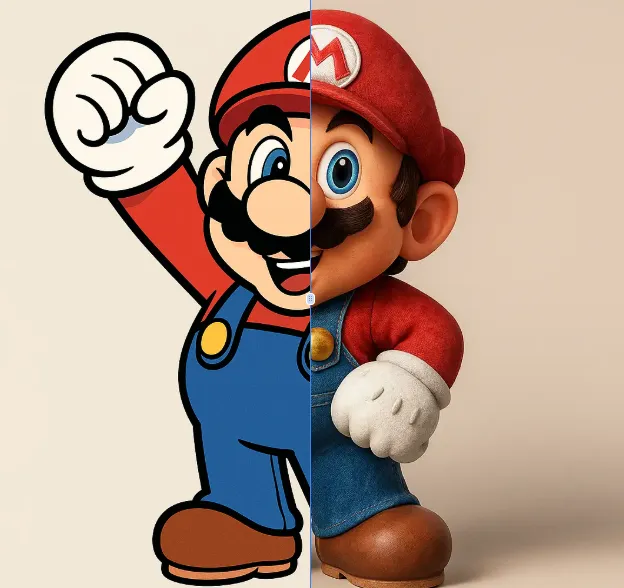
AI 2D To 3D Image Converter
AI 2D to 3D Image Converter is an innovative online tool that instantly converts your 2D images into detailed 3D models. Using advanced AI technology, it automatically generates realistic 3D models without any manual modeling. Perfect for designers, developers, and creators who need quick 3D assets. The tool is completely free, requires no downloads, and works directly in your browser - making 3D creation accessible to everyone regardless of experience level.
Try Now Continue with Google