AI Lego Filter
Lego Filter is an AI-powered tool that converts your uploaded photos or text prompts into colorful Lego-style artwork in seconds. It's completely free and perfect for creating unique profile pictures, turning pet photos into playful scenes, or transforming children's drawings into Lego masterpieces. Enjoy fast, creative results with no downloads required.
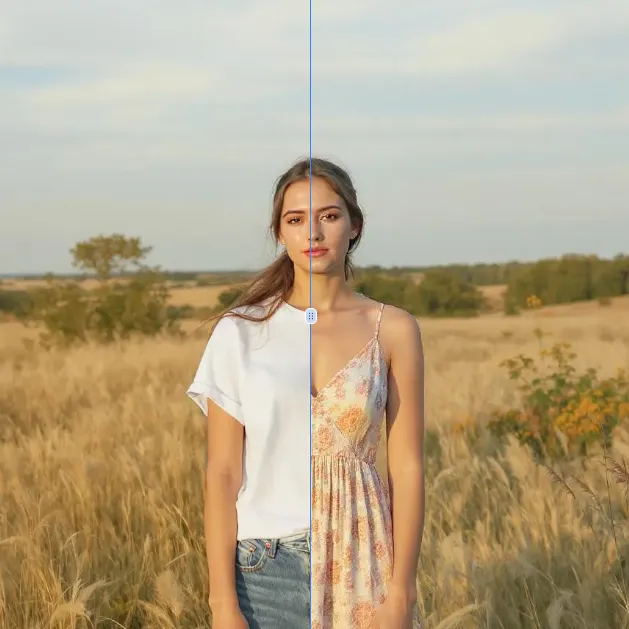
 Original
  Modified
 Guide
Lego Filter: Free AI Lego Generator for Photos & Prompts
AI Lego Filter is a free, browser-based tool that instantly transforms your photos or text descriptions into vibrant, block-style Lego artwork. By using advanced AI image processing, it analyzes your input and rebuilds it with the iconic look of plastic bricks, creating a fun and shareable result in seconds.
What is AI Lego Filter?
AI Lego Filter is an AI-powered online tool designed to reimagine your images and ideas through a Lego lens. Instead of manually placing thousands of digital bricks, you simply upload a photo or type a prompt, and the AI Lego generator handles the rest. It converts standard pictures into stylized artwork that mimics the aesthetic of Lego builds, complete with brick textures, bold colors, and the characteristic blocky structure. This tool is ideal for creating unique social media avatars, playful pet portraits, or digital art inspired by the timeless appeal of Lego.
How the AI Lego Generator Works
The process behind the AI Lego generator is a blend of computer vision and generative AI. When you upload an image, the system first analyzes its key features, including shapes, colors, and edges. It then intelligently rebuilds the scene using a library of digital "bricks," matching colors and forms to create a cohesive Lego-style version. For text prompts, the AI interprets your description and generates an original image from scratch, again applying the signature Lego aesthetic. All of this complex AI image processing happens in the cloud, delivering your result in roughly 60 seconds without requiring any downloads or high-end hardware.
Key Technology: Image Transformation and Prompt Interpretation
The core strength of this tool lies in its dual-input capability. For photo uploads, it performs a sophisticated image transformation, breaking down the visual information and reconstructing it with brick-like geometry. For text-based ideas, it leverages text-to-image prompts to generate entirely new compositions. This flexibility means you are not limited to existing photos; you can bring any concept to life, from "a Lego tiger in a jungle" to "a futuristic Lego city."
Core Features of AI Lego Filter
This free AI Lego generator is packed with features designed for ease of use and creative exploration:
- Dual Input Modes: Upload images (JPG, PNG, WEBP) or use text prompts in English for the best results.
- Instant AI Processing: Get your Lego-style image in about one minute, thanks to fast and efficient AI-powered editing.
- Zero Cost: The tool is completely free, making high-quality, creative effects accessible to everyone.
- No Downloads Required: It’s a browser-based editor, so you can use it on any device—PC, tablet, or smartphone—without installing software.
- Creative Prompting: An optional text field allows you to guide the AI, adding specific ideas or details to your image for a more personalized output.
When to Use AI Lego Filter
This tool is perfect for anyone looking to add a touch of playful creativity to their digital content. It removes the need for no design skills required, opening up professional-looking effects to casual users.
Real-World Applications and Use Cases
The AI Lego Filter isn't just a novelty; it has several practical and fun applications:
- Unique Profile Pictures: Stand out on social media by turning your selfie into a cool, blocky Lego portrait.
- Playful Pet Photos: See what your cat or dog would look like as a Lego creation.
- Artistic Children's Drawings: Transform a child's simple sketch into a vibrant, 3D-style Lego masterpiece that they can proudly share.
- Creative Content for Social Media: Generate eye-catching images for posts, stories, or thumbnails that are guaranteed to get attention.
- Personalized Digital Gifts: Create a unique Lego-style portrait of a friend or family member for a birthday or special occasion.
Step-by-Step Guide to Using the Free Lego Generator
Using this AI Lego Filter is straightforward. Follow these simple steps to create your first Lego artwork:
- Navigate to the Tool: Go to the AI Lego Filter page on the ImageFK website.
- Choose Your Input: Decide whether you want to upload an image or use a text prompt.
- If uploading an image: Click the upload area and select a JPG, PNG, or WEBP file from your device.
- If using a prompt: In the "Other Ideas" text box, type a description of what you want to see. For best results, write your prompt in English.
- Generate: Click the "Generate Images with ImageFk" button to start the AI processing.
- Wait Briefly: The AI will work its magic. A progress indicator, "AI is creating your image...," will appear. This usually takes less than a minute.
- View and Download: Once complete, your new Lego-style image will appear. You can then download it to your device and share it anywhere you like.
The Advantages of AI-Powered Editing
Why use an AI-powered tool like this instead of manual photo editing software? The benefits are significant, especially for users without graphic design experience.
- Speed and Efficiency: What would take hours of painstaking manual work in a complex program is accomplished in under a minute with fast image processing.
- Zero Learning Curve: There are no complex tools, layers, or filters to learn. The interface is intuitive, making AI photo editing accessible to everyone.
- Consistent, High-Quality Results: The AI is specifically trained to produce the Lego aesthetic, ensuring your output is always accurate, vibrant, and visually appealing.
- Unlimited Creativity: You can experiment with countless photos and prompts without any cost, encouraging free and playful creativity.
Privacy and Security: Is My Data Safe?
Trust is a critical part of the EEAT framework. When using online tools, it's natural to wonder about your images. The platform is designed with privacy protection and data security in mind. Your uploaded images are processed securely and are not used for any other purpose without your consent. While some processing occurs on servers to handle the AI computation, the service prioritizes secure image processing and does not store your original or generated images longer than necessary to complete your request. This commitment to safety ensures you can experiment freely and confidently.
Frequently Asked Questions
Is the AI Lego Filter really free?
Yes, the AI Lego Filter is completely free to use. There are no hidden costs, subscription fees, or watermarks on your generated images. You can create as many Lego-style pictures as you like without paying anything.
What kind of photos work best with the AI Lego generator?
The AI works well with a wide variety of images. For best results, use clear, well-lit photos with distinct subjects. Portraits, pet photos, and simple objects tend to transform very effectively. The AI is robust and will also do its best with more complex scenes.
Can I use text prompts instead of uploading a photo?
Absolutely. One of the key features of this tool is its ability to work from text-to-image prompts. Simply describe the scene you want to see in the text box, and the AI will generate a brand-new Lego-style image from your description. For optimal results, it's recommended to write your prompts in English.
How long does it take to generate an image?
The AI image processing is very fast. Typically, you will have your result in around 60 seconds. The exact time can vary slightly depending on server load and the complexity of your input, but it's always designed to be quick and efficient.
Do I need any design skills to use this filter?
Not at all. The tool is built for everyone, regardless of experience. You don't need any knowledge of complex editing software. The AI handles everything automatically, making it a true example of AI-powered editing that requires no design skills required.
Is there a limit to how many images I can create?
Currently, there is no set limit on the number of images you can generate with the AI Lego Filter. You are free to experiment with different photos and prompts as much as you like.
What happens to my uploaded images?
Your privacy is important. Uploaded images are processed temporarily to create your Lego artwork. The platform follows strict data handling practices to ensure your files are not misused. They are not stored permanently or shared with third parties, aligning with best practices for privacy protection.
Where can I use the images I create?
You own the images you create and can use them anywhere you like. They are perfect for personal profile pictures, social media content, creative projects, or even as fun digital gifts for friends and family. The possibilities are endless with this AI Lego generator.
Start AI Lego Filter with AI Today
Transform your images instantly using powerful AI Effects Filters AI tools.
Try AI Lego Filter NowMore AI Effects Filters AI Tools
Discover more AI-powered tools to enhance and transform your images.
AI Clothes Remover
AI Clothes Remover is a free online tool that lets you instantly remove and replace clothing in photos. Experiment with styles, change outfits effortlessly, and get high-quality results without any fees or registration. Perfect for creative projects, it's the top AI clothing remover for quick, professional edits.
Try Now
AI Photo To Anime
AI Photo to Anime is a free online tool that instantly converts your photos into anime-style artwork using advanced AI technology. Simply upload any image, and our converter generates professional anime art in seconds. Enjoy seamless operation on mobile or desktop without registration. Perfect for creating unique avatars, social media content, or artistic projects with zero cost and maximum convenience.
Try Now
AI Photo To Cartoon
AI Photo to Cartoon is a free AI-powered tool that converts your photos or text descriptions into high-quality cartoon images effortlessly. It eliminates the need for design expertise, making it ideal for creating unique social media posts, personalized gifts, and engaging marketing materials. Enjoy fast, professional results that enhance your creativity and save time.
Try Now
Photo To Oil Painting
Photo to Oil Painting is a free AI tool that converts your photos into beautiful oil painting art online. It uses advanced AI to instantly transform any image, offering a fast, secure, and user-friendly experience. Perfect for artists, NFT creators, and hobbyists, it helps you create unique artwork effortlessly with just a few clicks.
Try Now
AI Photo To Sketch
AI Photo to Sketch is a free online tool that converts photos into realistic pencil sketches using advanced AI. It requires no drawing skills – simply upload your image, and get instant results. Perfect for creating art, gifts, or social media posts. Enjoy high-quality sketches with zero effort!
Try Now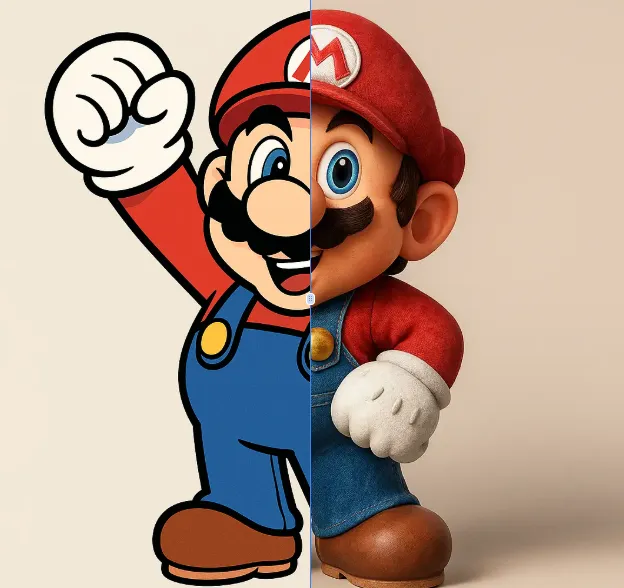
AI 2D To 3D Image Converter
AI 2D to 3D Image Converter is an innovative online tool that instantly converts your 2D images into detailed 3D models. Using advanced AI technology, it automatically generates realistic 3D models without any manual modeling. Perfect for designers, developers, and creators who need quick 3D assets. The tool is completely free, requires no downloads, and works directly in your browser - making 3D creation accessible to everyone regardless of experience level.
Try Now Continue with Google