Black and White Photo to Color
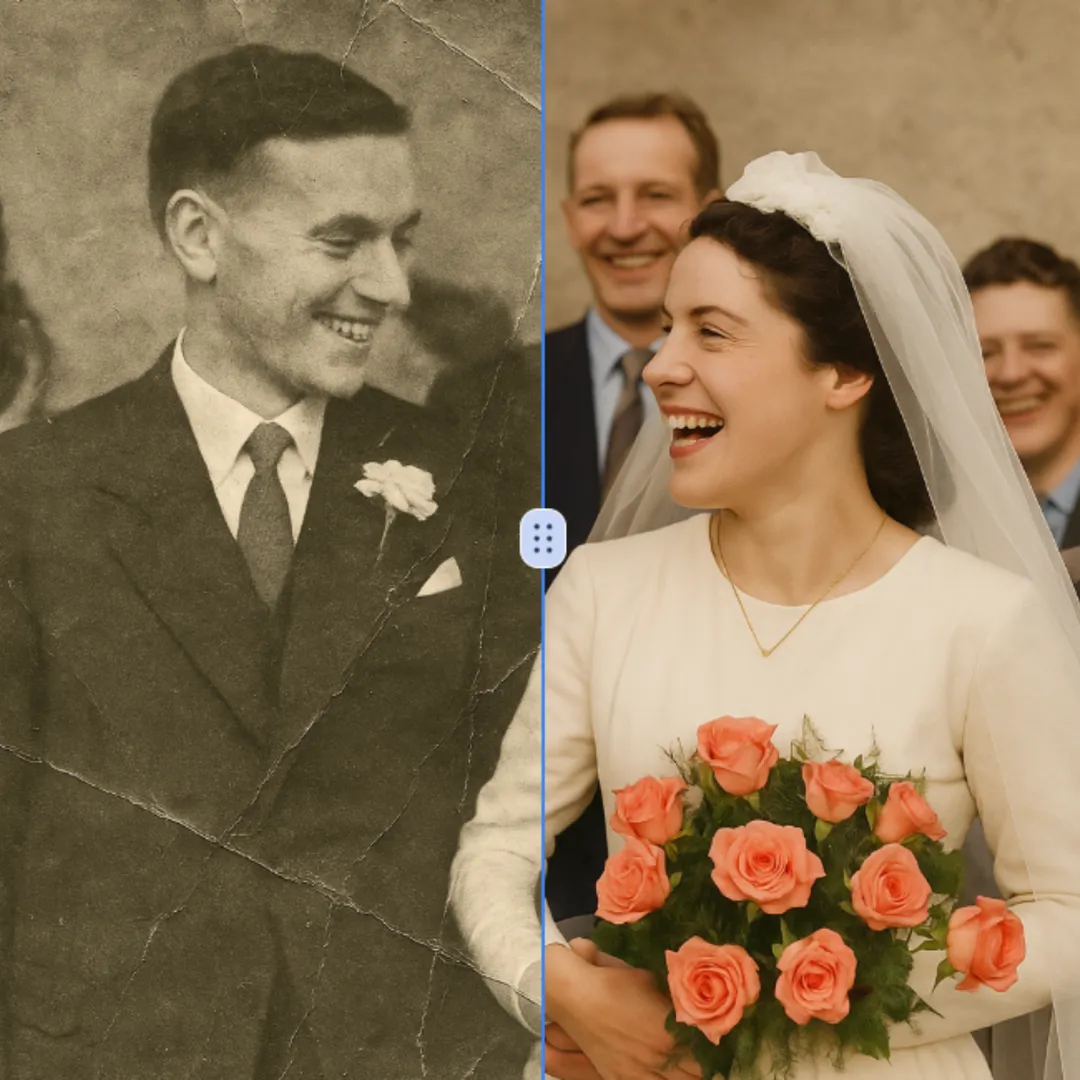
Black and White Photo to Color is a powerful online tool that uses advanced AI to automatically colorize your black-and-white images. It delivers instant, vibrant, and realistic photo transformations with just a few clicks. Enjoy a safe, mobile-optimized experience that's perfect for reviving old photos or adding creative flair to your projects.
Original
Modified What Is Black and White Photo to Color?
The Black and White Photo to Color tool is a revolutionary AI-driven application that instinctively switches monochrome pictures into vivid, full-color ones. The high-tech approach makes use of the artificial intelligence's ability to analyze the gray levels of an image and detail the colorization based on the smart understanding of the objects, materials, and scenes.
The tool helps overcome the most common problem that the photographers, historians, and enthusiasts face when they want to either restore or enhance the old pictures in black and white. Instead of spending hours or even days, depending on the skill level, this system eliminates the need for professional-grade colorized results within seconds--all through the automated process. The technology has been trained by a massive amount of colored images data to develop the understanding of natural color relationships and to apply the right hues to different elements in the photographs.
This color-conversion tool not only invites the historians but anyone on board who wants to do away with black and whited photographs in his/her collection or art projects and instead bring life to them. The system intelligently detects people, landscapes, buildings, vehicles, and other common photographic elements, applying historically accurate and visually pleasing colors, thus keeping the original image's authenticity intact and at the same time, adding the luxury of the full color spectrum.
How To Use Black and White Photo to Color
The Black and White Photo to Color tool is a highly user-friendly one and does not require any particular skills or training. Just go ahead and upload your black and white image through the easy-to-use interface - the system supports the most common image formats among which are JPEG, PNG, and WEBP files.
After uploading your image, you may, if desired, specify the colorization preferences and guidance using the text input fields. These prompts give you the opportunity to guide the AI's colorization process by the spec mentioning specific color schemes, requirements for historical accuracy, or artistic preferences for particular elements in the photograph.
The system automatically examines your grayscale photograph, marking elements such as flesh tints, clothes, sky, trees, and other recognizable features. The AI then applies colors according to its grasp of natural color relationships and historic context, so that the end product looks both real and appealing.
You can choose from among different processing models according to your needs for the best results. The Fast model gives you fast colorization that is of consistent quality and thus, suitable for most applications while the Max model provides a processor that is able to show enhanced detailing and color accuracy yielding premium results. Once processing is finished, you will be able to view the colorized image and download the end product by just one click, thereby turning your antique photographs into breathtaking full-color memories.
FAQs (Frequently Asked Questions)
How accurate is the colorization process when using convert black and white photo to color tools?
The accuracy of our convert black and white photo to color technology is very high owing to the machine learning algorithms that have been trained on large datasets of historical and contemporary color images. The system recognizes patterns, textures, and contextual clues which indicate the color choices for different objects, materials, and scenes. For instance, it knows that grass is usually green, blue for the sky, human skin has different tones, and so on. Nonetheless, accuracy may vary depending on the image quality, historical period, and the clarity of original grayscale information. The AI makes educated guesses based on statistical probability and visual context whenever it encounters ambiguous or rare subjects. Users can propagate accuracy by feeding descriptive prompts that lead the colorization process toward specific historical periods or color preferences, and thus, the outcomes will be more precise and satisfying for their black and white photo to color conversion projects.
Can I control which colors are applied to different parts of my image?
Yes, our how to colorize black and white photos system comes with customizable features that let users influence color selection through descriptive text inputs. While the AI automatically analyzes and colorizes images according to learned patterns and historical data, you can still give specific directions on preferred color schemes, historical accuracy requirements, or artistic preferences. For example, if you are colorizing an old photograph from a certain time, you might specify period-appropriate clothing colors or regional variations in architectural elements. Likewise, you may direct the system towards certain artistic interpretations or even request specific hues for certain objects. These verbal prompts assist in steering the AI's creative interpretation while still allowing it to utilize its core capability of producing seamless, high-quality colorization. The blend of automated intelligence and user guidance strikes a balance that brings about both convenience and creative control over final results when you add color to black and white photo projects.
Which black and white photos are most suitable for this color to black and white photo editor?
Our photo technology that changes black and white to color works best with pictures that possess strong contrast, clearly defined subjects, and recognizable elements like people, landscapes, architecture, or usual objects. Generally, high-resolution photographs without or with very little damage, scratches, or heavy degradation result in the most spectacular outcomes. Historical portraits, family photographs, street scenes, and 20th-century documentary images often give excellent colorization results thanks to the AI's large-scale training on such topics. The system particularly operates well with pictures showing many different textures and having clear objects as these are more informative for accurate color assignment. Though, even bad quality or damaged pictures can still yield good results, but additional manual retouching may be advisable. For any black and white photo to color conversion, if you want the best results, make sure your source image is very clean and of high resolution, and possibly provide contextual information about the photograph's subject matter, time period, or location to help the AI with its colorization choices.
How long does it take to change black and white photo to color using this tool?
The time it takes to process a black and white photo to color operation is not fixed and rather depends on different aspects, including the complexity of the image, the chosen processing model, and the current system load. Using the Fast model, most ordinary photographs get processed within mere seconds, allowing for a very rapid process for both viewing and sharing immediately. This choice is all about speed while at the same time giving consistent quality results that are fine for various uses, such as social media sharing, personal storage, and repairing photographs for friends or family. On the other hand, the Max model is aimed at those who want the best quality and detail preservation, and it takes a bit longer than the Fast one, but it still yields "bite-sized" output with better color accuracy and resolution. Difficult images with a lot of distinct objects, lots of details or complicated lighting can be considered as the factors leading to longer processing since the AI has to very carefully and accurately analyze and colorize these parts one by one. A progress indicator is there during the whole processing to let users know what's going on and how far to completion, thus making the whole how to colorize a black and white photo experience transparent.
Will this tool be appropriate for dealing with ruined or poor quality monochrome prints?
Definitely, our system of how to add color to a black and white photo is intended to deliver results in various image quality scenarios, including damaged or low-resolution photographs, very poorly taken ones, and so on. The AI algorithms are so powerful that they are able to work with even the poorest quality images and still produce quite good colorization results. For instance, the system successfully identifies the challenges posed by a picture with very few scratches, dust spots, and very slight fading, and works the challenges around to give the colorized output quality that is not compromised. On the other hand, coloring of severely ruined images with a lot of missing information, heavy grain, or significant degradation may need the process of preliminary restoration first before moving on to colorization if the best is to be achieved. The tool's advanced pattern recognition does help it a lot with making intelligent assumptions about elements that are missing or unclear but the extent of damage will still determine the variation in the results. In the case of users working with historical or archival materials, this capability will be especially useful for change color photo to black and white projects, as it allows the enhancement of precious but imperfect photographic materials without the need for extensive manual restoration skills.
Are the colorized images historically accurate when using black and white photo to color services?
The historical accuracy of our black and white photo to color services is a significant factor, and the system uses a lot of training with historically accurate color references to get the best color quality. The AI has been trained with huge datasets of period images, fashion, architecture, and cultural elements from different times, which makes it able to choose colors reflecting historical truth. For instance, while working on photographs from certain decades, the system knows typical clothing colors, car paint designs, materials used in buildings, and weather changes that are all connected to those time periods. However, complete historical accuracy is sometimes hard to achieve, especially for certain elements or regions that are not well covered by the training data. Users can provide the necessary context by specifying the photograph's time period, location, or subject matter through descriptive prompts to increase historical accuracy. This input makes it possible for the AI to make better color choices that match the particular historical contexts, thus producing more authentic and dependable colorization results for vintage black and white photo restoration projects.
Which file formats can be used for the conversion of black and white photo to color?
The tool for converting black-and-white photographs to color supports the most common image formats, namely, JPEG, PNG, and WEBP, thus being useful to various users with different needs and kinds of source materials. JPEG is the format that is most widely used in the case of photographs and offers superb compression while at the same time maintaining a good quality. This is why JPEG is the choice for the majority of archival and personal photographs. The lossless compression is the most appropriate for the PNG format or where transparency is needed. The sharpness of the details and the clarity of the text are very important in the quality of restoration work that is done. WEBP is the format which uses modern compression technology that frequently results in the creation of smaller files than those in JPEG and PNG while retaining the same quality. For this reason, WEBP is the format of choice for users with limited storage or bandwidth available. The system automatically processes all the uploaded files without any regard given to their initial size, resolution, or color profiles, thus performing well with various sources from smartphones, digital cameras, scanners, and historical archives. There might be maximum file size limitations that are aimed to assure optimal processing performance, but usually, these are set at levels that most of the standard photographs used in black and white to color conversion projects will not exceed.
Start Black and White Photo to Color with AI Image Editor Today
Transform your photos in seconds with our powerful AI Image Editor and online image editor tools
Edit Your First Image with ImageFkMore AI Image Editor Tools
Discover our collection of AI-powered Image tools to enhance your creativity
AI Blur Image
AI Blur Image is your go-to solution for effortlessly blurring image backgrounds online. Powered by advanced AI, it delivers professional-grade results with just one click – ideal for enhancing product shots, portraits, and creative designs. Fast, free, and user-friendly, it saves time while ensuring high-quality visuals for any project.
Try Now
AI Emoji Remover
Emoji Remover is a free AI tool that quickly removes face emojis, stickers, and unwanted objects from photos. It restores your images instantly and securely, making it easy to clean up pictures without any hassle. Get professional results with this powerful, user-friendly tool.
Try Now
AI Motion Blur
Motion Blur is a free online tool that lets you apply professional motion blur effects to photos. With customizable filters, real-time previews, and high-resolution downloads, it enhances creativity for designers, marketers, and photographers. Achieve dynamic, artistic images effortlessly.
Try Now
AI Remove Tattoo
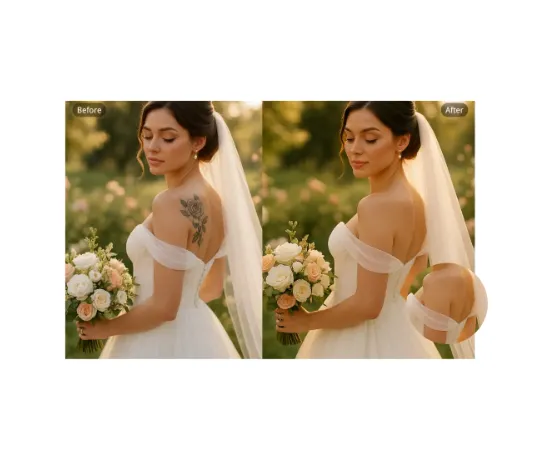
Our AI Tattoo Remover lets you effortlessly erase unwanted tattoos from any photo. Using advanced technology, it precisely removes ink while restoring natural skin tones. Ideal for professional headshots, wedding albums, or social media posts. Enjoy realistic, distraction-free results in seconds—completely free and no login required.
Try Now
Add Shadow to Image
Transform your images with the Add Shadow to Image tool. This AI-powered solution lets you apply natural drop shadows, customize effects, and elevate designs effortlessly. Enjoy quick, user-friendly editing for standout visuals—free and instant results!
Try Now
AI Face Cut Out
Our AI Face Cut Out tool instantly transforms photos into high-quality big head cutouts. Ideal for creating custom materials like T-shirts, phone cases, and social media posts. Enjoy fast, free results with transparent PNGs—no skills needed!
Try Now
AI Wrinkle Remover
Wrinkle Remover is a free AI-powered tool that smooths facial lines and clothing creases with one click. Ideal for portraits, product photos, and creative projects, it preserves natural details for professional results. Enjoy an easy-to-use online editor to enhance images instantly—no downloads needed!
Try Now
Nose Piercing Filter
The Nose Piercing Filter lets you experiment with virtual nose piercings effortlessly. Upload a selfie, choose from realistic nose rings, studs, or septum styles, and instantly preview your look. Enjoy a risk-free, no-app-required experience to explore new styles without commitment.
Try Now
Continue with Google