AI Age Filter
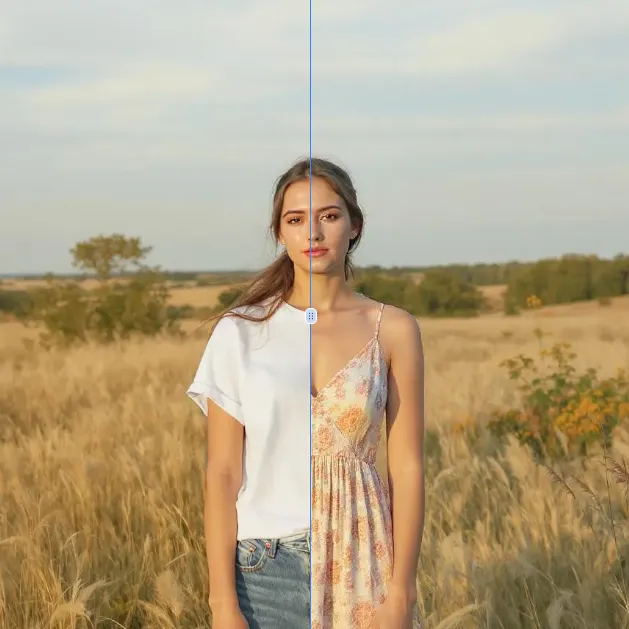
AI Age Filter is a free online tool that uses advanced AI to transform your photos with realistic age progression. Simply upload a photo to see how you'd look at any age instantly. No sign-ups or downloads required—enjoy fast, accurate results for fun or planning. Experience the future of photo editing today!
 Original
  Modified
 Guide
Free AI Age Filter Online - See Yourself at Any Age Instantly
Curious about the future? An AI Age Filter is a smart online tool that uses artificial intelligence to transform your photos, showing how you might look at different stages of life. Simply upload a picture, and the technology instantly applies realistic age progression or regression effects, letting you see a younger or older version of yourself in seconds.
What Is an AI Age Filter and How Does It Work?
At its core, an AI Age Filter is a specialized application of AI image editing that focuses on facial transformation. Unlike simple photo filters that just add a grainy overlay or change colors, these tools use complex machine learning models to understand the structure of a human face. They’ve been trained on thousands of images to learn how aging affects skin texture, bone structure, and features .
When you use a tool like the one on ImageFK, the process is surprisingly straightforward:
- Facial Analysis: The AI first maps key points on your face—your eyes, nose, mouth, and jawline. This creates a digital blueprint.
- Age Modeling: The algorithm then applies the learned patterns of aging. To make you look older, it might add wrinkles, soften facial contours, and gray your hair. To make you look younger, it smooths skin and adds volume to certain areas.
- Realistic Rendering: The final step blends these changes seamlessly into your original photo, ensuring the result looks like a natural, authentic version of you, not a cartoon.
Why Use an AI Age Filter? Top Benefits and Use Cases
People turn to AI age filters for a variety of reasons, ranging from pure fun to practical application. The technology has evolved to a point where it's not just a gimmick, but a genuinely useful tool for photo enhancement and exploration.
For Fun and Social Media
This is the most popular use. Seeing a "future me" or "teenage me" version of yourself is an irresistible novelty. These transformations make for highly engaging content on social platforms, sparking conversations and providing a shared moment of curiosity with friends and followers.
Creative Experimentation
Are you considering a major hairstyle change? Wondering if you'll still like your beard when you're 70? An age filter allows you to experiment with different looks across your lifespan. It’s a risk-free way to test out potential future styles or even visualize characters for storytelling and creative projects.
Personal Reflection and Planning
There's a deeper, more reflective side to this technology. Seeing a realistically aged version of yourself can strengthen the connection to your future self. For some, it acts as a positive motivator for adopting healthier habits or thinking about long-term life goals .
Key Features of ImageFK's AI Age Filter
The AI Age Filter tool on ImageFK is designed to be powerful yet accessible. It prioritizes user experience and high-quality results, making advanced AI image processing available to everyone, regardless of their technical skill.
- Instant, Browser-Based Editing: There's no software to download or install. The entire process happens directly in your browser, making it a fast and convenient online tool. You can access it from any device, whether it's a desktop, tablet, or smartphone.
- No Sign-Ups Required: Your privacy is a priority. You can use the tool immediately without creating an account or providing personal information. The focus is on secure and anonymous image transformation.
- High-Quality Results: The underlying AI is designed to produce accurate and detailed transformations. It aims for realism, carefully preserving your unique identity—your expression and core facial structure—while simulating the effects of age. This ensures the final image is a believable representation, not a generic replacement.
- Simple Workflow: With just an image upload and a simple text prompt (like "make me 60 years old with gray hair"), the AI handles the rest. It’s a perfect example of how AI-powered editing can simplify complex tasks.
How to Use the AI Age Filter on ImageFK
Getting started with the AI Age Filter is a simple three-step process designed for speed and efficiency.
- Upload Your Photo: Start by uploading a clear image of the face you want to transform. The tool supports common formats like JPEG, PNG, and WEBP. For the best results, use a well-lit photo where the face is clearly visible.
- Describe the Transformation: In the prompt box, simply describe the age you want to see. You can be specific, like "a woman in her 70s with kind eyes and silver hair," or more general, like "make me look like a teenager." Adding details helps guide the AI.
- Generate and Download: Click the generate button. In about 60 seconds, the AI image processing is complete, and you'll see your transformed photo. You can then download it directly to your device to share or keep.
The Technology Behind Realistic Age Progression
The magic of a good AI age filter lies in its ability to navigate what researchers call the "Age-ID Trade-off" . This is the challenge of making someone look significantly older or younger while keeping them recognizably the same person.
Advanced systems tackle this by using a two-pass approach. The first pass focuses on "aging" the image, making bold changes to features like wrinkles and face shape. The second pass then works to "recover" the person's identity, ensuring that after all the changes, the person in the photo still looks like you . This sophisticated process, powered by technologies like generative adversarial networks (GANs), is what separates a realistic, high-quality tool from a simple, unrealistic filter .
Conclusion
Whether you're driven by curiosity, need visuals for a creative project, or just want to have some fun with photos, the AI Age Filter on ImageFK offers a fast, free, and private way to explore the passage of time. Its commitment to realistic results and user-friendly design makes it a standout choice in the world of online AI image editing. Try it today and take a fascinating glimpse into your own timeline.
Frequently Asked Questions
Is it really free to use the AI Age Filter on ImageFK?
Yes, the AI Age Filter tool on ImageFK is completely free to use online. There are no hidden costs, subscription fees, or credit systems. You can upload and transform your photos without any payment.
Do I need to create an account or sign up?
No, you do not need to sign up or create an account. The tool is designed for immediate, anonymous use. You can access all its features directly on the website without providing any personal information.
What happens to my photos after I use the tool?
ImageFK prioritizes user privacy and security. Your photos are processed securely, and the tool operates directly in your browser. For specific details on data handling and privacy, you can refer to the website's privacy policy, but the tool is designed to respect your confidentiality.
How accurate is the AI Age Filter?
While no tool can predict the future with 100% accuracy, this AI age filter uses advanced models trained on extensive datasets to simulate realistic aging patterns . The results are designed to be a highly plausible and natural-looking representation of how you might age, based on common biological changes.
Can I use the tool on my phone?
Absolutely. Since it's a browser-based online tool, it works seamlessly on any device with an internet connection and a modern web browser, including smartphones and tablets. This makes it easy to use on the go.
Start AI Age Filter with AI Today
Transform your images instantly using powerful AI Effects Filters AI tools.
Try AI Age Filter NowMore AI Effects Filters AI Tools
Discover more AI-powered tools to enhance and transform your images.
AI Clothes Remover
AI Clothes Remover is a free online tool that lets you instantly remove and replace clothing in photos. Experiment with styles, change outfits effortlessly, and get high-quality results without any fees or registration. Perfect for creative projects, it's the top AI clothing remover for quick, professional edits.
Try Now
AI Photo To Anime
AI Photo to Anime is a free online tool that instantly converts your photos into anime-style artwork using advanced AI technology. Simply upload any image, and our converter generates professional anime art in seconds. Enjoy seamless operation on mobile or desktop without registration. Perfect for creating unique avatars, social media content, or artistic projects with zero cost and maximum convenience.
Try Now
AI Photo To Cartoon
AI Photo to Cartoon is a free AI-powered tool that converts your photos or text descriptions into high-quality cartoon images effortlessly. It eliminates the need for design expertise, making it ideal for creating unique social media posts, personalized gifts, and engaging marketing materials. Enjoy fast, professional results that enhance your creativity and save time.
Try Now
Photo To Oil Painting
Photo to Oil Painting is a free AI tool that converts your photos into beautiful oil painting art online. It uses advanced AI to instantly transform any image, offering a fast, secure, and user-friendly experience. Perfect for artists, NFT creators, and hobbyists, it helps you create unique artwork effortlessly with just a few clicks.
Try Now
AI Photo To Sketch
AI Photo to Sketch is a free online tool that converts photos into realistic pencil sketches using advanced AI. It requires no drawing skills – simply upload your image, and get instant results. Perfect for creating art, gifts, or social media posts. Enjoy high-quality sketches with zero effort!
Try Now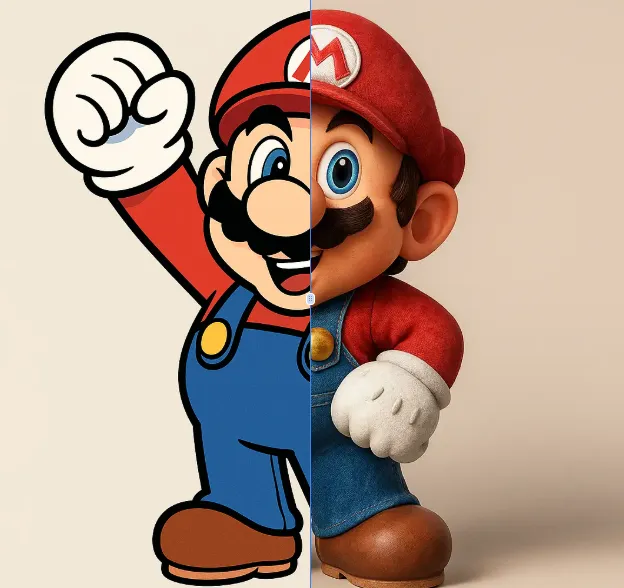
AI 2D To 3D Image Converter
AI 2D to 3D Image Converter is an innovative online tool that instantly converts your 2D images into detailed 3D models. Using advanced AI technology, it automatically generates realistic 3D models without any manual modeling. Perfect for designers, developers, and creators who need quick 3D assets. The tool is completely free, requires no downloads, and works directly in your browser - making 3D creation accessible to everyone regardless of experience level.
Try Now Continue with Google