تعبئة توليدية بالذكاء الاصطناعي
أصلح الصورة بإزالة أو استبدال عنصر معين باستخدام Generative Fill بالذكاء الاصطناعي. راقب الظلال والأنماط المتكررة والمنظور واستمرارية الخلفية.
 معدّل
معدّل ما هي هذه الأداة؟ املأ الصور ووسّعها باستخدام هذه الأداة. استبدل المناطق، ووسّع الخلفيات، واملأ المساحات المفقودة بنتائج طبيعية. ارفع صورة بصيغة JPEG أو PNG أو WEBP، وصف التغيير باللغة الإنجليزية البسيطة، وتقوم هذه الأداة بتطبيق التعديل بعد المعالجة. يمكن البدء باستخدام سير العمل داخل المتصفح. تُعرف أيضًا باسم هذه الأداة، أو موسّع الصور أداة التوسيع الخارجي (outpainting) عبر الإنترنت، تم تحسين هذه الصفحة للحصول على نتائج سريعة على أجهزة سطح المكتب والهواتف المحمولة. اختر Nano Banana أو GPT-Image أو نماذج أخرى من القائمة المنسدلة للمولد لتلبية احتياجات السرعة والجودة. تتم معالجة الصور المرفوعة بشكل آمن وتُحذف من الخوادم بعد فترة احتفاظ قصيرة. ## كيفية استخدام التعبئة التوليدية بالذكاء الاصطناعي عبر الإنترنت 1. افتح المولد — انتقل إلى المحرر في أعلى صفحة هذه الأداة.
- ارفع صورتك — انقر على زر الرفع أو الصق صورة (Ctrl+V). الصيغ المدعومة: JPEG وPNG وWEBP بحجم يصل إلى 10 ميجابايت.
- اكتب البرومبت الخاص بك — صِف التعديل المطلوب بوضوح، مثل ما تريد إزالته أو استبداله أو تكبيره أو تغيير أسلوبه.
- اختر النموذج — حدد Fast للمسودات السريعة أو Pro/Max لجودة أعلى بدقة الإخراج.
- التوليد والتنزيل — انقر على "توليد"، وشاهد معاينة النتيجة، ثم نزّل صورتك المعدّلة. نصيحة: ابدأ ببرومبت محدد، ثم حسّن الصياغة إذا كانت النتيجة الأولى بحاجة إلى تعديل. ## الميزات الرئيسية لهذه الأداة - نماذج ذكاء اصطناعي متعددة** — تنقّل بين Nano Banana وGPT-Image وSeeDream ومحركات أخرى.
- خيارات الدقة — صدِّر بدقة 1K أو 2K أو بدقة عالية اعتمادًا على خطة الاعتمادات والنموذج لديك.
- أوضاع الصورة المفردة والمتعددة — حرِّر صورة واحدة أو ادمج عدة مراجع في وضع Multi Fusion. ## أفضل حالات الاستخدام
تساعدك هذه الأداة عندما تحتاج إلى توسيع اللوحات (الكانفس) وملء المناطق باستخدام هذه الأداة دون الحاجة إلى سير عمل تحريري منفصل. تشمل المهام الشائعة لوحات إنستغرام الموسّعة، وملء المناطق الفارغة، وتكوينات المناظر الطبيعية الأعرض، وتغيير أبعاد تصميمات الإعلانات. ونظرًا لأن ImageFK يعمل داخل المتصفح، يمكن للفرق البعيدة والمبدعين الأفراد إنتاج متسق مرئيات من أي جهاز. ## لماذا تستخدم ImageFK لهذه الأداة؟ يجمع ImageFK بين نماذج ذكاء اصطناعي متعددة — Nano Banana وGPT-Image وSeeDream وغيرها — في محرر صور الترخيص التجاري مضمّن، وتُحذف الملفات المرفوعة تلقائيًا وفقًا لسياسة الخصوصية لدينا. تم تصميم هذه الأداة لصنّاع المحتوى الذين يحتاجون إلى توسيع لوحات الرسم وملء المناطق باستخدام هذه الأداة ضمن مواعيد نهائية ضيقة — من كتالوجات التجارة الإلكترونية إلى الحملات الاجتماعية. ## نصائح للحصول على نتائج أفضل صِف ما يجب أن يظهر في المنطقة الموسَّعة — سماء، غابة، خلفية استوديو — حتى تبقى نتائج التعبئة متسقة. إذا كانت النتيجة قريبة من المطلوب لكنها ليست مثالية، عدّل تفصيلاً واحداً في المطالبة وأعد التوليد بدلاً من تكديس تغيير يستخدم منشئو المحتوى ImageFK عندما يحتاجون إلى توسيع اللوحات وملء المناطق باستخدام ميزة التعبئة التوليدية بالذكاء الاصطناعي دون فتح حزمة برامج مكتبية كاملة. يعيد المسوقون توليد التنويعات بسرعة — وهو أمر مفيد لإجراء اختبارات A/B على التصاميم الإبداعية للإعلانات ومنشورات وسائل التواصل الاجتماعي. تتكامل ميزة التعبئة التوليدية بالذكاء الاصطناعي مع أدوات ImageFK الأخرى مثل إزالة الخلفية ورفع الدقة ونقل الأنماط من أجل ## الترجمة سير عمل متعدد الخطوات. يستخدم المصورون ذوو المواعيد النهائية الضيقة مطالبات نصية بدلاً من القناع اليدوي لتسليم نماذج العملاء بشكل أسرع. يقوم مديرو وسائل التواصل الاجتماعي بتغيير حجم الأصول وتحسينها لـ Instagram و TikTok و Pinterest من علامة تبويب متصفح واحدة. يعتمد أصحاب الأعمال الصغيرة الذين لا يملكون فريق تصميم على التعبئة التوليدية بالذكاء الاصطناعي للحصول على مرئيات احترافية بجزء بسيط من تكلفة الوكالة. قم بتحميل ملفات JPEG أو PNG بحجم يصل إلى 10 ميغابايت، واختر إخراجاً بجودة 1K/2K/عالية الدقة عندما تدعم خطتك ذلك، ثم نزّل النتائج بعد المعالجة. يساعدك وضع Multi Fusion في ImageFK عندما تحتاج إلى اتساق الشخصيات أو مراجع المنتجات عبر عدة صور مصدرية. إذا احتاجت النتائج إلى تحسين، عدّل تفصيلاً واحداً في البرومبت وأعد التوليد — التحرير التكراري أسرع من البدء من جديد في فوتوشوب. ## الأسئلة الشائعة ### هل التعبئة التوليدية بالذكاء الاصطناعي متاحة عبر الإنترنت؟ نعم. يقدم ImageFK أرصدة متاحة لتجربة التعبئة التوليدية بالذكاء الاصطناعي. تفتح حزم الأرصدة المدفوعة دقة أعلى، وتنزيلات خالية من العلامة المائية، وترخيصًا تجاريًا.
هل أحتاج إلى الاشتراك؟ يمكنك تجربة التحرير فورًا. يساعد إنشاء حساب على حفظ السجل وإدارة الأرصدة عبر الأجهزة.
هل صوري المرفوعة خاصة؟ نعم. تتم معالجة الصور بشكل آمن وتُحذف تلقائيًا من الخوادم بعد فترة احتفاظ قصيرة وفقًا لسياسة الخصوصية الخاصة بنا.
ما هي صيغ الصور المدعومة؟ قم بتحميل ملفات JPEG أو PNG أو WEBP بحجم يصل إلى 10 ميغابايت. نزّل النتائج في PNG أو JPEG مفصّل.
هل يمكنني استخدام الصور المعدّلة تجاريًا؟ الاستخدام التجاري مشمول مع حزم الأرصدة المدفوعة. راجع صفحة الأسعار لمعرفة تفاصيل الترخيص.
كيف يختلف هذا عن فوتوشوب؟ يوفر فوتوشوب دقة يدوية ولكنه يتطلب تدريبًا. أما التعبئة التوليدية بالذكاء الاصطناعي فتركز على اللوحات الموسعة والمناطق المعبأة باستخدام التعبئة التوليدية بالذكاء الاصطناعي من خلال مطالبات نصية بسيطة — أسرع لإجراء التعديلات اليومية.
ابدأ باستخدام تعبئة توليدية بالذكاء الاصطناعي اليوم
حوّل صورك فورًا باستخدام أدوات AI Image Editor القوية للذكاء الاصطناعي.
جرّب تعبئة توليدية بالذكاء الاصطناعي الآنالمزيد من أدوات AI Image Editor للذكاء الاصطناعي
اكتشف المزيد من الأدوات المدعومة بالذكاء الاصطناعي لتحسين وتحويل صورك.
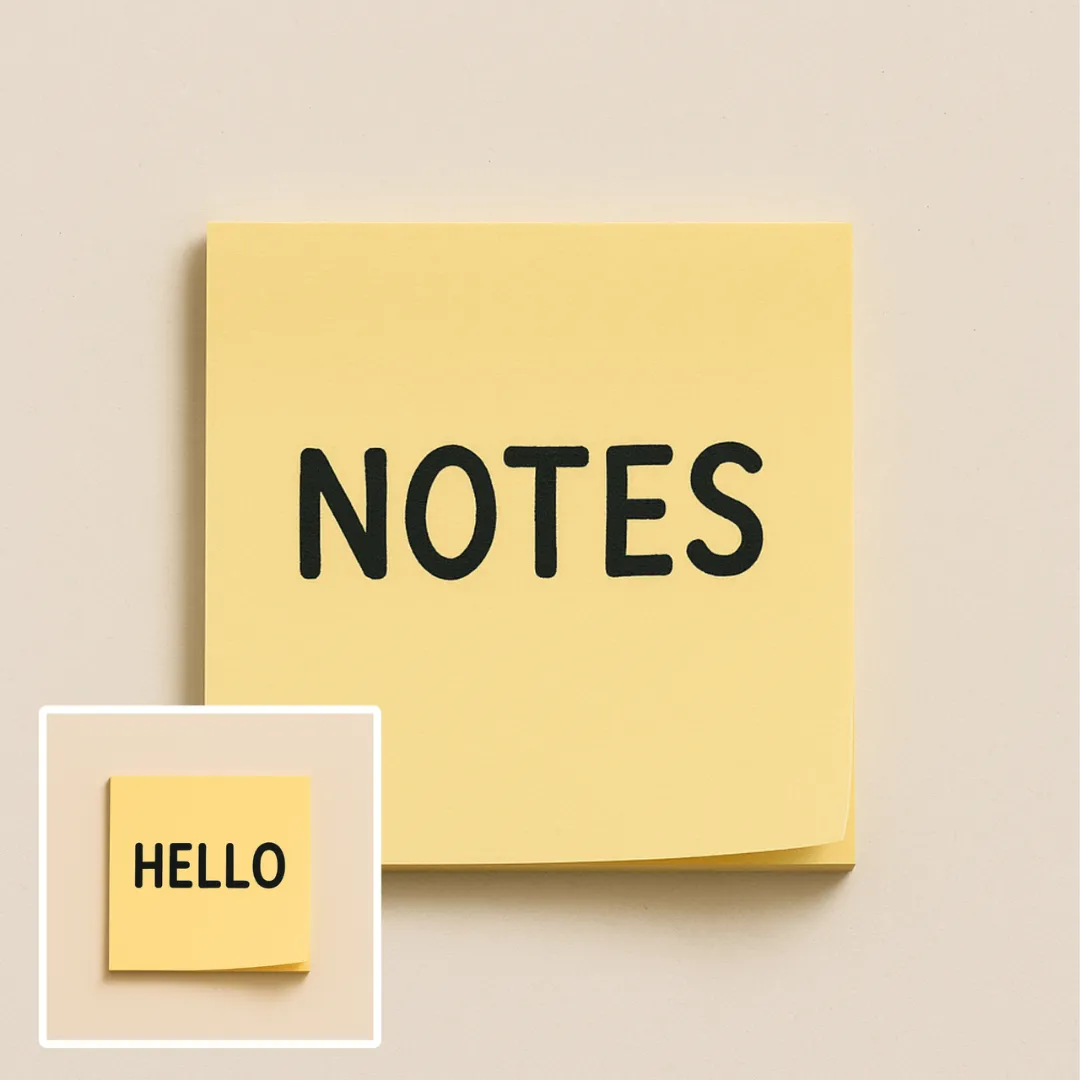
تحرير النص في الصورة بواسطة الذكاء الاصطناعي
حرّر أو احذف النص الظاهر باستخدام AI Edit Text in Image مع الحفاظ على التخطيط المحيط. تحقق من الخطوط، المحاذاة، نص الخلفية، والقص النهائي قبل النشر.
جرّب الآن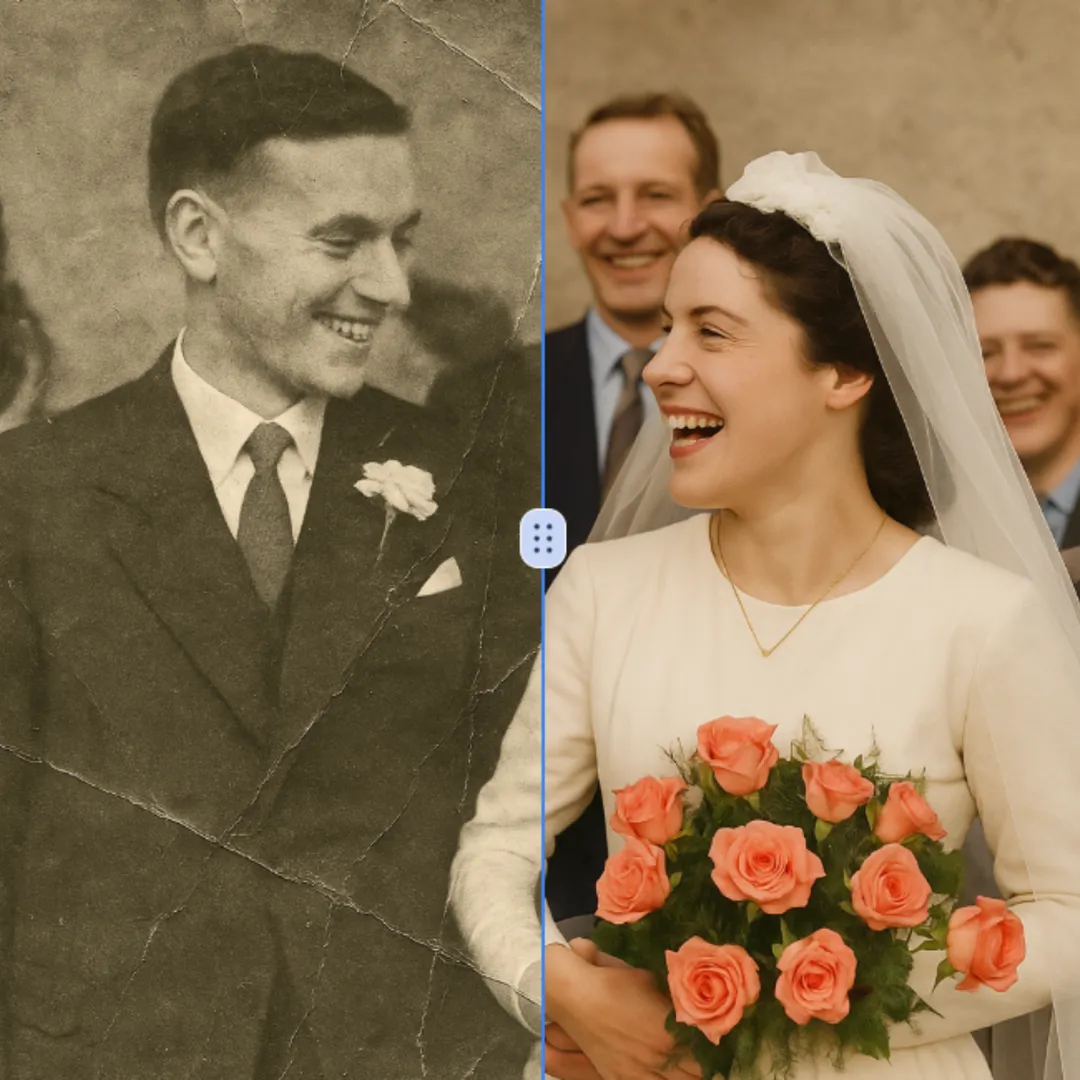
ترميم الصور بالذكاء الاصطناعي
حسّن تفاصيل الصور الظاهرة مع AI Photo Restoration مع الحفاظ على الموضوع الأصلي في العرض. قارن الحواف والوجوه والملمس والنصوص الصغيرة بالحجم المطلوب.
جرّب الآن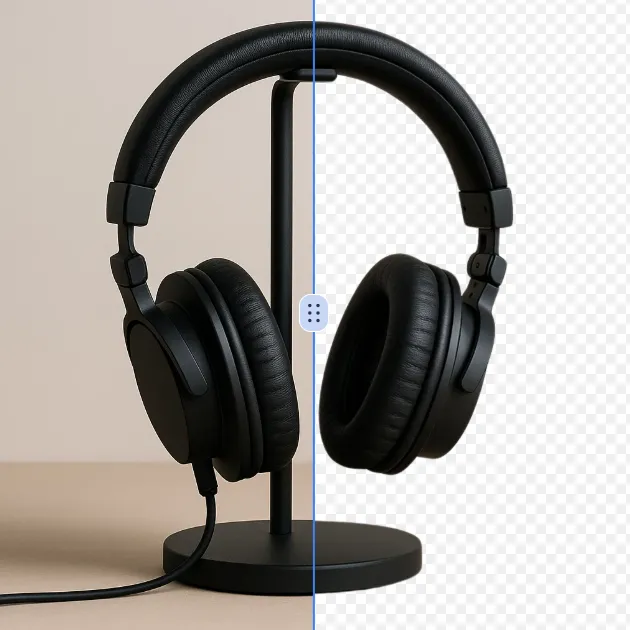
أداة إزالة الخلفية بالذكاء الاصطناعي
إزالة الخلفية من صورة أو شعار بإزالة الخلفية بالذكاء الاصطناعي، ثم تدقيق حواف الموضوع والتفاصيل الدقيقة والشفافية قبل استخدام القطعة في تصميم جديد.
جرّب الآن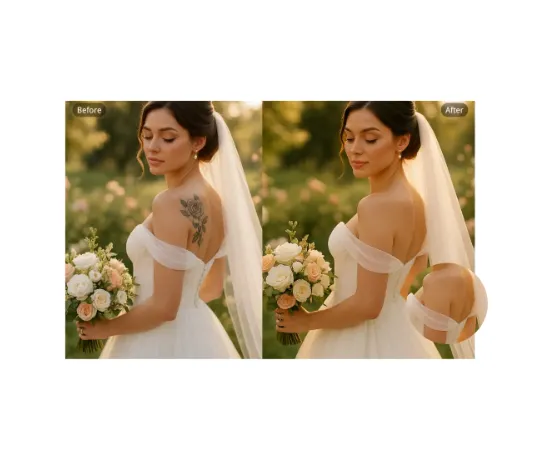
إزالة الوشم بالذكاء الاصطناعي
استخدم AI Remove Tattoo لاستهداف طبقة غير مرغوبة أو تفاصيل محددة في الصورة. قارن المنطقة المُعدّلة مع النسيج المحيط وصحّح الظهور المرئي قبل التصدير.
جرّب الآن المتابعة مع Google